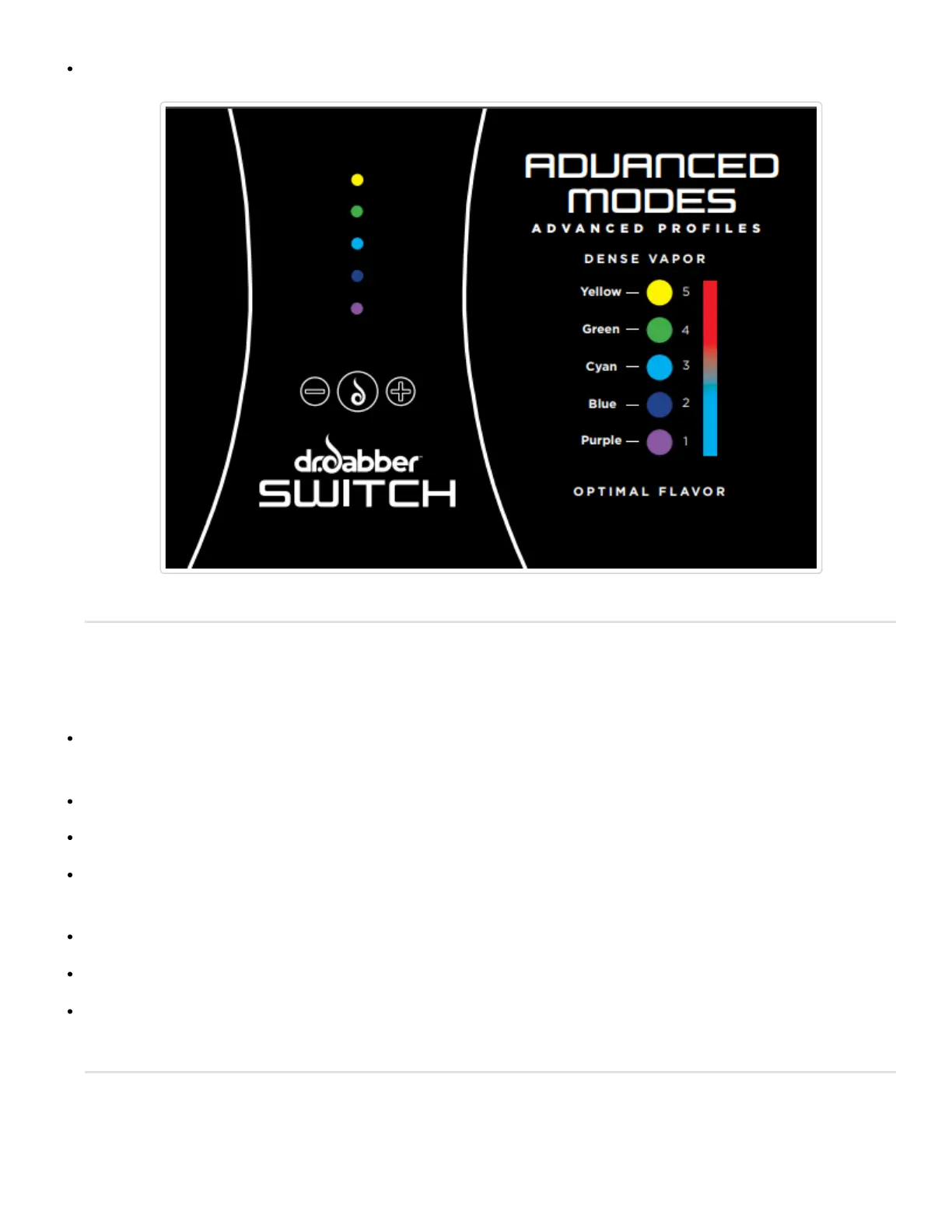
Higher heat profiles may result in reduced battery life.
Train Your Hold Time
The SWITCH allows you to choose your hold time (duration of which the unit holds the desired heating profile)
in Advanced Mode.
Instead of pressing the (Go) button to use the device, Press and hold the (Go) button.
The Red escalating LEDs will illuminate indicating the device is heating up. (continue to hold the (Go) button)
When the device reaches temperature, the LEDs will animate Yellow indicating the device is recording the new
hold time. Continue holding the (Go) button as you use the device to train the hold time.
When you are satisfied with the length of the hold time, let go of the (Go) button.
The newly recorded hold time will be automatically saved to the Advanced Mode.
Minimum recordable hold time is 5 seconds, longest recordable hold time is 30 seconds.
Crystal Mode (additional accessory required)


 To Next Page