EasyManua.ls Logo

Dr.Dabber Switch - Stealth Mode

Dr.Dabber Switch
18 pages
Print Icon
To Next Page IconTo Next Page
To Previous Page IconTo Previous Page
Loading...
4/9/22, 4:44 PM
Switch User Manual - Dr. Dabber Knowledge Base
https://drdabber.helpscoutdocs.com/article/76-switch-user-manaul
11/18
2:Purple
3:Blue
4:Cyan
5:Green
6:Orange
7:Yellow
8:Red
9:Magenta
10:Pink
11:White
12:Sweeping Colors
13:Fireworks
14:Popping Bubbles
15:Pulsing - Slow
16:Pulsing - Fast
17:Slow Slow Slow Roll
18:Slow Slow Roll
19:Slow Roll
20:Spin Doctor - Slow
21:Spin Doctor - Medium
22:Spin Doctor - Fast
23:Random Roll - Slow
24:Random Roll - Medium
25:Random Roll - Fast
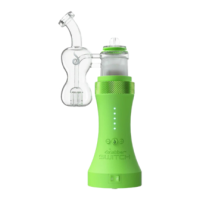
Stealth Mode
Stealth Mode is incorporated into the Standby Lighting settings.
In Stealth Mode, the SWITCH glass top will not illuminate, and will only indicate functions with the LEDs on the
front of the device.
To change into Stealth mode, press and hold the (-) button.

Other manuals for Dr.Dabber Switch

Related product manuals