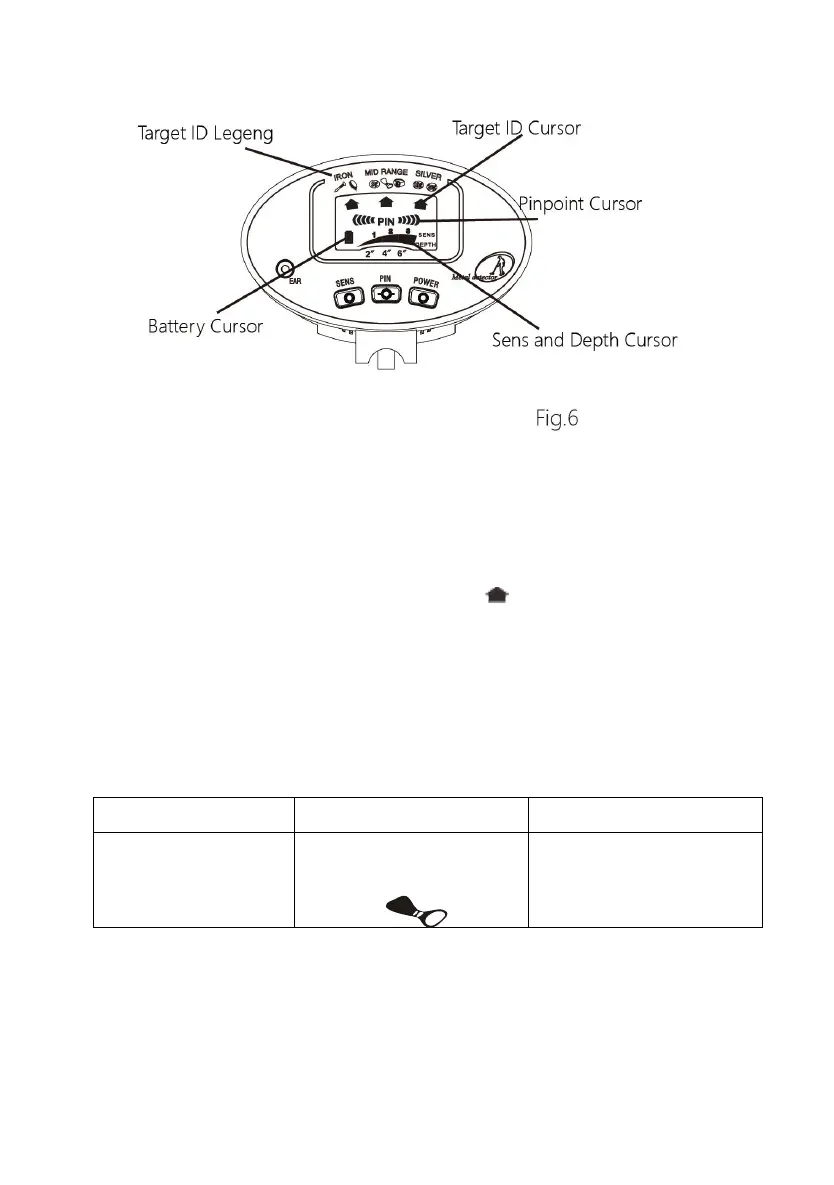
● Target ID Pattern: It’s located on the LCD screen. It indicates the
wanted target metals. When detecting a metal target, the target ID
cursor will appear below such metal patterns or the words.
● Target ID Cursor: It’s in the shape of . It consists of 3 segments.
When the target ID cursor is lighted, which indicates the probable
metal type of the detected target.
The three warning tones which be heard during finding targets are
corresponding with the target ID cursor. See the below table:
Note: Affected by the soil composition, as the same material metal in
the different soil, the position of the target ID cursor will have a change.
Coins made in different years, there are differences between the metal
components, the location of the identify cursor also may change.



 To Next Page