30 DR
®
SELF-FEEDING CHIPPER
Routinely check the wear plate for a sharp square edge. Using a rounded or chipped wear plate will decrease performance and
cause excessive vibration that will cause damage to the DR SELF-FEEDING Chipper and make chipping difficult for the operator.
VISUAL Inspection of the Wear Plate (minimum every 25 hours)
Tools Needed:
Two 1/2" Wrenches
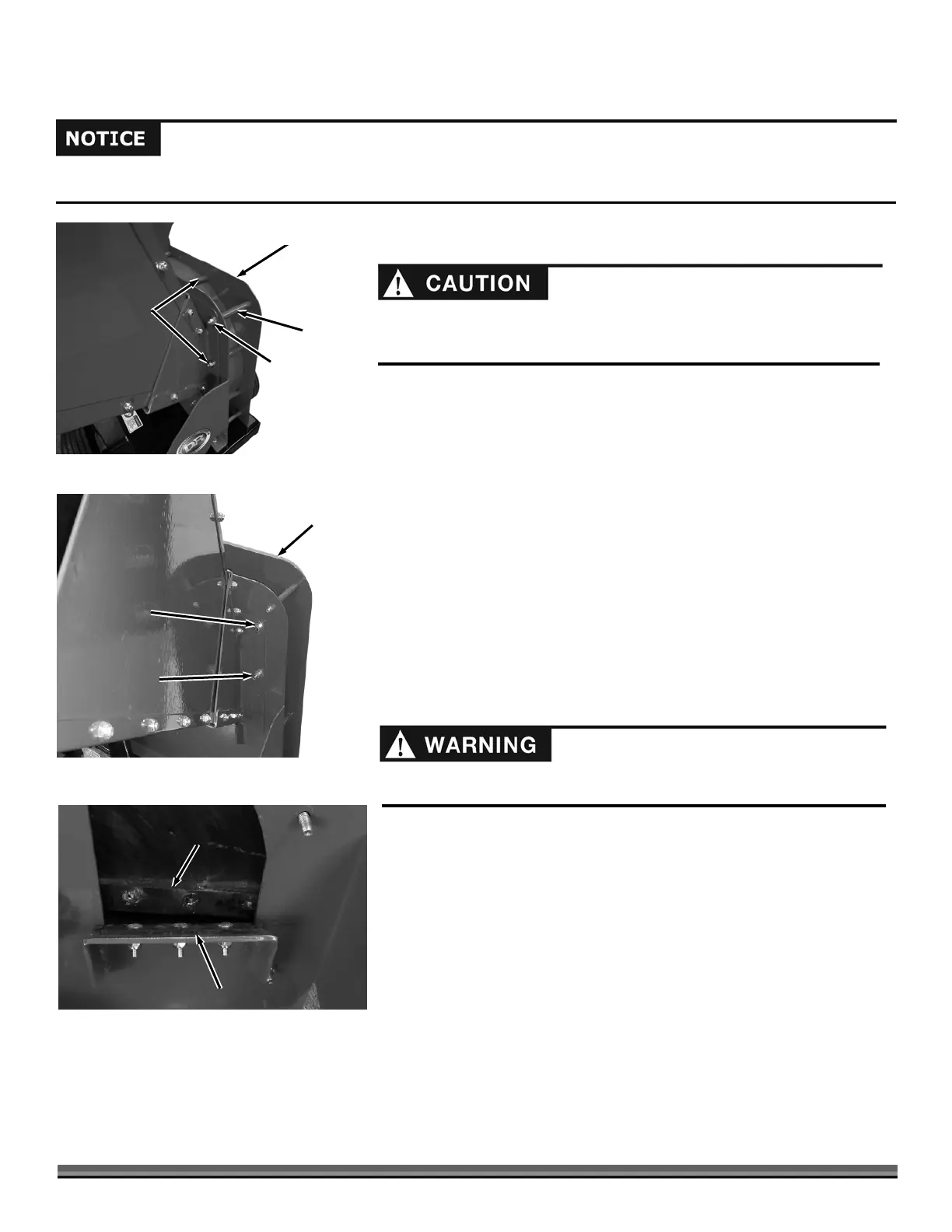
1. Remove the Hopper hardware as described below.
16.5 Model:
a. Remove the Locknut and Washer from the upper right Bolt and lower
left Stud of the Hopper using two 1/2" Wrenches (Figure 49a). The Bolt can be
left in place and make sure the Spacer stays in the location shown.
b. Remove the Bolt from the upper left and lower right of the Hopper
using a 1/2" Wrench.
21.0 Model:
a. Remove the Locknut and Washer from the Bolt on the lower right side
of the Hopper using two 1/2" Wrenches (Figure 49b). The Bolt can be left in
place.
b. Remove the three Locknuts and Washers from the upper right and left
and lower left of the Hopper using a 1/2" Wrench.
2. Remove the Hopper from the Chipper Assembly.
3. Use a stick to rotate the Flywheel until the Knife is next to the Wear
Plate.
4. Closely inspect the Chipper Knife and Wear Plate for nicks or dull
(rounded) edges (Figure 50).
5. If necessary, repair or replace the Chipper Knife and/or Wear Plate (see
those sections in this chapter).
6. Check the Chipper Knife to Wear Plate gap (see that section in this
chapter).
Figure 49a: Pro
Hopper
Chipper Assembly
Bolt, Locknut
and Washer
(Upper Right)
Spacer
Bolts (Upper
Left and Lower
Right)
Locknut
(Lower Left)
Figure 49b: Pro-XL
Hopper
Chipper
ssembly
Locknut and Washer
(Two on other side of
Hopper Also)
Bolt, Locknut
and Washer
Be careful and wear gloves when working near the chipper knife. The knife
edge can cut you if you come in contact with it.
The hopper should be supported when the mounting hardware is removed.
Removal of the hopper is difficult for one person. Two people are needed for
the ho
er removal
rocess.
Chipper
Knife
Figure 50
Wear Plate


 To Next Page
 Loading...