CONTACT US AT www.DRpower.com 17
To Free a Jammed Rotor
• Check and Remove any material left in the Chipper and Shredder Hoppers,
using a Wooden Stick.
• Start the machine and allow any remaining material in the
Chipping/Shredding Chamber to discharge.
• If the Chipping/Shredding Chamber does not clear and the Rotor is still
jammed, the Shredder Chamber will need to be cleared. See “To Clean Out
a Clogged Shredder Chamber”
• Be certain the Shredding Chamber is clear before trying to process more
material into the Hopper(s). Clogging could result in Belt or Clutch failure.
To Clean Out a Clogged Shredder Chamber
Tools Needed:
• Two 9/16" Wrenches
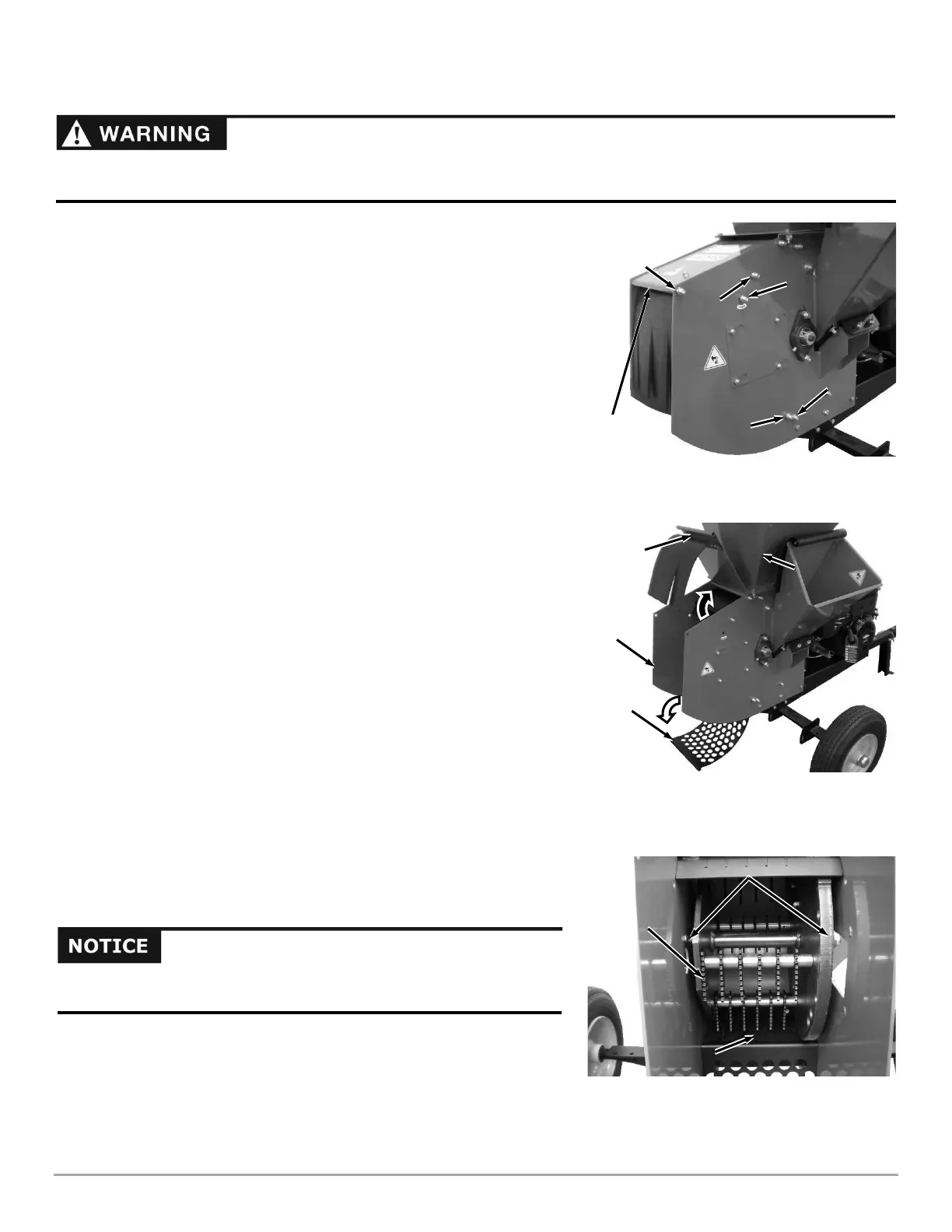
1. Remove the Bolt and Lock Nut securing the Housing Top Plate using two
9/16" Wrenches (Figure 15).
2. Remove the Upper Screen Bolt and Lock Nut using two 9/16" Wrenches.
3. Loosen (but do not remove) the Screen Pivot Bolt, Upper Scroll Bolt and
Lower Scroll Bolt using two 9/16" Wrenches.
4. Rotate the Housing Top Plate up towards the Hopper, exposing the Screen
(Figure 16).
5. Rotate the Screen down exposing the Shredder Hammer Assembly.
6. Remove any debris wrapped around the Rotor Components or collected in
the Shredding Chamber or Screen (Figure 17).
7. Reposition the Screen and reinstall the Upper Screen Retaining Bolt and
Lock Nut. Tighten the Upper and Lower Screen Bolts (Figure 15).
8. Reposition the Housing Top Plate and secure with the Housing Top Plate
Bolt and Lock Nut.
9. Tighten the Lower and Upper Scroll Bolts.
10. Reconnect the Spark Plug Wire, start the machine, and allow any remaining
material in the Shredding Chamber to discharge.
11. If the Shredding Chamber does not clear, repeat the above process.


 To Next Page
 Loading...