User Manual • October 2004 Page 13
DRAEGER INTERLOCK
®
XT
Exterior Care
• Use a lightly dampened cloth to wipe off dirt if the outside of the Handset becomes dirty.
• Never use a cleaner or soap on the Handset.
• For a very soiled or dirty Handset, request that the service technician clean it for you at
your next Service appointment.
Misuse, Abuse and/or Neglect
• Take care of the Interlock while it is in your possession.
• Treat the Interlock as you would a cellular phone or other portable electronic device.
• Always place the Handset on the Hook and Loop Tape when not in use.
• You will be held liable for damage for which the Service Provider, Service Technician
or Manufacturer believes has been caused by misuse, abuse and/or neglect of the Interlock.
DISCONNECTING THE HANDSET
(Only if and when Pre-approved)
IMPORTANT
With authorization only, you may be instructed to remove the handset only when temperatures
are extreme. The handset must not be disconnected while driving, or while the interlock is
requesting a retest. If the Handset is disconnected at these times, it will result in a Violation.
Extremely cold temperatures can increase the time
for the Interlock device to allow a breath test. To
lessen wait times in extremely cold temperatures,
the handset should be disconnected and taken out
of the car. The Interlock should be placed in a
location where the temperature is roughly room
temperature.
In extremely hot temperatures, the unit may not
start until it is cooler. Therefore, if approved, you
must temporarily remove the handset from the
vehicle and place it in a location where the
temperature is roughly room temperature.
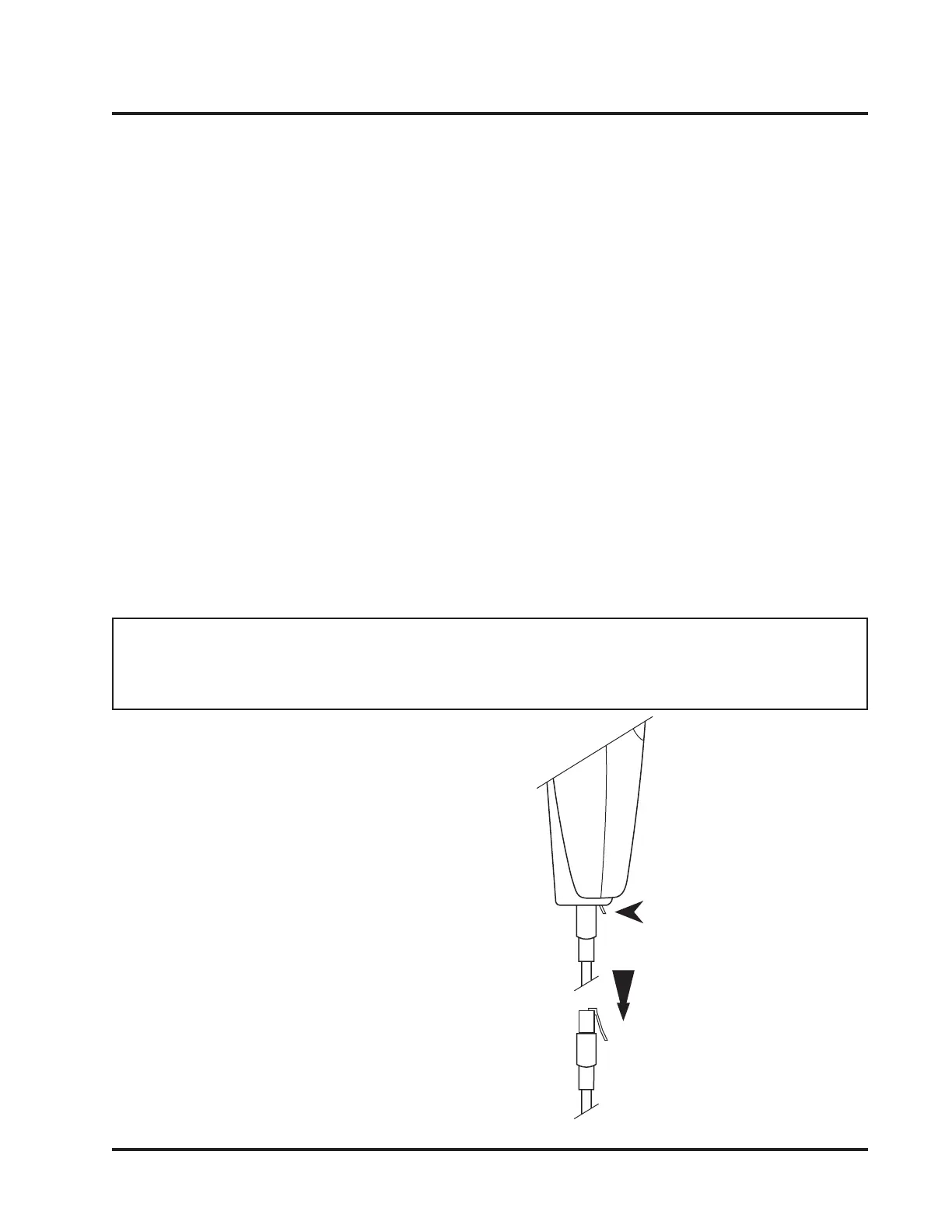
Figure 8
Disconnecting the
Handset
To remove the Handset
from the vehicle, unplug the
modular plug cable that is
located at the bottom of the
handset by pressing down
on the lever and gently
pulling the cord out of the
handset.



 To Next Page