VENTILATION AND ANESTHESIA DEVICES
VF8 DELTA/DELTA XL/KAPPA 28-7
To access the loop display
1. Click on the Paw or Vent parameter box
2. Click on
PV Loop to display the Pressure Volume Loop.
3. Click on
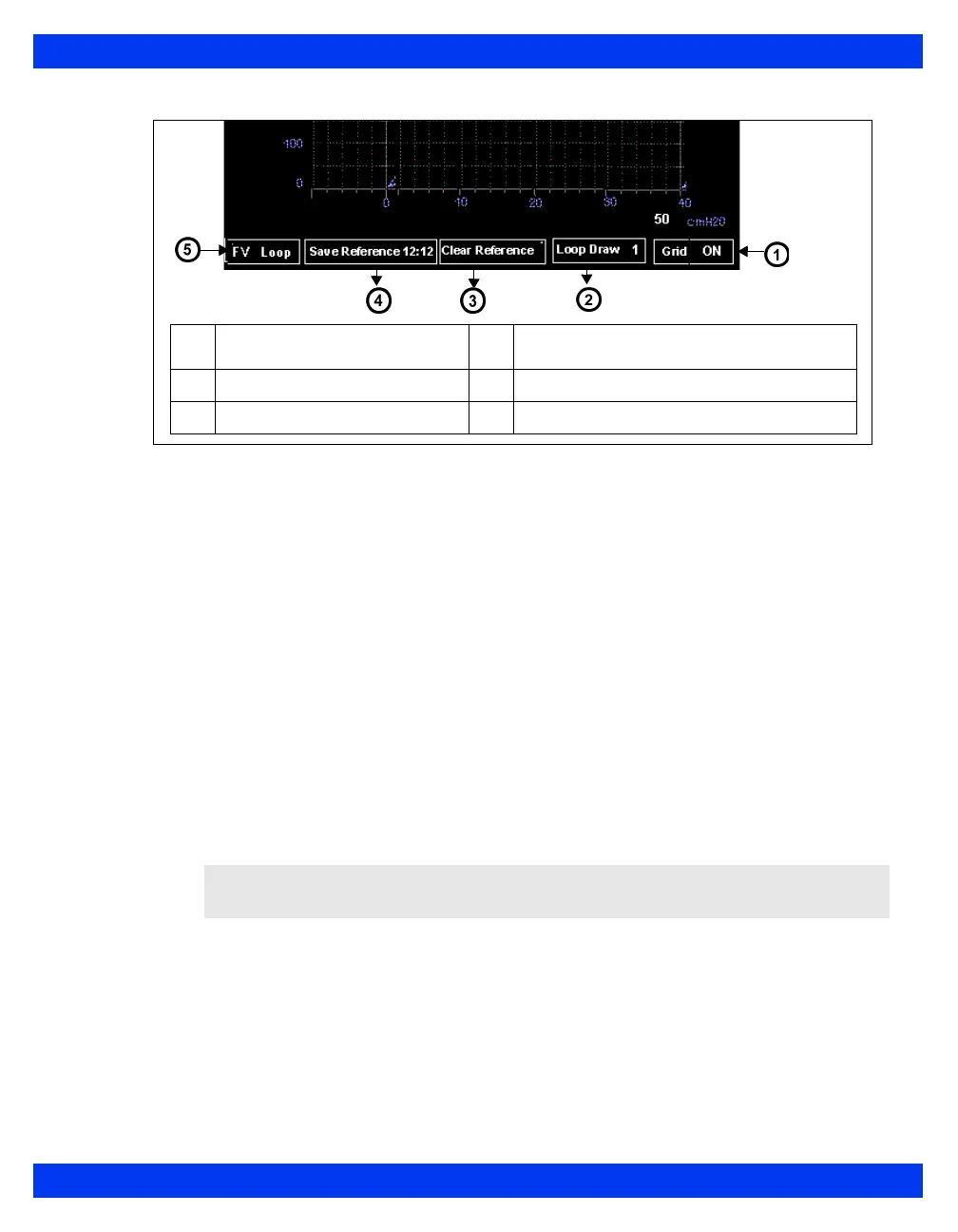
FV Loop at the bottom of the Pressure/Volume loop screen to
display the Flow/Volume loop.
You can view smaller loops on the main screen while continuing to display
waveforms and parameter boxes:
1. Open the Paw/Vent setup menu as described above.
2. Click on
Split Screen.
3. Click on
Ventilation. The small loop display appears in the upper left corner
of the screen.
NOTE: For more information on loop display and analysis, see chapter 21.
1
Display or hide grid
4
Save last completed loop
with time
stamp
2
Set number of loops displayed
5
Display Flow/Volume
loop
3
Clear reference loop











 To Next Page