EasyManua.ls Logo

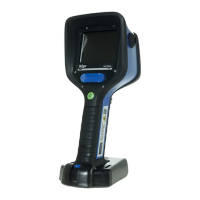
Dräger UCF 1600 - User Manual

Dräger UCF 1600
44 pages
Print Icon
To Next Page IconTo Next Page
Loading...
In Service Training CD
Dräger UCF 1600 or UCF 3200 Thermal Imaging Cameras
TIC Orientation/Greg Sesny/ 5/25/20081 | 37

Other manuals for Dräger UCF 1600

Questions and Answers

  • S
    Samantha VegaSep 9, 2025
    Why is the range of my Dräger Thermal camera system low?
    • I
      imcdonaldSep 9, 2025
      If the range of your Dräger Thermal camera system is low, the transmitter or receiver unit might be on an incorrect channel. Change the channel on either the transmitter or receiver.
  • S
    sandra31Aug 23, 2025
    Why is the battery capacity not sufficient in my Dräger Thermal camera?
    • J
      Joseph MaddoxAug 23, 2025
      If the battery capacity of your Dräger Thermal camera is insufficient, it could be due to several reasons: * The battery is only partially charged: Insert a fully charged battery. * The battery manager does not show the real capacity of the pack: Synchronize the battery by fully charging it, switching on the camera, and allowing it to run without interruption at room temperature until it shuts down automatically. Then, fully charge the battery again. * The battery has aged: Replace the battery if synchronizing does not help.
  • J
    Jennifer HarrisAug 25, 2025
    Why is the image on the receiver unit of Dräger Thermal cameras not clear?
    • M
      Michael ShermanAug 25, 2025
      If the image on the receiver unit of your Dräger Thermal cameras is not clear, it may be due to: * Excess interference: Ensure the camera with transmitter and receiver unit are close to each other (approximately two feet) and on the same channel. Also, confirm the receiver unit is not near wireless networks, microwave ovens, or other signals sharing the same frequency. If the receiver unit has the same symptoms, contact Dräger Safety. * Wrong channel: Change the channel on the transmitter or receiver unit.
  • K
    krystalbowmanAug 26, 2025
    What to do if the Dräger Thermal camera battery does not charge in the truck charger?
    • N
      ncampbellAug 26, 2025
      If the battery in your Dräger Thermal camera is not charging in the truck charger while attached to the camera, the safety circuit of the battery may have tripped. To resolve this, recharge the battery while disconnected from the camera using a desktop charger or the battery-only charging slot in the truck charger. If charging does not work, contact Dräger Safety.
  • A
    Andrea LeAug 27, 2025
    Why is the red LED blinking when charging the Dräger Thermal camera battery?
    • K
      Kristie LozanoAug 27, 2025
      If the battery is in the battery slot of the desktop or truck-mounted charger and the red LED on the charger blinks, it could be due to: * The battery being outside the valid charging temperature range (32°F to 95°F; 0°C to 35°C): Ensure that the battery and charger are within the valid charging temperature range for normal charging. * The battery being over-discharged: Leave the battery on the charger until charging is completed and the green LED comes on.
  • A
    Amber GonzalezAug 29, 2025
    What to do if the Dräger Thermal camera green LED is on but there is no image?
    • C
      Caleb YatesAug 29, 2025
      If you press the ON/OFF button on your Dräger Thermal camera and the green LED comes on for 5 seconds, but no start-up screen or thermal image appears, the LCD screen is likely damaged. Return the camera to Dräger Safety for service.
  • A
    Ashley CoxSep 18, 2025
    Why are no LEDs lit on my Dräger Thermal camera?
    • J
      Jennifer CampbellSep 18, 2025
      If no LEDs are lit on your Dräger Thermal camera, it could be due to: * A blown external in-line fuse: Replace the fuse. * No power available: Check the power source. * Positive power lead not connected to the positive terminal: Check that the lead is connected correctly.
  • A
    Angela SanchezSep 19, 2025
    Why is the yellow LED lit on my Dräger Thermal camera charger?
    • Z
      Zachary MckinneySep 22, 2025
      If the yellow LED is lit, but the red and green LEDs do not light when the camera or battery is placed in the charger, it could be due to: * No batteries installed in the camera: Verify that there are good batteries in the camera. * Bad connection to the camera or battery: Ensure that the charger contacts are clean and unbent. A small amount of contact cleaner (e.g., WD-40) can be used to clean the charger and camera or battery charging contacts. Reseat firmly to ensure connection.
  • D
    David AndersonSep 8, 2025
    Why is the screen dim on my Dräger Thermal camera receiver unit?
    • D
      David HarrisSep 8, 2025
      If the screen on the receiver unit of your Dräger Thermal camera is dim, it could be due to a low video signal or a bad screen. Contact Dräger Safety or your monitor/PC supplier.
  • V
    Vickie RiceSep 4, 2025
    Why is the image snowy on my Dräger Thermal camera receiver unit?
    • K
      Kenneth RobertsSep 4, 2025
      If the image on the receiver unit of your Dräger Thermal camera is snowy, the transmitter/camera may be off, on the wrong channel, or malfunctioning. Turn the transmitter and camera on or change channels. If the receiver unit has the same symptoms, contact Dräger Safety.

Dräger UCF 1600 Specifications

General IconGeneral
BrandDräger
ModelUCF 1600
CategoryThermal cameras
LanguageEnglish

Related product manuals