
EasyManua.ls Logo

Dräger UCF 6000 - User Manual

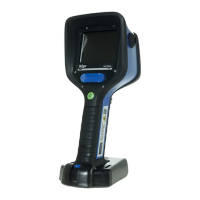
Dräger UCF 6000
166 pages
Print Icon
To Next Page IconTo Next Page
Loading...
WARNING
Strictly follow the Instructions for Use.
The user must fully understand and strictly
observe the instructions. Use the product
only for the purposes specified in the
Intended use section of this document.
!
Dräger UCF 6000, Dräger UCF 7000
Dräger UCF 8000, Dräger UCF 9000
i
enUS
Instructions for use
4
da
Brugsanvisning
28
fi
Käyttöohje
52
no
Bruksanvisning
72
sv
Bruksanvisning
94
ro
Instrucţiuni de utilizare
114
hu
Használati útmutató
138

Table of Contents

Other manuals for Dräger UCF 6000

Questions and Answers

  • R
    Rodney CurryAug 18, 2025
    What to do if Dräger Safety Equipment camera is frozen?
    • E
      Eileen BrooksAug 18, 2025
      If your Dräger Safety Equipment camera is completely non-functional, for example, if you have a frozen image or the camera does not respond to the keys you press, it may be due to a software malfunction. To resolve this, press the ON/OFF button for 10 seconds, then switch the camera back on.
  • M
    Maria BrownAug 20, 2025
    Why won't my Dräger Safety Equipment camera turn on?
    • M
      Mary NguyenAug 20, 2025
      If your Dräger Safety Equipment camera won't switch on, it could be due to an empty battery. Recharge the battery. Alternatively, the battery screws might be loose, so try tightening them.
  • S
    Seth KingAug 23, 2025
    What to do if Dräger Safety Equipment charging cradle LEDs indicate an error?
    • E
      Emily MccallAug 23, 2025
      If the charging cradle LEDs indicate an error during charging of your Dräger Safety Equipment, it could be due to dirty contacts on the battery or the charging cradle. Clean the contacts with a lint-free cloth. Another cause might be that the battery is too cold or too hot. Leave the battery in the charger and place the charger in an area with an ambient temperature between 10 and 35 °C (50 °F and 95 °F). The charger will charge the battery once the temperature inside the charger is correct. It may take significantly more than an hour before the internal temperature reaches the permissible range again and charging resumes since the temperature is measured directly on the Li-ion cells.
  • M
    Megan AveryAug 26, 2025
    How to troubleshoot Dräger Safety Equipment charging cradle LED errors?
    • M
      Mark PetersAug 26, 2025
      If the charging cradle LEDs on your Dräger Safety Equipment indicate an error or do not light up, several issues could be the cause. Here are a few things to check: 1. Ensure the crawling plate is correctly positioned and sufficiently fastened by retightening the screw. 2. Verify and correct the position of the carrying strap. 3. Remove any foreign objects from under the crawling plate or in the charging cradle. 4. Place the charging cradle on a level surface. 5. Check the operation of the power supply unit and/or vehicle connection cable to ensure supply voltage is present.
  • J
    Jeffrey HallAug 28, 2025
    Why is the Dräger Safety Equipment laser pointer weak?
    • S
      Stephen BergerAug 28, 2025
      If the laser pointer on your Dräger Safety Equipment is weak or diffused, it is likely due to water droplets or dirt on the laser emission window. Clean the laser emission window to resolve this issue.
  • H
    Holly Brown MDAug 30, 2025
    What to do if Dräger UCF 6000 crawling plate is not positioned correctly?
    • T
      Theresa McdanielAug 30, 2025
      If the crawling plate of your Dräger Thermal camera is not positioned correctly, several factors could be at play. First, ensure the crawling plate is sufficiently fastened in place by retightening the screw. Also, check and correct the position of the carrying strap. Remove any foreign objects from under the crawling plate or in the charging cradle. Finally, ensure the charging cradle is placed on a level surface.
  • E
    Emily MartinezSep 2, 2025
    Why is my Dräger UCF 6000 battery not charging?
    • D
      doylejasonSep 2, 2025
      If your Dräger Thermal camera's battery is not charging, it might be too cold or too hot. Leave the battery in the charger and place the charger in an area with an ambient temperature between 10 and 35 °C (50 °F and 95 °F). The charger will begin charging the battery once the temperature inside the charger is correct.
  • M
    Mary BarnesSep 4, 2025
    How to clean Dräger Thermal cameras battery contacts?
    • J
      jeffreytorresSep 4, 2025
      To clean the battery contacts on your Dräger Thermal camera, use a lint-free cloth to wipe the contacts on both the battery and the charging cradle.
  • G
    Gregory HarrisSep 7, 2025
    Why is my Dräger thermal camera not switching on?
    • C
      charles49Sep 7, 2025
      If your Dräger thermal camera is not switching on, it may be due to the following reasons: the battery is empty (recharge the battery) or the battery screws are loose (tighten screws).
  • H
    hodgeconnieSep 9, 2025
    What to do if the charging cradle LEDs indicate an error during charging my Dräger thermal camera?
    • J
      Jeremy ReyesSep 9, 2025
      If the charging cradle LEDs indicate an error during the charging process of your Dräger thermal camera, it could be due to dirty contacts on the battery or charging cradle (clean contacts with a lint-free cloth), or the battery being too cold or too hot. In the latter case, leave the battery in the charger and place the charger in an area with an ambient temperature between 10 and 35 °C (50 °F and 95 °F). The charger will charge the battery once the temperature inside the charger is correct. Charging may take significantly more than an hour to resume, as the temperature is measured directly on the Li-ion cells.

Dräger UCF 6000 Specifications

General IconGeneral
BrandDräger
ModelUCF 6000
CategoryThermal cameras
LanguageEnglish

Related product manuals
