EasyManua.ls Logo

Dragon Touch DT50 - Temperature Setting; Temperature °F;°C switch

Dragon Touch DT50
13 pages
Print Icon
To Next Page IconTo Next Page
To Previous Page IconTo Previous Page
Loading...
15
16
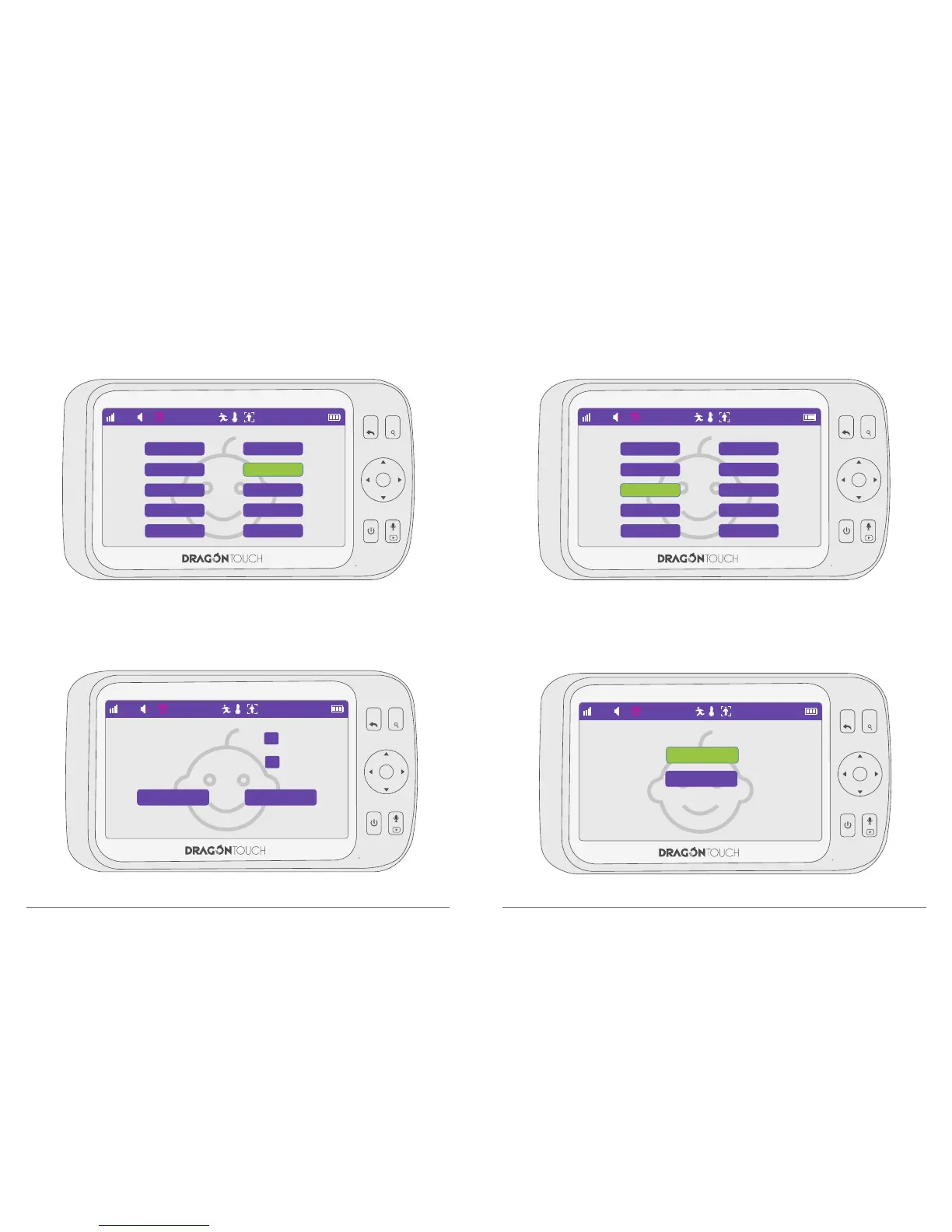
7.4. Temperature Setting
Choose “Temp Setting” and press “OK” to confirm the option.
7.5. Temperature °F/°C switch
Switch °C & °F easily by this function.
Adjust the highest and lowest temperature limitation data, when room temp reach or
beyond the limitation, monitor will alarm automatically.
MENU
OK
VOL+
VOL-

22°C
Language Setting
Date & Time
Temp.°C/°F
Motion Detecting
Power Saving
Brightness Setting
Temp Setting
Frequency
VOX
Default Setting
15 : 11 : 06
MENU
OK
VOL+
VOL-
22°C
Language Setting
Date & Time
Temp.°C/°F
Motion Detecting
Power Saving
Brightness Setting
Temp Setting
Frequency
VOX
Default Setting
15 : 11 : 06
MENU
OK
VOL+
VOL-
22°C
15 : 11 : 06
°C
°F
MENU
OK
VOL+
VOL-
22°C
15 : 11 : 06
ONOFF
Low Temperature 55 °F
High Temperature 77 °F

Related product manuals