EasyManua.ls Logo

Dragon Touch DT50 - Frequency; Motion Detecting

Dragon Touch DT50
13 pages
Print Icon
To Next Page IconTo Next Page
To Previous Page IconTo Previous Page
Loading...
17
18
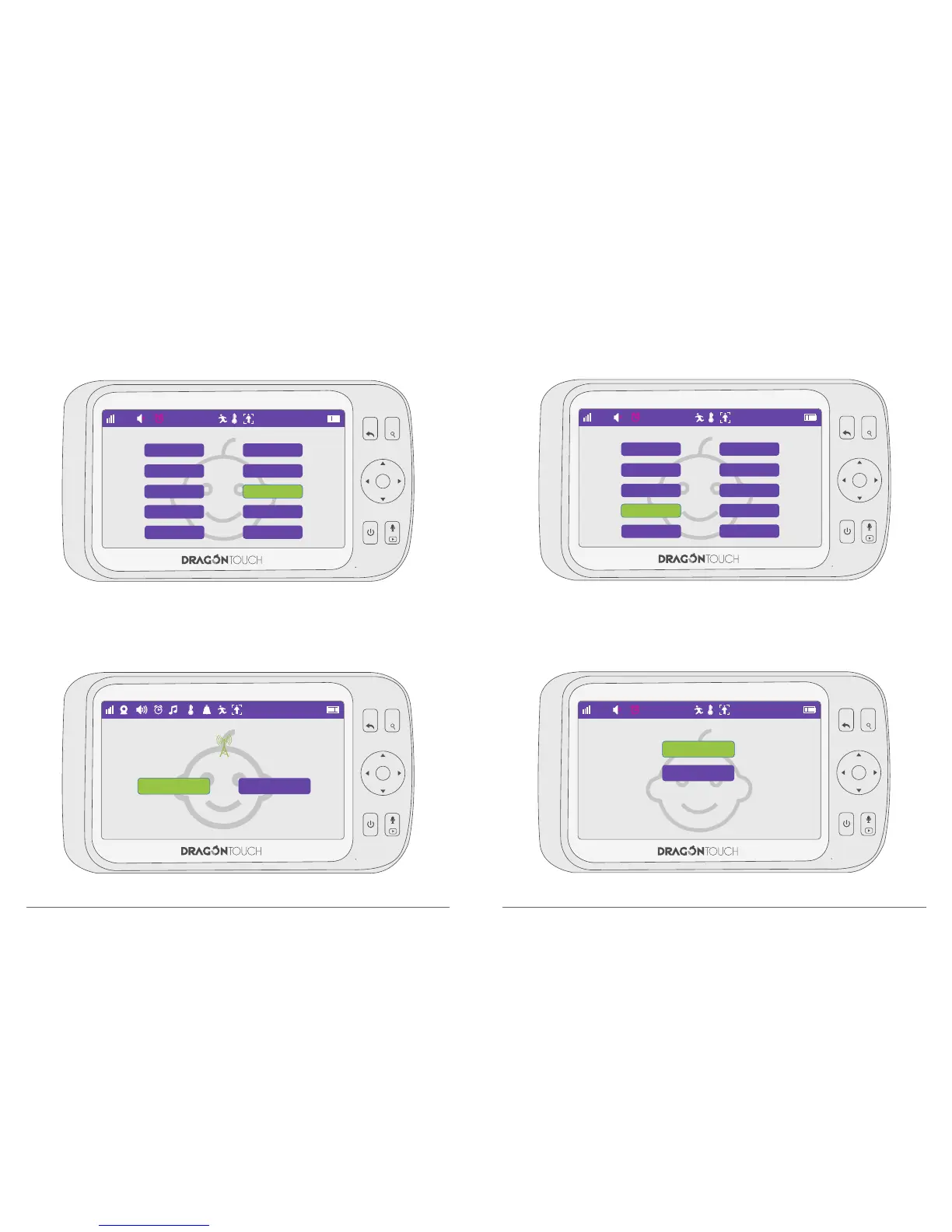
7.6. Frequency
Switch 60Hz & 50Hz easily by this function.
7.7. Motion Detecting
Choose “Motion Detection” and press “OK” to confirm the option.
MENU
OK
VOL+
VOL-
1
22°C
1
60Hz 50Hz
Choose “ON”, when the camera detect the movement, the monitor will alert you with
alarm sound.
MENU
OK
VOL+
VOL-
22°C
Language Setting
Date & Time
Temp.°C/°F
Motion Detecting
Power Saving
Brightness Setting
Temp Setting
Frequency
VOX
Default Setting
15 : 11 : 06
MENU
OK
VOL+
VOL-
22°C
Language Setting
Date & Time
Temp.°C/°F
Motion Detecting
Power Saving
Brightness Setting
Temp Setting
Frequency
VOX
Default Setting
15 : 11 : 06
MENU
OK
VOL+
VOL-
22°C
15 : 11 : 06
ON
OFF

Related product manuals