EasyManua.ls Logo

DRAKE R8A - FRONT PANEL LOCK (UNLOCK); PASSBAND OFFSET OPERATION; NOTCH OPERATION; AM SYNCHRONOUS DETECTOR OPERATION

DRAKE R8A
43 pages
Print Icon
To Next Page IconTo Next Page
To Previous Page IconTo Previous Page
Loading...
17
Getting
Started
cont'd.
FRONT
PANEL
LOCK
(UNLOCK)
First
be
sure
the
receiver
is
in
the
VFO
mode,
(
MEM
or
SCAN
not
displayed).
All
button
entries,
display
settings
and
the
large
tuning
knob
can
be
locked
if
desired.
Press
LOCK
to
lock
front
panel.
All
analog
control
knob
functions,
except
tuning,
will
still
remain
operable.
Press[_*
|
LOCK
to
unlock
front
panel
if
previously
locked.
PASSBAND
OFFSET
OPERATION
When
the
PASSBAND
OFFSET
control
is
centered,
the
receiver
will
properly
position
Its
IF
passband
with
mode
change.
Occasionally,
an
interfering
signal
will
appear
above
or
below
the
desired
signal.
Rotating
the
PASS-
BAND
OFFSET
“+”
or
“-"
will
reduce
or
eliminate
this
interfering
signal
by
electronically
shifting
the
receiver’s
IF
passband.
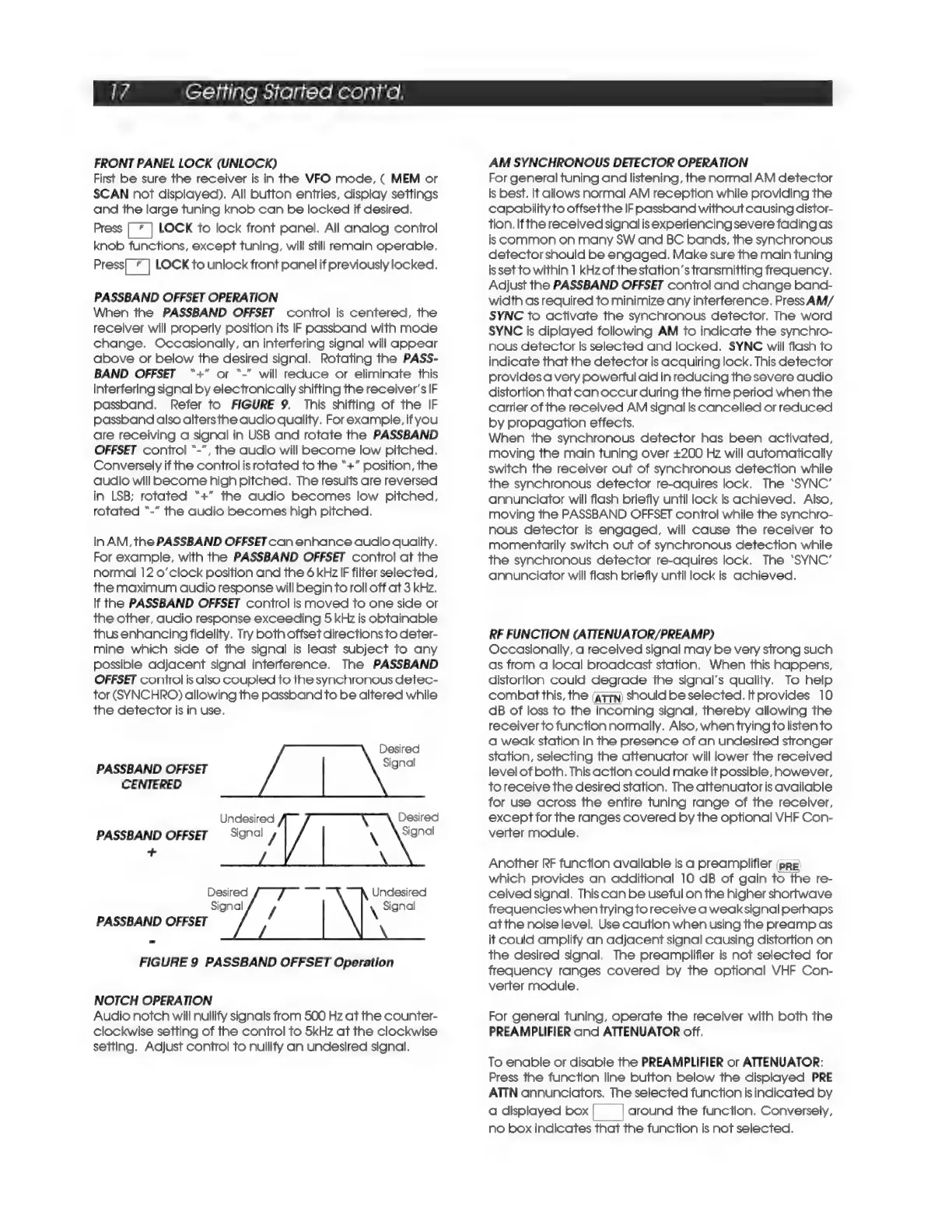
Refer
to
FIGURE
9.
This
shifting
of
the
IF
passband
also
alters
the
audio
quality.
For
example,
if
you
are
receiving
a
signal
in
USB
and
rotate
the
PASSBAND
OFFSET
control
“-",
the
audio
will
become
low
pitched.
Conversely
if
the
control
is
rotated
to
the
“+”
position,
the
audio
will
become
high
pitched.
The
results
are
reversed
in
LSB;
rotated
“+”
the
audio
becomes
low
pitched,
rotated
“-”
the
audio
becomes
high
pitched.
In
AM,
the
PASSBAND
OFFSET
can
enhance
audio
quality.
For
example,
with
the
PASSBAND
OFFSET
control
at
the
normal
12
o’clock
position
and
the
6
kHz
IF
filter
selected,
the
maximum
audio
response
will
begin
to
roll
off
at
3
kHz.
If
the
PASSBAND
OFFSET
control
is
moved
to
one
side
or
the
other,
audio
response
exceeding
5
kHz
is
obtainable
thus
enhancing
fidelity.
Try
both
offset
directions
to
deter-
mine
which
side
of
the
signal
is
least
subject
to
any
possible
adjacent
signal
interference.
The
PASSBAND
OFFSET
control
is
also
coupled
to
the
synchronous
detec-
tor
(SYNCHRO)
allowing
the
passband
to
be
altered
while
the
detector
is
in
use.
Desired
PASSBAND
OFFSET
Signal
CENTERED
Undesired
Desired
PASSBAND
OFFSET
Signal
/
Signal
+
Desired
Undesired
Signal
\
Signal
PASSBAND
OFFSET
FIGURE
9
PASSBAND
OFFSET
Operation
NOTCH
OPERATION
Audio
notch
will
nullify
signals
from
500
Hz
at
the
counter-
clockwise
setting
of
the
control
to
5kHz
at
the
clockwise
setting.
Adjust
control
to
nullify
an
undesired
signal.
AM
SYNCHRONOUS
DETECTOR
OPERATION
For
general
tuning
and
listening,
the
normal
AM
detector
is
best.
It
allows
normal
AM
reception
while
providing
the
capability
to
offsetthe
IF
passband
without
causing
distor-
tion.
Ifthe
received
signal
is
experiencing
severe
fading
as
is
Common
on
many
SW
and
BC
bands,
the
synchronous
detector
should
be
engaged.
Make
sure
the
main
tuning
issetto
within
1
kHzof
the
station’s
transmitting
frequency.
Adjust
the
PASSBAND
OFFSET
control
and
change
band-
width
as
required
to
minimize
any
interference.
Press
AM/
SYNC
to
activate
the
synchronous
detector.
The
word
SYNC
is
diplayed
following
AM
to
indicate
the
synchro-
nous
detector
is
selected
and
locked.
SYNC
will
flash
to
indicate
that
the
detector
is
acquiring
lock.
This
detector
provides
a
very
powerful
aid
in
reducing
the
severe
audio
distortion
that
can
occur
during
the
time
period
when
the
carrier
of
the
received
AM
signal
is
cancelled
or
reduced
by
propagation
effects.
When
the
synchronous
detector
has
been
activated,
moving
the
main
tuning
over
£200
Hz
will
automatically
switch
the
receiver
out
of
synchronous
detection
while
the
synchronous
detector
re-aquires
lock,
The
‘SYNC’
annunciator
will
flash
briefly
until
lock
is
achieved.
Also,
moving
the
PASSBAND
OFFSET
control
while
the
synchro-
nous
detector
is
engaged,
will
cause
the
receiver
to
momentarily
switch
out
of
synchronous
detection
while
the
synchronous
detector
re-aquires
lock.
The
‘SYNC’
annunciator
will
flash
briefly
until
lock
is
achieved.
RF
FUNCTION
(ATTENUATOR/PREAMP)
Occasionally,
a
received
signal
may
be
very
strong
such
as
from
a
local
broadcast
station.
When
this
happens,
distortion
could
degrade
the
signal’s
quality.
To
help
combat
this,
the
(attn)
should
be
selected.
If
provides
10
dB
of
loss
to
the
incoming
signal,
thereby
allowing
the
receiver
to
function
normally.
Also,
when
trying
to
listen
to
a
weak
station
in
the
presence
of
an
undesired
stronger
station,
selecting
the
attenuator
will
lower
the
received
level
of
both.
This
action
could
make
It
possible,
however,
toreceive
the
desired
station.
The
attenuator
is
available
for
use
across
the
entire
tuning
range
of
the
receiver,
except
for
the
ranges
covered
by
the
optional
VHF
Con-
verter
module.
Another
RF
function
available
is
a
preamplifier
(pre)
which
provides
an
additional
10
dB
of
gain
to
the
re-
ceived
signal.
This
can
be
useful
on
the
higher
shortwave
frequencies
when
trying
to
receive
a
weak
signal
perhaps
atthe
noise
level.
Use
caution
when
using
the
preamp
as
it
could
amplify
an
adjacent
signal
causing
distortion
on
the
desired
signal.
The
preamplifier
is
not
selected
for
frequency
ranges
covered
by
the
optional
VHF
Con-
verter
module.
For
general
tuning,
operate
the
receiver
with
both
the
PREAMPLIFIER
and
ATTENUATOR
off.
To
enable
or
disable
the
PREAMPLIFIER
or
ATTENUATOR:
Press
the
function
line
button
below
the
displayed
PRE
ATTN
annunciators.
The
selected
function
is
indicated
by
a
displayed
box|
—_|
around
the
function.
Conversely,
no
box
indicates
that
the
function
Is
not
selected.

Related product manuals