3
Energy meter
High tariff
Low tariff
Current
time t
t-0 t-1 t-2 t-3 t-4
Interval 0
Interval 1
Interval 2
Interval 3 Interval 4
Zero value suppression
PF resp. cosϕ: Display ---, if Sx < 0.2% Snenn
Currents: Display 0, if Ix < 0.1% Inenn
Commissioning
The multi-functional power monitor is made operational by switching on
the power supply. The following appears sequentially on the display:
1. Segment tests: all the segments of the displays and all the LEDs are
lit for 2 s.
2. Version of the software: e.g. ES210 1.04
3. The 3 line voltages at switching on.
Loss of the power supply
All the values configured remain during a loss of the power
supply. On reconnecting the power supply, the last mode selected is
displayed.
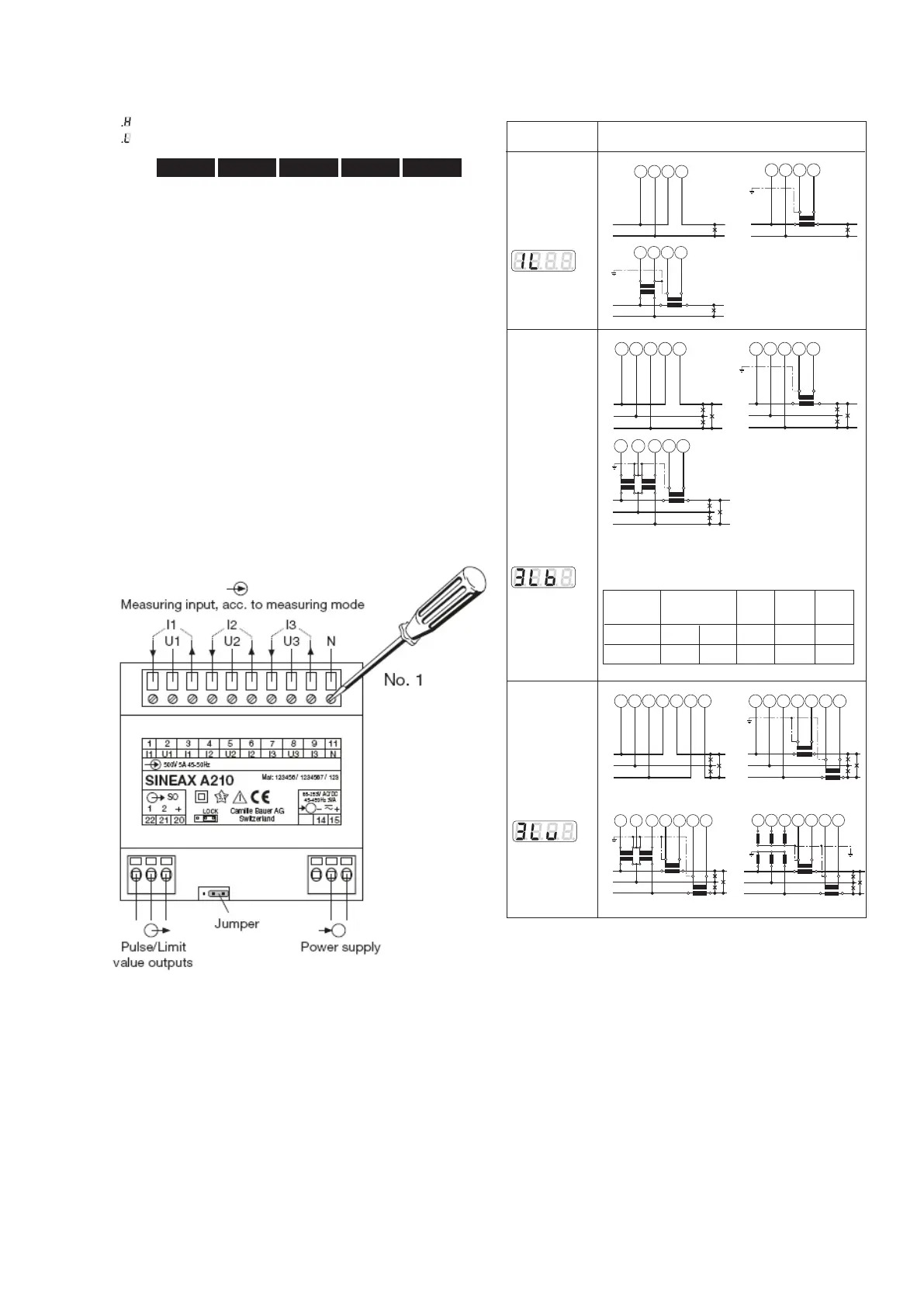
Electrical connections
The electrical connections are identical for the ES210 and
ES220).
Connecting modes
L1
N
k l
K L
2 11 31
Single phase
AC system
L1
N
v
V
u
U
k l
K L
2 11 31
System/
application
Terminals
L1
L2
L3
5
1
8
2
3
L1
L2
L3
k l
K L
5
1
8
2
3
L1
L2
L3
u
U
v
V
v
V
u
U
k
l
K L
5
1
8
2
3
L1
L2
L3
5
1
8
2
3
7
9
L1
L2
L3
k l
K L
k l
K L
5
1
8
2
3
7
9
L1
L2
L3
u
U
v
V
v
V
u
U
k l
K L
k l
K L
5
1
8
2
3
7
9
L1
L2
L3
k l
K L
k l
K L
xxx
uuu
X
XX
UU U
5
1
8
2
3
7
9
3wire
3 phase
symmetric
load
I: L1
Connect the voltage according to the
following table for current measurement in L2
or L3:
Current Terminals 2 5 8
transf.
L2 1 3 L2 L3 L1
L3 1 3 L3 L1 L2
L1
N
2 11 31
3 wire
3 phase
asymmetric
load



 To Next Page