9. SETTING THE VACUUM CLEANER
9.10 BLOWING OPERATION
Warning! Do not make any of the following adjustments with the vacuum cleaner connected to
the power supply.
Attach the flexible hose to the exhaust port , the unit will now blow through the vacuum hose.
It can be used to clear obstructions within the pipe.
Warning: If the hose is still blocked after a few seconds, turn off the unit and clear the hose
manually.
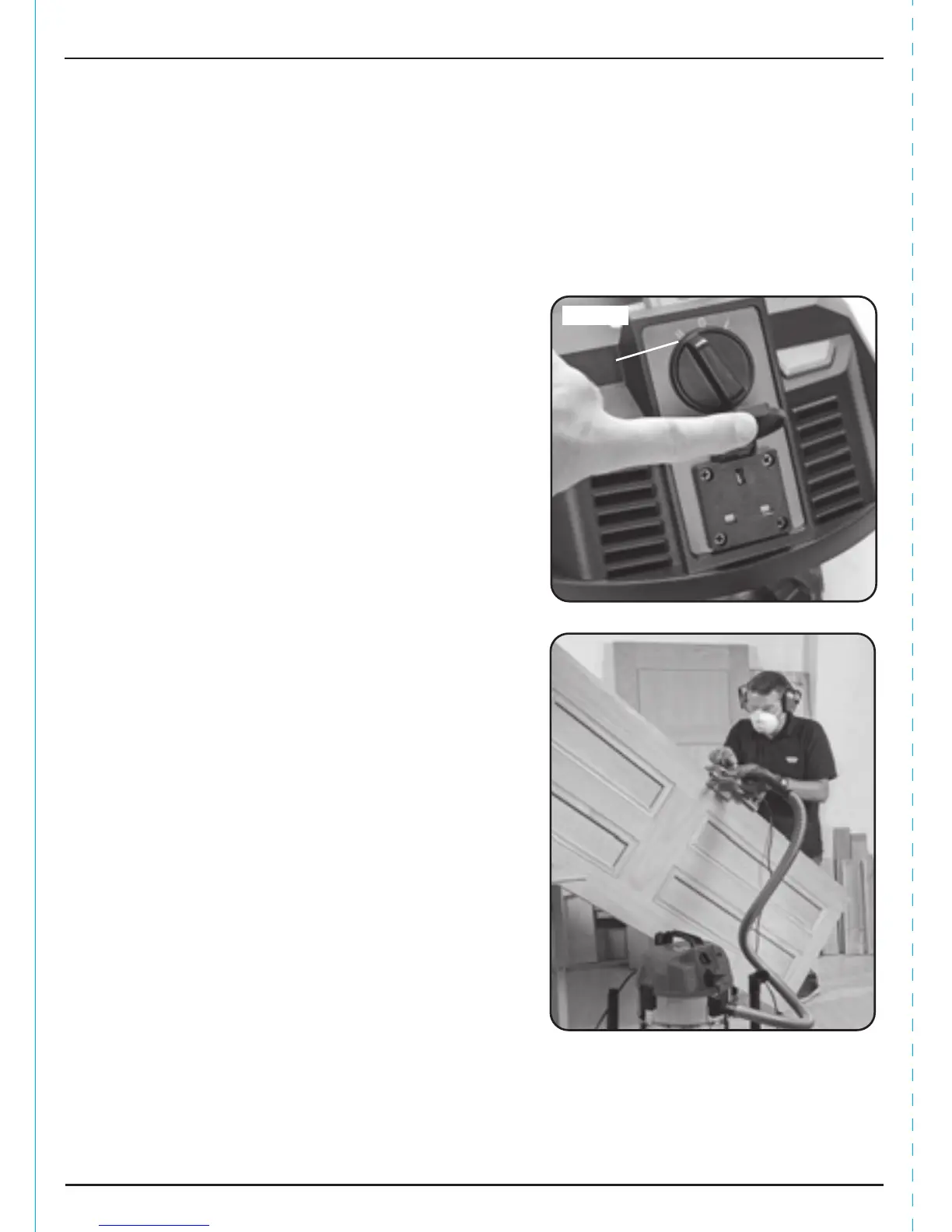
FIG. 12
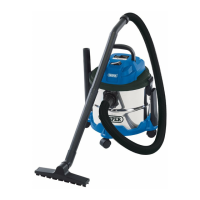
FIG. 13
9.11 USING THE VACUUM CLEANER IN
CONJUNCTION WITH POWER TOOL
DUST EXTRACTION - FIGS. 12 - 13
Plug the power lead from the power tool into socket
. Switch the power switch to the 'II' position.
When the power tool starts the vacuum will start one
second later, when the power tool is turned off the
vacuum cleaner will run-on for approx. 5 seconds
before turning off. Use the adaptor supplied to attach
the vacuum tube to the tools dust extraction port.
14


 To Next Page