72
Gentier Real-Time PCR System
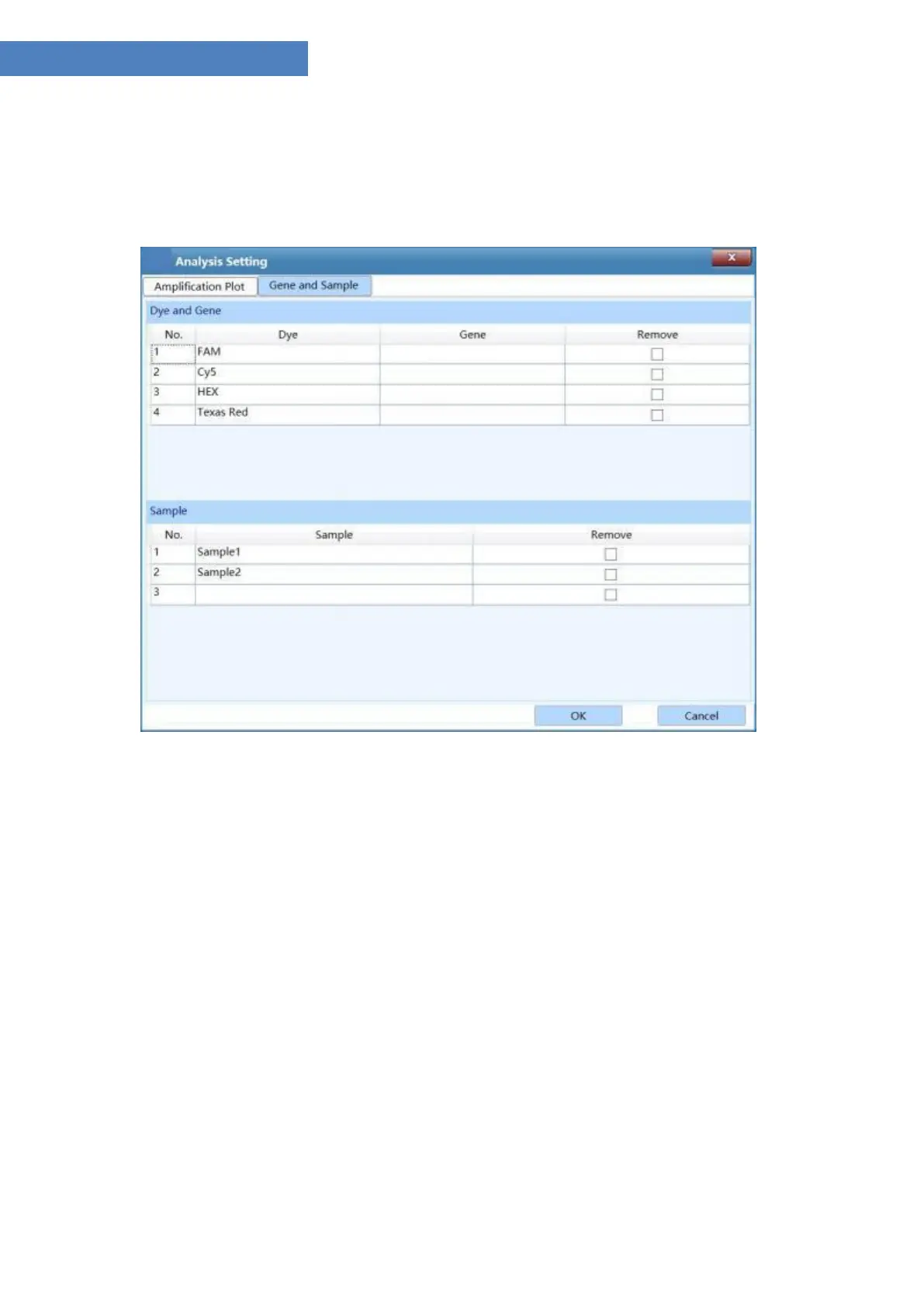
II. Gene and Sample tab: user can set the dye, gene and sample required for the analysis of the
current experiment within the gene and sample tab, as shown in figure D-10.2.
Figure D-10.2 Abs Quant Analysis Setting interface – Gene and Sample tab
▶ Dye and Gene: display the name oftarget gene and its marking dye.
a. User can check a certain check box in the Remove column and click < OK > to remove the
experiment data ofthe selected target gene and its marking dye.
b. Click < Cancel > to cancel opertaion and return to the absolute quantification analysis
interface.
▶ Sample: display all the sample name of sample setting.
a. User can check a certain check box in the Remove column and click < OK > to remove the
experiment data ofthe selected sample name.
b. Click < Cancel > to cancel opertaion and return to the absolute quantification analysis
interface.


 To Next Page