Need help?
Do you have a question about the Drawell YP20002 and is the answer not in the manual?
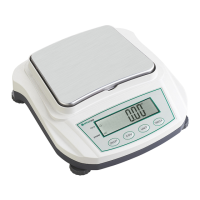
Identifies key physical components of the balance, including the pan, display panel, and level screws.
Details the numeric value area, unit display area, and the function of operation keys on the balance.
Explains the specific functions of ON/OFF, COU, TAR/CAL, and UNIT keys during operation.
Provides guidance on selecting an appropriate installation site to ensure accurate and safe weighing.
Lists prohibited environments like explosive gases, and conditions to avoid such as air flow, temperature changes, and vibration.
Advises against placing the balance in direct sunlight, dust, or areas with magnetic fields.
Instructs to install the balance on a strong, stable, flat surface, considering combined weight.
Details powering on the balance and the importance of warming up for stable temperature before calibration.
Provides step-by-step instructions for performing span calibration using calibration weights.
Outlines the steps for using the balance for weighing, including placing containers, taring, and inserting samples.
Explains how to cycle through and select different available weighing units using the UNIT key.
 General
| Capacity | 2000 g |
|---|---|
| Readability | 0.01 g |
| Auto-off | Yes |
| Tare Function | Yes |
| Units | g, oz, ct, dwt, ozt, gn |


 To Next Page