Vigor2800 Series User’s Guide
188
F
F
o
o
r
r
W
W
i
i
n
n
d
d
o
o
w
w
s
s
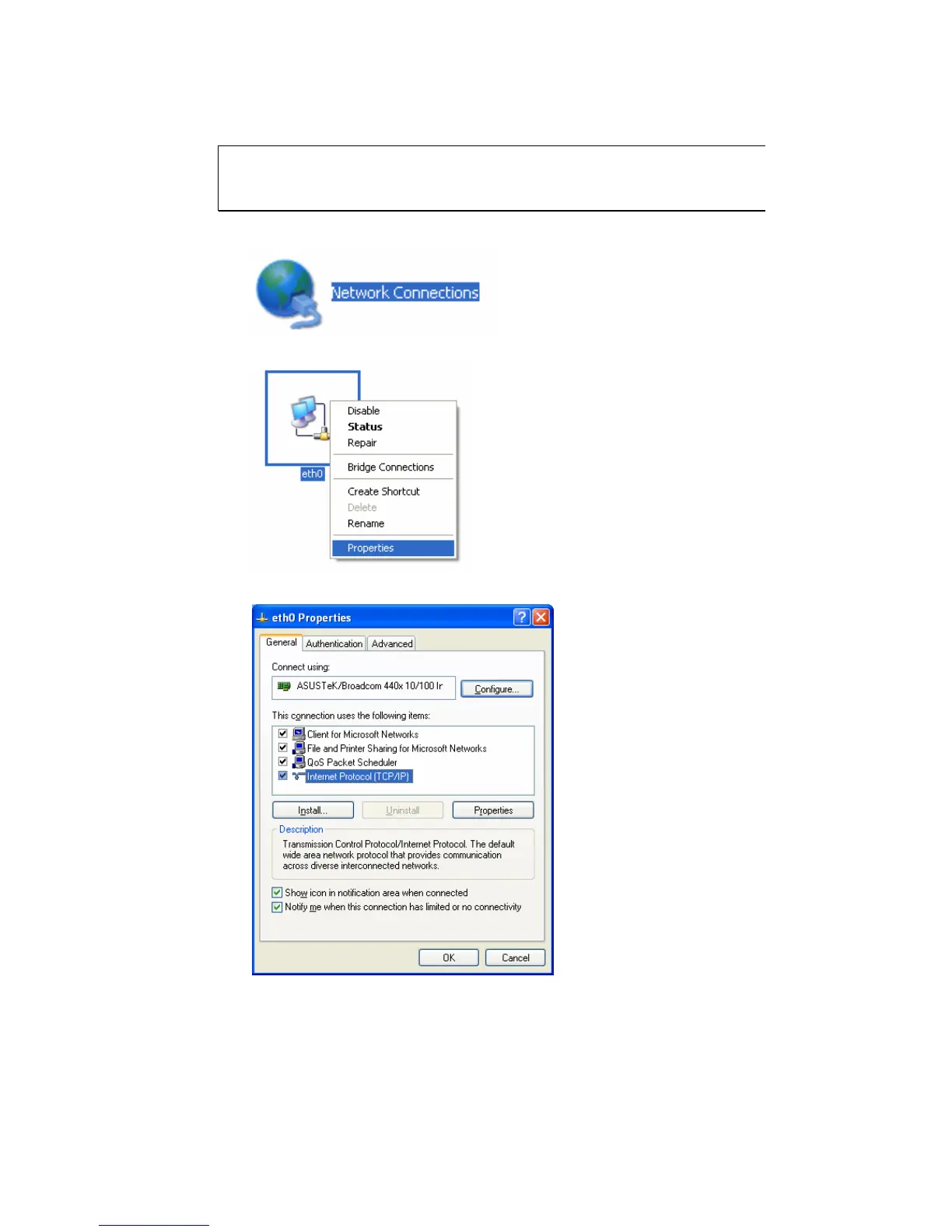
The example is based on Windows XP. As to the examples for other
operation systems, please refer to the similar steps or find support notes in
www.draytek.com.
1. Go to Control Panel and then double-click on Network Connections.
2. Right-click on Local Area Connection and click on Properties.
3. Select Internet Protocol (TCP/IP) and then click Properties.






 To Next Page