CT ISDN
P2P Firewall VPN Printer
DSL
P1 P2 P3 P4
LAN
Factory
Reset
DSL
P1P2P3
P4
PWR
Printer
ISDN
L
L
E
E
D
D
E
E
x
x
p
p
l
l
a
a
n
n
a
a
t
t
i
i
o
o
n
n
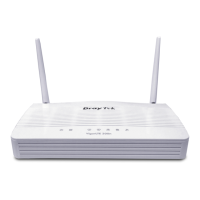
LED Status Explanation
Blinking
The router is powered on and running properly.
ACT
(Activity)
On
The router is powered on.
On
The ISDN network is correctly setup.
ISDN
Blinking
A successful remote connection on the ISDN BRI
B1/B2 channel.
On The P2P function is active. P2P
Blinking Starts to prohibit P2P data.
VPN On The VPN tunnel is launched.
DSL On The ADSL, ADSL2/2+ line is connected.
Printer On The USB interface printer is ready.
Orange A normal 10Mbps connection is through its
corresponding port.
Green A normal 100Mbps connection is through its
corresponding port.
LAN (P1, P2,
P3, P4)
Blinking Ethernet packets are transmitting.
C
C
o
o
n
n
n
n
e
e
c
c
t
t
o
o
r
r
E
E
x
x
p
p
l
l
a
a
n
n
a
a
t
t
i
i
o
o
n
n
Interface Description
Printer Connecter for a USB printer.
PWR Connecter for a power adapter with 12-15VDC.
ON/OFF Power Switch.
LAN P4 – P1 Connecters for local networked devices.
DSL Connecter for accessing Internet with the ADSL,ADSL2/2+ line
ISDN Connecter for NT1 (or NT1+) box provided by ISDN service provider.
Factory Reset Restore the default settings.
Usage: Turn on the router (ACT LED is blinking). Press the hole and
keep for more than 5 seconds. When you see the ACT LED begins to
blink rapidly than usual, release the button. Then the router will restart
with the factory default configuration.











 To Next Page