Vigor2800 Series User’s Guide
28
3
3
.
.
1
1
.
.
4
4
M
M
u
u
l
l
t
t
i
i
-
-
P
P
V
V
C
C
s
s
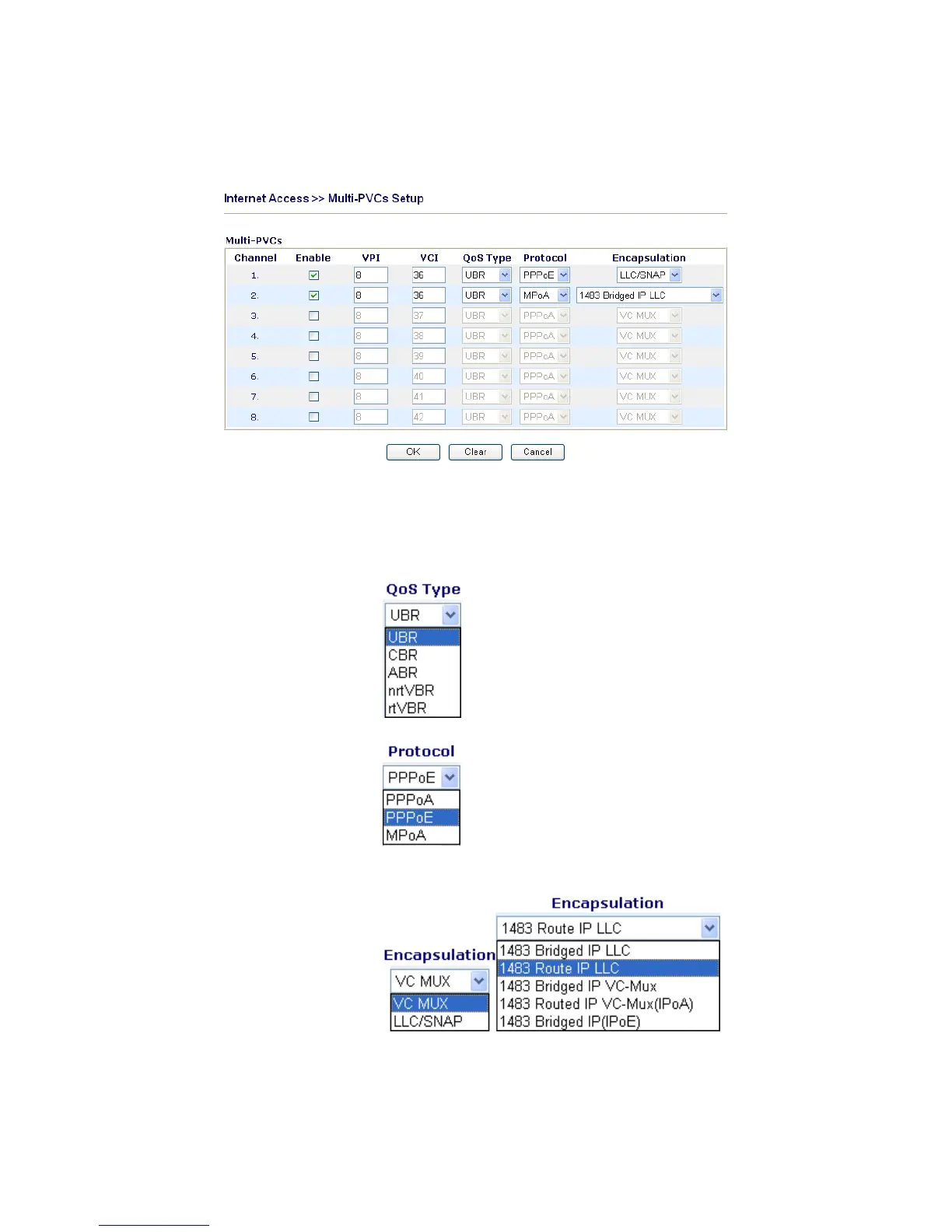
This router allows you to create multi-PVCs for different data transferring for using. Simply
go to Internet Access and select Multi-PVC Setup page.
Enable Type in the primary IP address for the router. If necessary, type
VPI Type in the value provided by your ISP.
VCI Type in the value provided by your ISP.
QoS Type Select a proper QoS type for the channel.
Protocol Select a proper protocol for this channel.
Encapsulation Choose a proper type for this channel. The types will be different
according to the protocol setting that you choose.











 To Next Page