Vigor2830n V2 Quick Start Guide
22
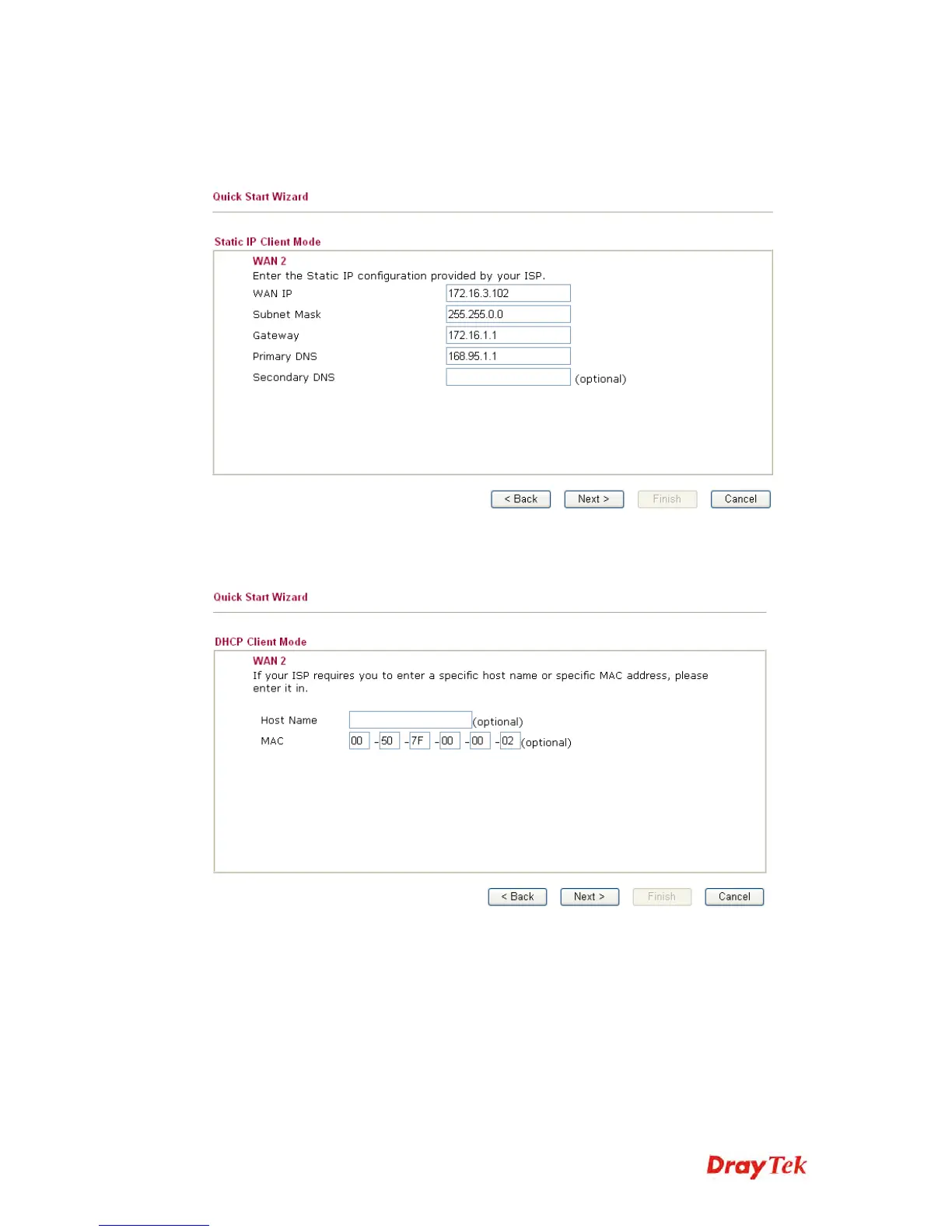
Static IP: if you click Static IP, you will get the following page. Please
type in the IP address information originally provided by your ISP. Then
click Next for next step.
DHCP: if you click DHCP, you will get the following page. Simply
click Next to continue.














 To Next Page