Vigor2830n V2 Quick Start Guide
25
3
3
.
.
3
3
.
.
2
2
G
G
e
e
n
n
e
e
r
r
a
a
l
l
S
S
e
e
t
t
u
u
p
p
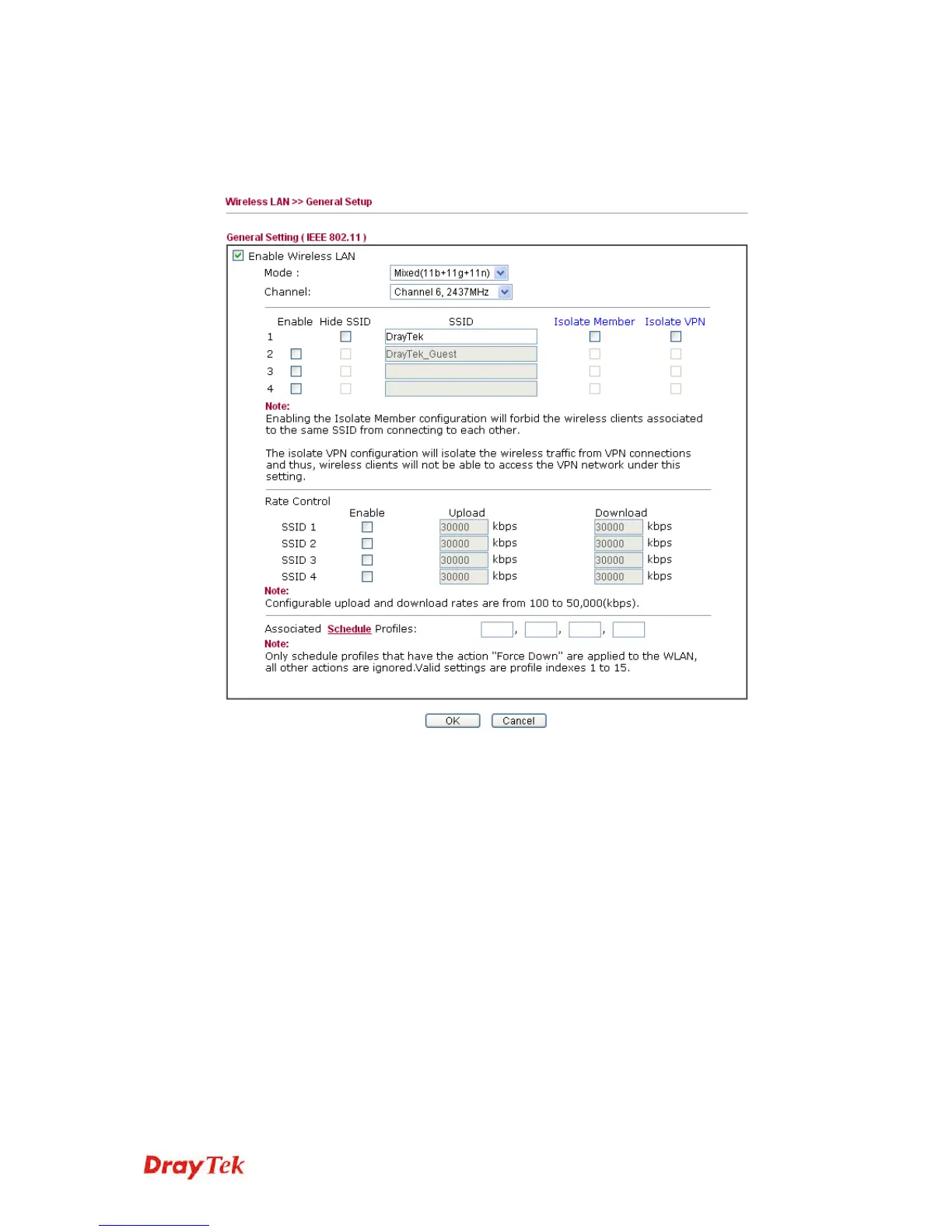
1. On the Wireless LAN group, select General Setup. The following page
will be shown.
2. Check Enable Wireless LAN to enable the wireless function.
3. At present, the router can connect to IEEE802.11b, IEEE802.11g and
IEEE802.11n stations simultaneously. Simply choose Mixed
(11b+11g+11n) mode.
4. Type in the name of the SSID. The default name for SSID is DrayTek.
We suggest you change it to a particular name for your necessity.
5. Click OK to save settings.














 To Next Page