Vigor2830n V2 Quick Start Guide
29
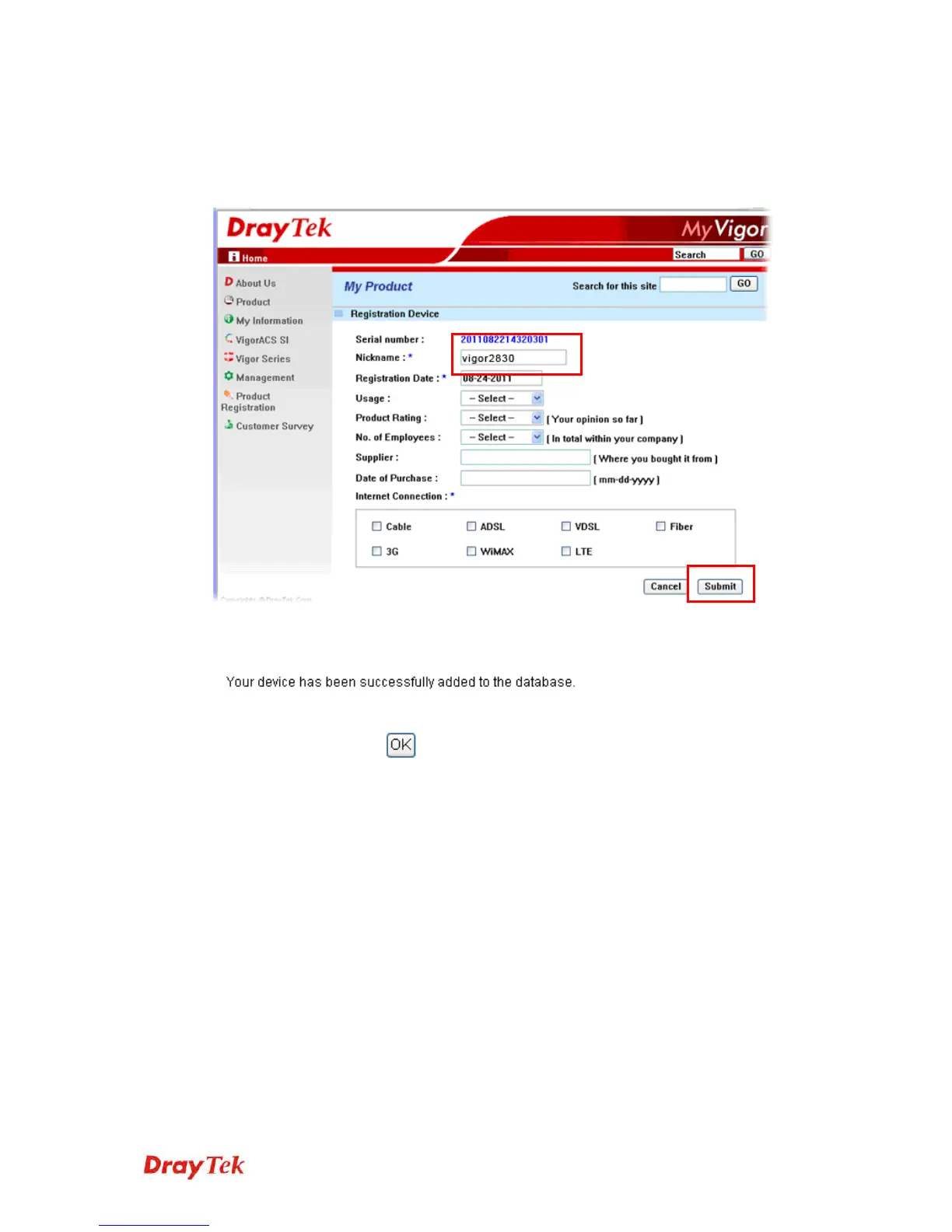
5. When the following page appears, please type in Nickname (for the
router) and choose the right registration date from the popup calendar (it
appears when you click on the box of Registration Date). After adding
the basic information for the router, please click Submit.
6. When the following page appears, your router information has been
added to the database.
7. Now, you have finished the product registration.














 To Next Page