Vigor2910 Series User’s Guide
190
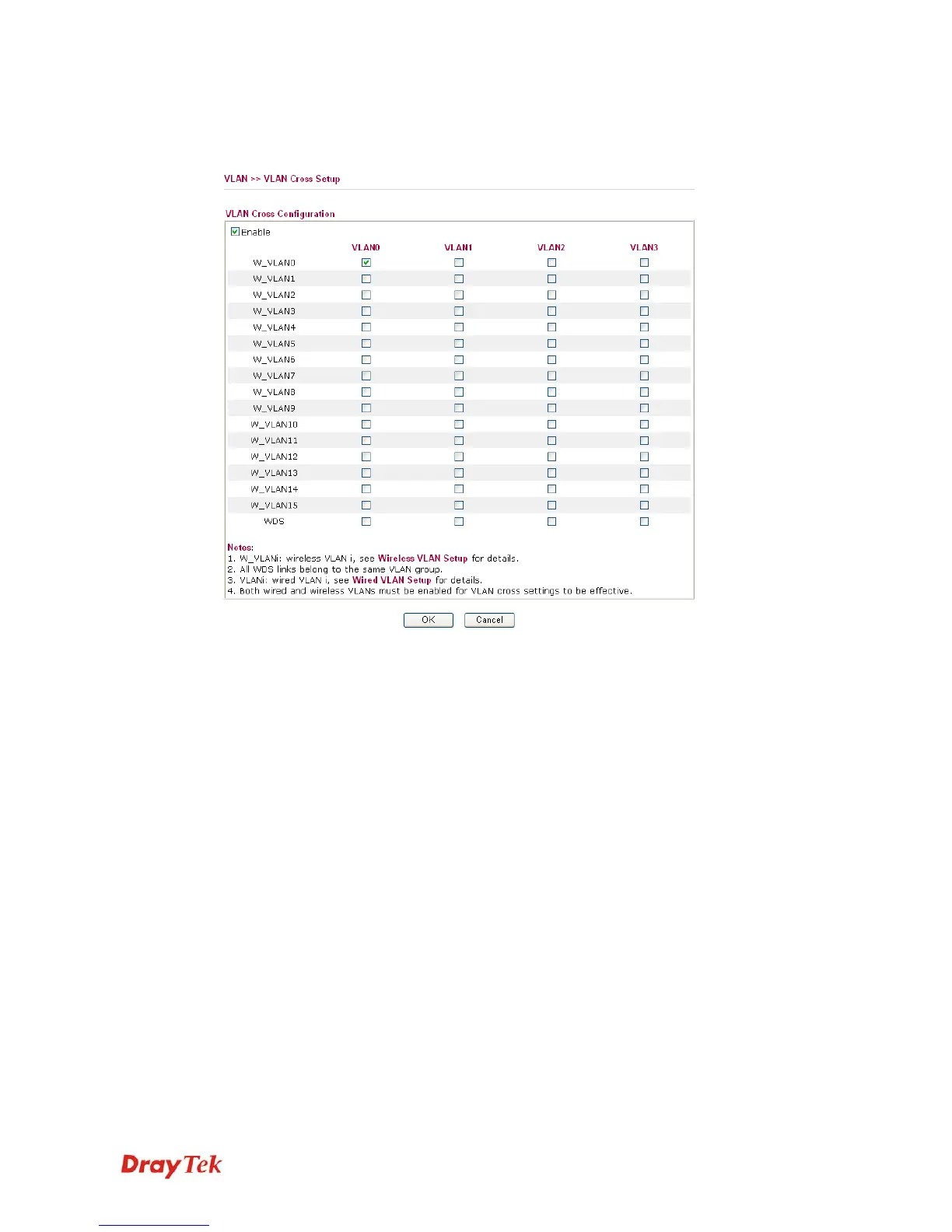
The VLAN >> VALN Cross Setup allows you to set a communication bridge between
computers in Wireless VLAN and wired VLAN. To achieve the intention of the above
illustration, simply check the box under VLAN0 on the line of W_VLAN0.
Enable Check this box to invoke VLAN Cross Setup function.
VLAN0-3 It represents the groups of virtual LAN connected by Ethernet
interface.
W_VLAN0-15 It represents the groups of wireless VLAN communicated by
wireless interface.




 To Next Page