Vigor2960 Series Quick Start Guide
3
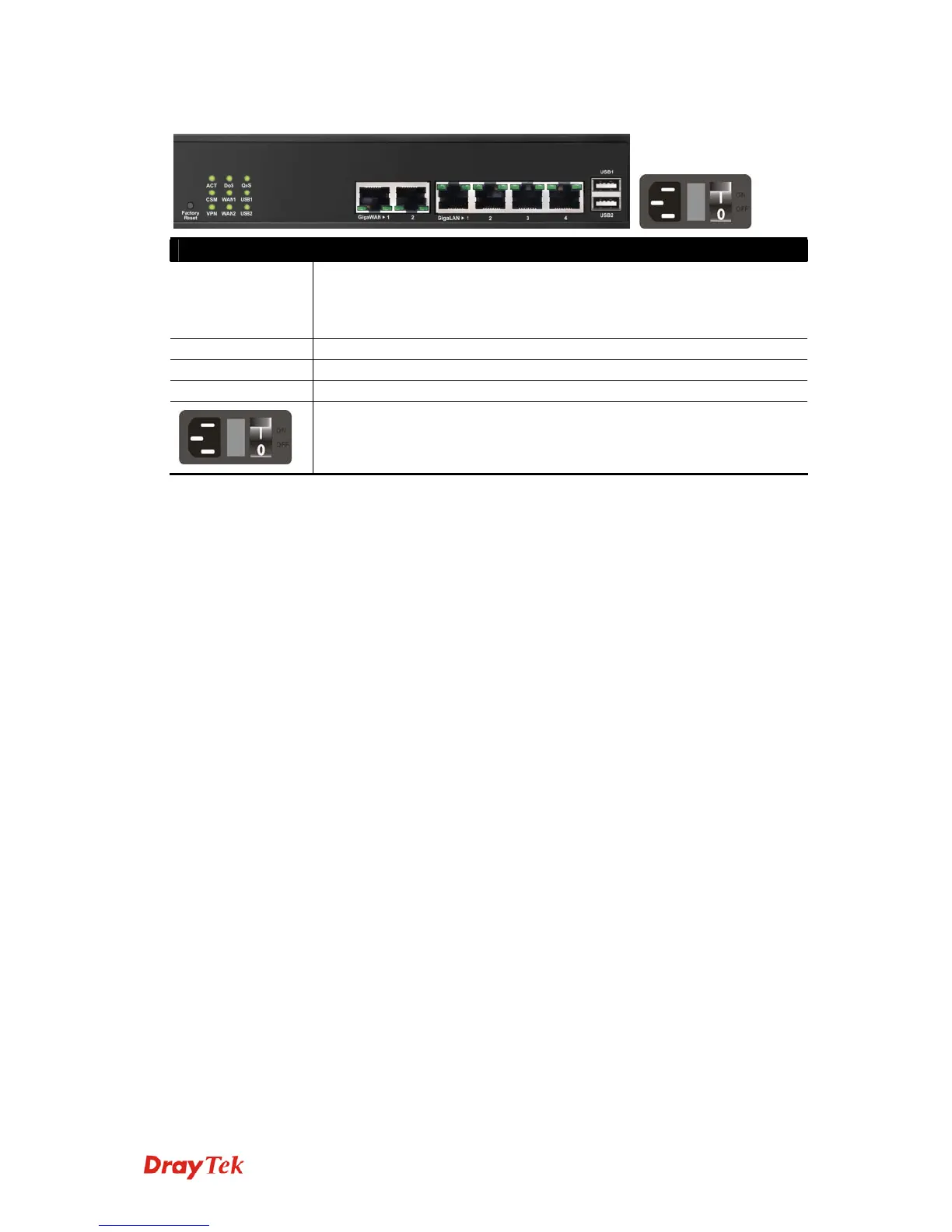
Interface Description
Factory Reset Restore the default settings. Usage: Turn on the router (ACT LED is
blinking). Press the hole and keep for more than 5 seconds. When you
see the ACT LED begins to blink rapidly than usual, release the button.
Then the router will restart with the factory default configuration.
GigaWAN 1/2 Connecters for remote networked devices.
GigaLAN 1/2/3/4 Connecters for local networked devices.
USB1/2 Connecter for Mobile HDD, 3G Modem or printer.
Connecter for a power cord.
ON/OFF - Power switch.


 To Next Page
 Loading...











