6
4
4
.
.
2
2
W
W
a
a
l
l
l
l
-
-
M
M
o
o
u
u
n
n
t
t
e
e
d
d
I
I
n
n
s
s
t
t
a
a
l
l
l
l
a
a
t
t
i
i
o
o
n
n
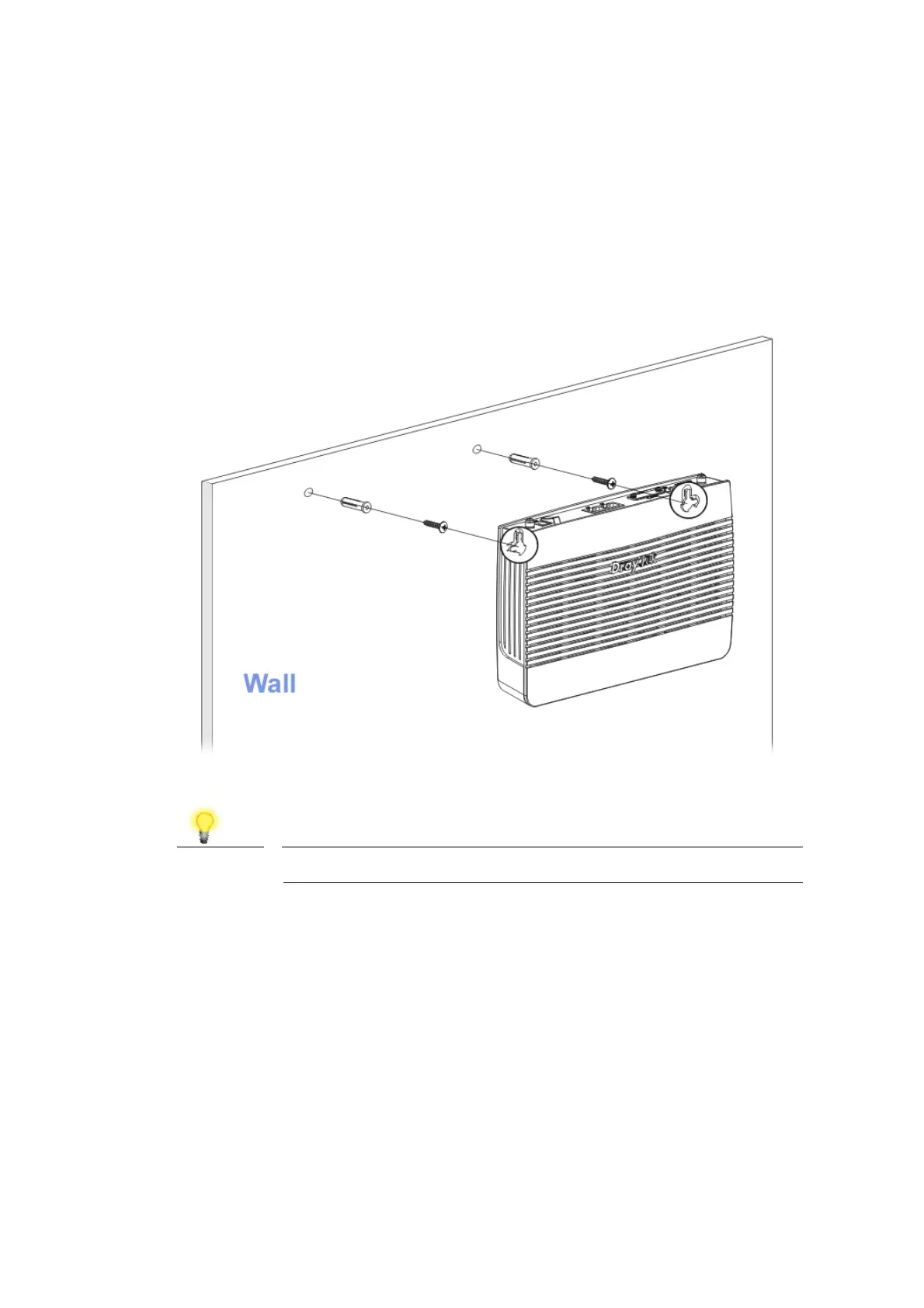
Vigor router has keyhole type mounting slots on the underside.
1. A template is provided on the Vigor router packaging box to enable you to
space the screws correctly on the wall.
2. Place the template on the wall and drill the holes according to the
recommended instruction.
3. Fit screws into the wall using the appropriate type of wall plug.
Note
The recommended drill diameter shall be 6.5mm (1/4”).
4. When you finished about procedure, the router has been mounted on the
wall firmly.













 To Next Page