10
4. Manually enter SIM PIN code and SPM Name provided by your ISP. Then click
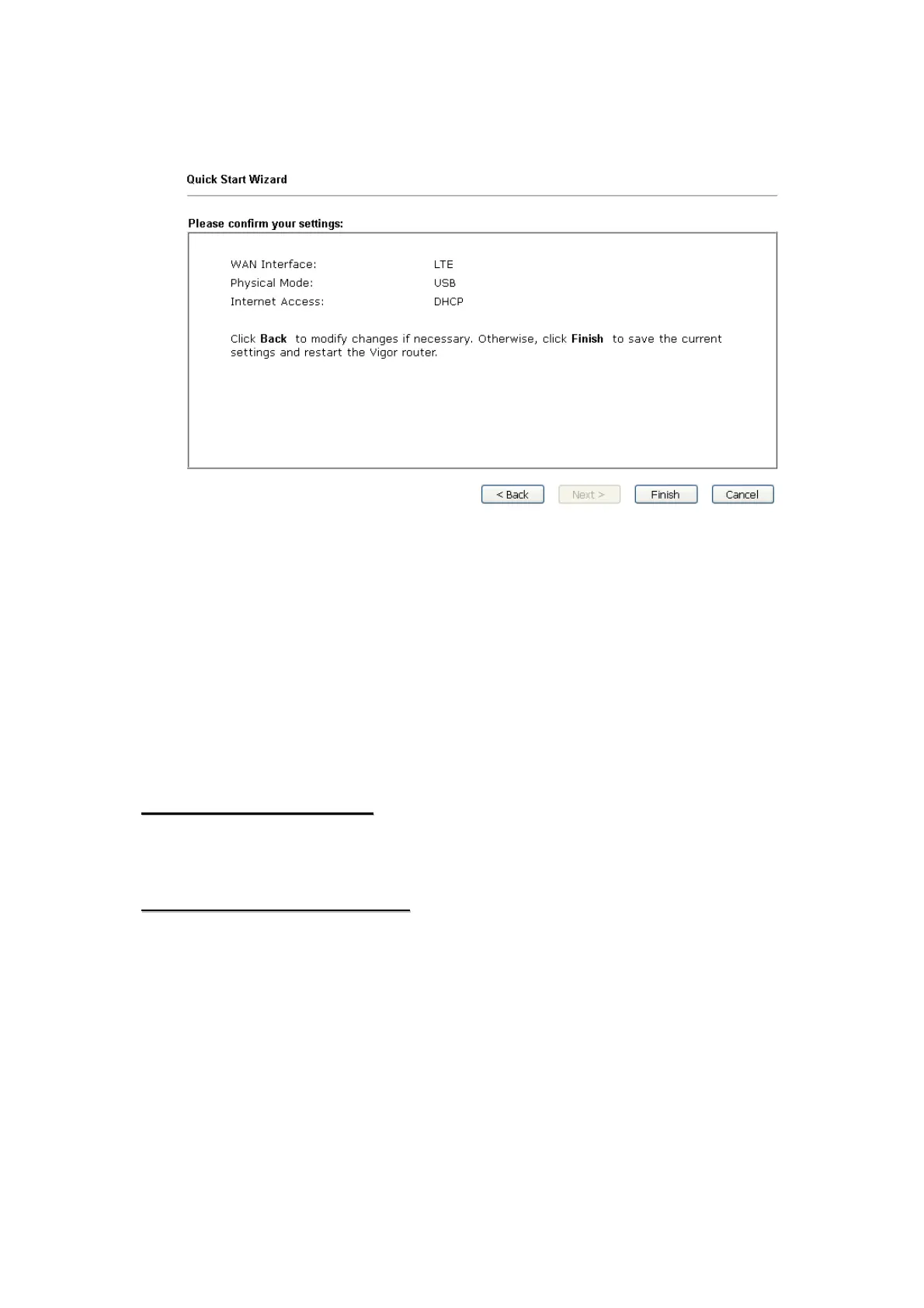
Next for viewing summary of such connection.
5. Click Finish. A page of Quick Start Wizard Setup OK!!! will appear. Then,
the system status of this protocol will be shown.
6. Now, you can enjoy surfing on the Internet.
6
6
.
.
C
C
u
u
s
s
t
t
o
o
m
m
e
e
r
r
S
S
e
e
r
r
v
v
i
i
c
c
e
e
If the router cannot work correctly after trying many efforts, please contact your
dealer for further help right away. For any questions, please feel free to send
e-mail to support@draytek.com.
B
B
e
e
a
a
R
R
e
e
g
g
i
i
s
s
t
t
e
e
r
r
e
e
d
d
O
O
w
w
n
n
e
e
r
r
Web registration is preferred. You can register your Vigor router via
http://www.draytek.com.
F
F
i
i
r
r
m
m
w
w
a
a
r
r
e
e
&
&
T
T
o
o
o
o
l
l
s
s
U
U
p
p
d
d
a
a
t
t
e
e
s
s
Due to the continuous evolution of DrayTek technology, all routers will be
regularly upgraded. Please consult the DrayTek web site for more information on
newest firmware, tools and documents. http://www.draytek.com













 To Previous Page