9
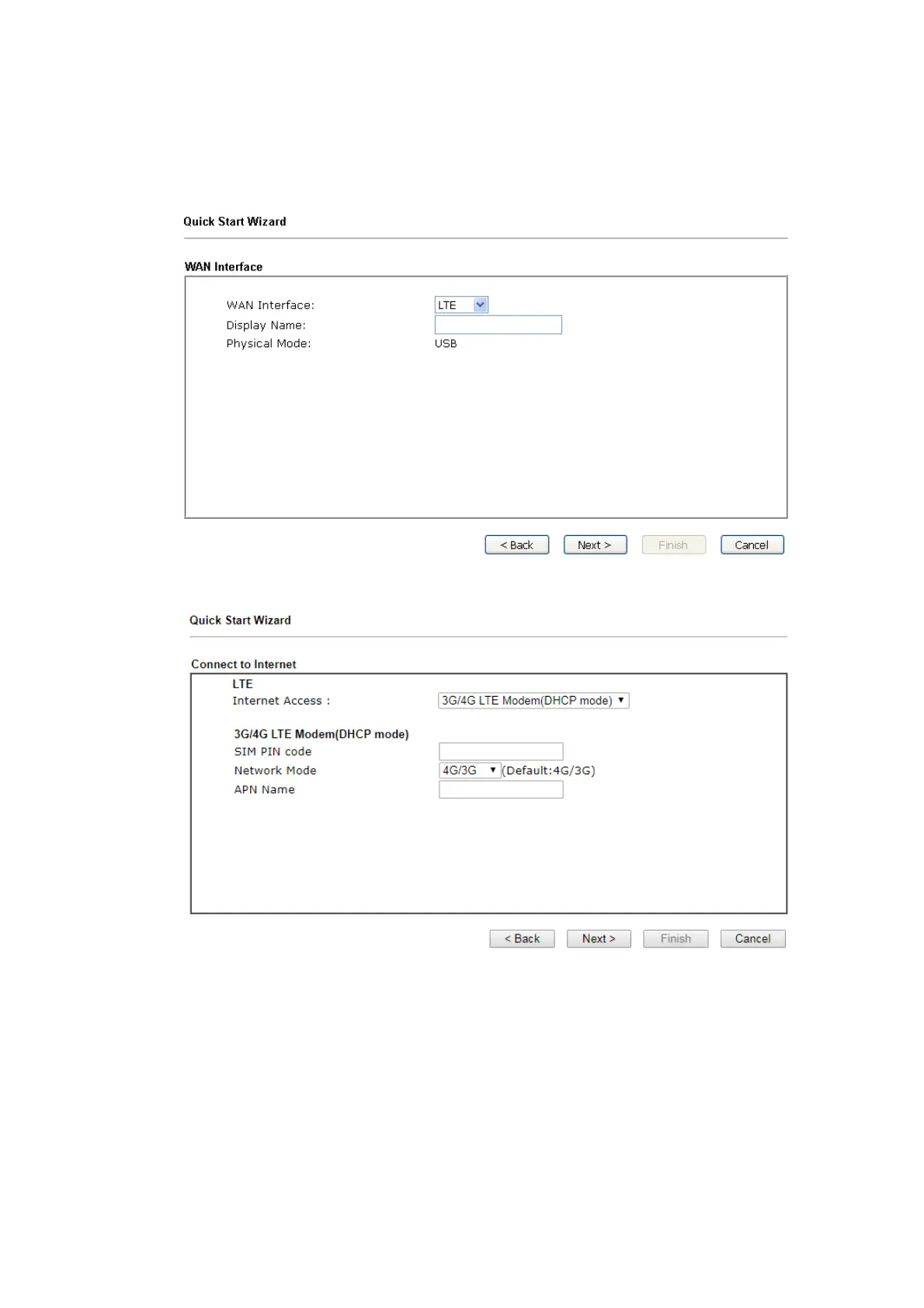
2. On the next page, please select the WAN interface that you use. If DSL
interface is used, please choose WAN1; if USB interface is used, please
choose LTE. Then click Next for next step. WAN1 and LTE will bring up
different configuration page. Here, we take LTE as an example.
3. Click Next to go to the following page.













 To Next Page