8
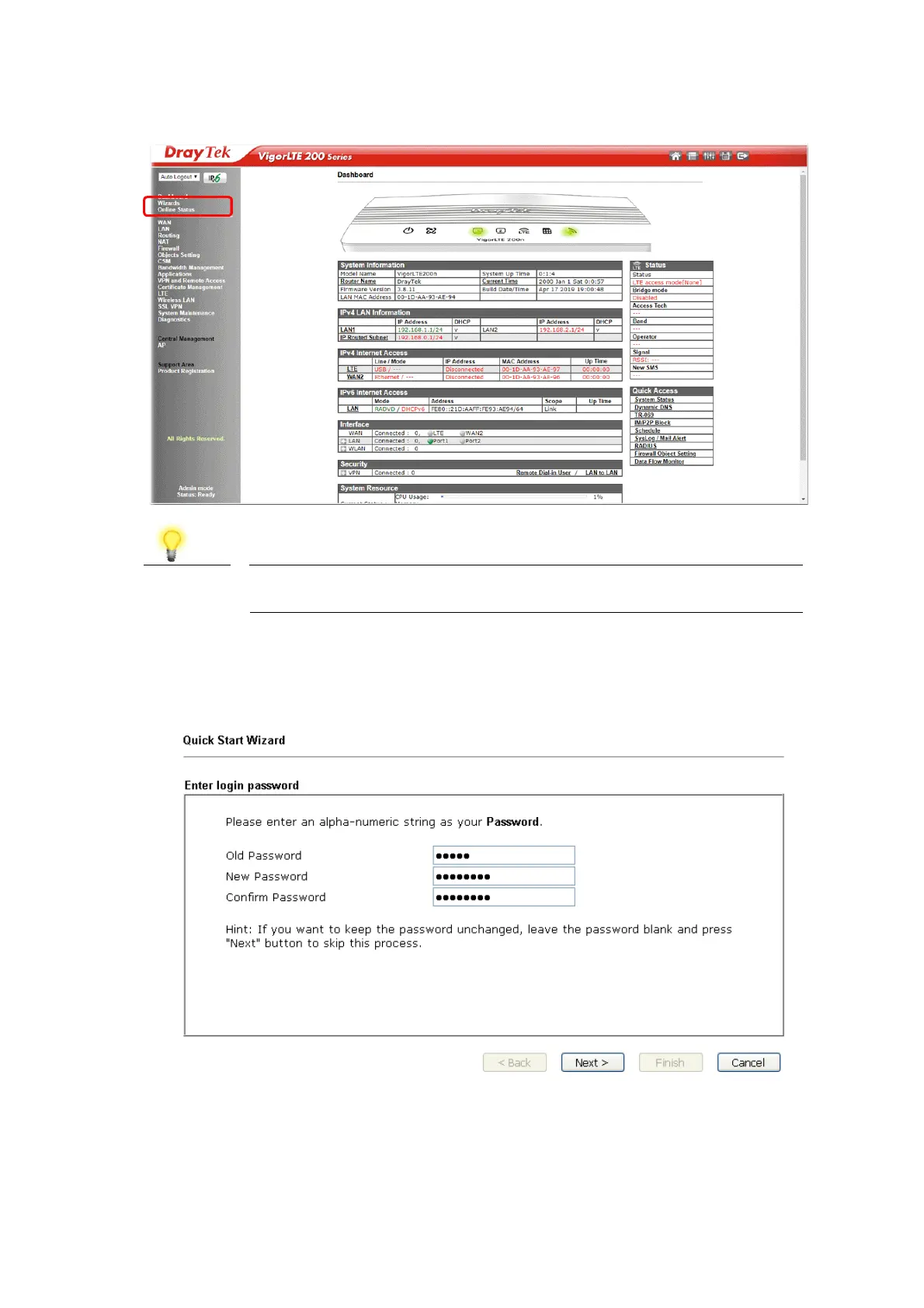
Now, the Main Screen will pop up. Click Wizards>>Quick Start Wizard.
Note
The home page will change slightly in accordance with the router you
have.
1. If your router can be under an environment with high speed NAT, the
configuration provide here can help you to deploy and use the router quickly.
The first screen of Quick Start Wizard is entering login password. After
typing the password, please click Next.













 To Next Page