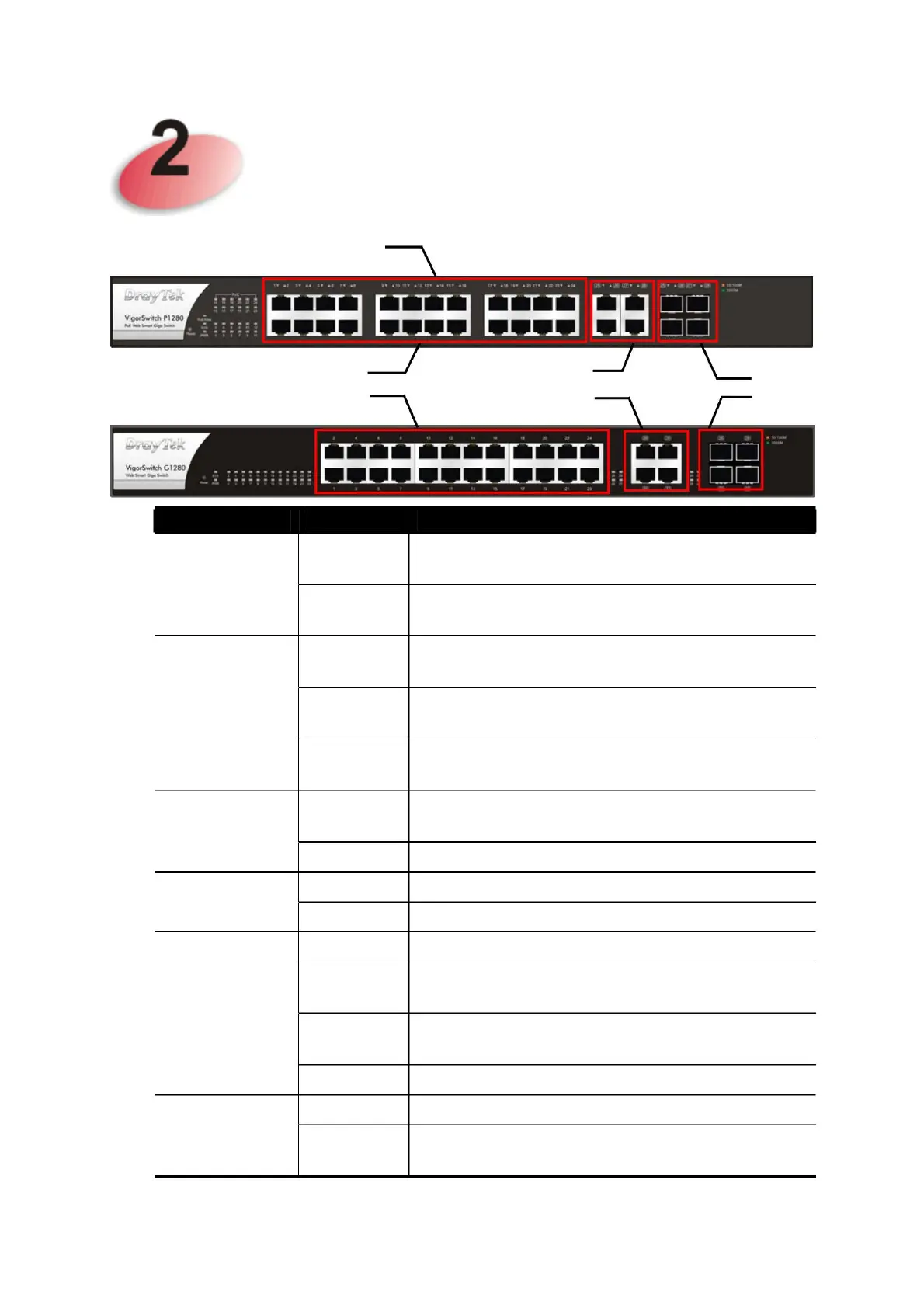
Combined
Puerto
The device is turned on and working
normally.
Puerto 1 ~ 24
The port is supplied with PoE power.
Flicker
Flicker
The switch turns on and system boot begins.
Dashboard Explanation
PoE/max.
The device is connected with 10/100Mbps.
2
The device is connected with 1000Mbps.
The device is connected with 10/100Mbps.
The device is not ready or has failed.
The device is connected with 1000Mbps.
SFP
(Amber)
Combo to Oporto
25 ~ 28
(Amber)
Explanation
The port is down or the link fails.
Power is off or system is not ready/not working
properly.
No PoE power is supplied to the port.
PoE for Port 1 to Port 24
Puerto 1 a Puerto 24
Off
Off
Off
About
About
Off
Off
SYSTEM
LED
can
(RJ 45
(Green)
RJ 45 LNK/ACT
(for P1282)
RJ45 LNK/ACT
LNK/ACT
The switch finishes booting the system and the
system is ready.
The system is sending or receiving data
through the port.
state
Connected within the maximum PoE power
budget.
PoE 1~24
on (green)
on (green) Connected via PoE maximum power budget.
on (green)
on (green)
on (green)
on (green)















 To Next Page