
 Need help?
Do you have a question about the Draytek VigorSwitch P2280x and is the answer not in the manual?
The DrayTek VigorSwitch P2280x/G2280x is an L3 Lite Managed Switch designed for robust network management and connectivity. This quick start guide provides essential information for its installation, configuration, and maintenance, ensuring users can effectively deploy and manage their network infrastructure.
The VigorSwitch P2280x/G2280x serves as a central component in a network, facilitating data transmission and offering advanced management capabilities. The P2280x model is a PoE (Power over Ethernet) switch, capable of supplying power to connected PoE devices, while the G2280x model operates without PoE. Both models are L3 Lite managed switches, meaning they offer a range of layer 2 and basic layer 3 features for efficient network operation.
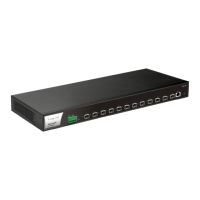
The switch features 24 Gigabit Ethernet (GbE) RJ45 ports (Port 1 to 24) and 4 SFP+ ports (Port 25 to 28). The GbE RJ45 ports are used for standard Ethernet connections, and on the P2280x, these ports also provide PoE power. The SFP+ ports are designed for fiber connections, supporting higher bandwidth requirements, specifically 10Gbps. A console port is also available for telnet command control, offering an alternative method for configuration and management.
The switch is designed to handle various network devices, including PCs, servers, IP phones, IPTVs, notebooks, and printers. It intelligently manages traffic flow, ensuring reliable and high-performance connectivity across the network. The P2280x model, with its PoE capabilities, simplifies network deployment by eliminating the need for separate power adapters for PoE-enabled devices, such as IP cameras or wireless access points.
The VigorSwitch P2280x/G2280x offers a user-friendly interface for configuration and monitoring. Upon initial setup, users can access the switch's web browser interface by connecting a PC and entering the default IP address. The web interface provides a comprehensive dashboard displaying system status, CPU and memory usage, temperature, and voltage, offering a quick overview of the switch's operational health.
Network connection is straightforward, utilizing Cat. 5e twisted-pair cables for both data and, in the case of the P2280x, power to PoE devices. The switch supports IEEE 802.3af and 802.3at standards for PoE, ensuring compatibility with a wide range of PoE-enabled equipment. For non-PoE devices, standard straight-through twisted pair cables are used. The switch prioritizes traffic for critical applications like VoIP/Video, ensuring smooth performance for these services.
The LED indicators on the front panel provide immediate visual feedback on the switch's status. The Monitor LED indicates overall system health (red for failure, off for normal operation), while the Alert LED (for P2280x) signals PoE power budget status (blinking green for over 80% usage, off for under 80%). The SYS LED shows booting status (blinking green) and readiness (solid green). The PWR LED indicates power status (solid green for normal, off for not ready/failed). Individual port LEDs indicate connection speed (green for 1000Mbps, amber for 10/100Mbps) and data activity (blinking amber). For SFP+ ports, blue indicates 10Gbps, and amber indicates 10/100Mbps.
Physical installation is flexible, supporting both desktop placement and rack-mounted configurations. The included rack mount kit allows for easy integration into a 19-inch chassis, providing a secure and organized setup in server rooms or network closets.
The VigorSwitch P2280x/G2280x is designed for ease of maintenance and long-term reliability. The web interface provides detailed system information, including firmware version, loader version, build date, system time, and uptime, which are crucial for troubleshooting and support.
DrayTek regularly releases firmware updates to enhance functionality, improve performance, and address security vulnerabilities. Users are encouraged to visit the DrayTek website to download the latest firmware and tools, ensuring their switch operates with the most current features and protections. This proactive approach to updates helps maintain the switch's optimal performance and security posture.
In case of operational issues, the quick start guide advises users to contact their local supplier or DrayTek customer service via email for support. This ensures that users can receive expert assistance for any complex problems that may arise.
The device also adheres to various regulatory standards, including CE and UKCA declarations of conformity, indicating compliance with European and UK safety, electromagnetic compatibility, and hazardous substance regulations. This commitment to regulatory compliance ensures the product's quality and safety.
The manual also includes important safety instructions, emphasizing the need for proper installation and environmental conditions to prevent damage and ensure safe operation. Users are advised not to open or repair the switch themselves, to avoid damp or humid environments, and to protect the device from direct sunlight or heat sources. These guidelines are essential for prolonging the life of the switch and ensuring user safety.
Furthermore, DrayTek offers a two-year warranty to the original end-user, covering defects in workmanship or materials. This warranty provides peace of mind, ensuring that any manufacturing faults will be addressed. Users are advised to retain their purchase receipt as proof of date of purchase for warranty claims. The warranty terms also specify conditions under which the warranty may be void, such as misuse or unauthorized modifications.
The product's use of software licensed under the GNU GENERAL PUBLIC LICENSE is also disclosed, with information on how to access source codes, promoting transparency and open-source compliance. This detail is important for users who may be interested in the software components of the device.
 General
| Uplink Ports | 4 x 10G SFP+ |
|---|---|
| PoE | Yes |
| Total PoE Budget | 370W |
| MAC Address Table | 16K |
| LACP | Yes |
| Power Input | 100-240V AC, 50/60Hz |
| Operating Temperature | 0°C to 45°C |
| Humidity | 10% to 90% non-condensing |
| Layer | Layer 2+ |
| VLAN | 802.1Q VLAN |
| Management | Web, CLI, SNMP |
| Jumbo Frame Support | 9K |
| Storage Temperature | -40°C to 70°C |













 To Next Page