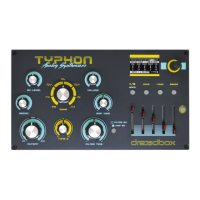
3.Direct analog engine controls (left side)
Typhon’s left side is dedicated to a set of 8 controls for quick and easy sound sculpting.
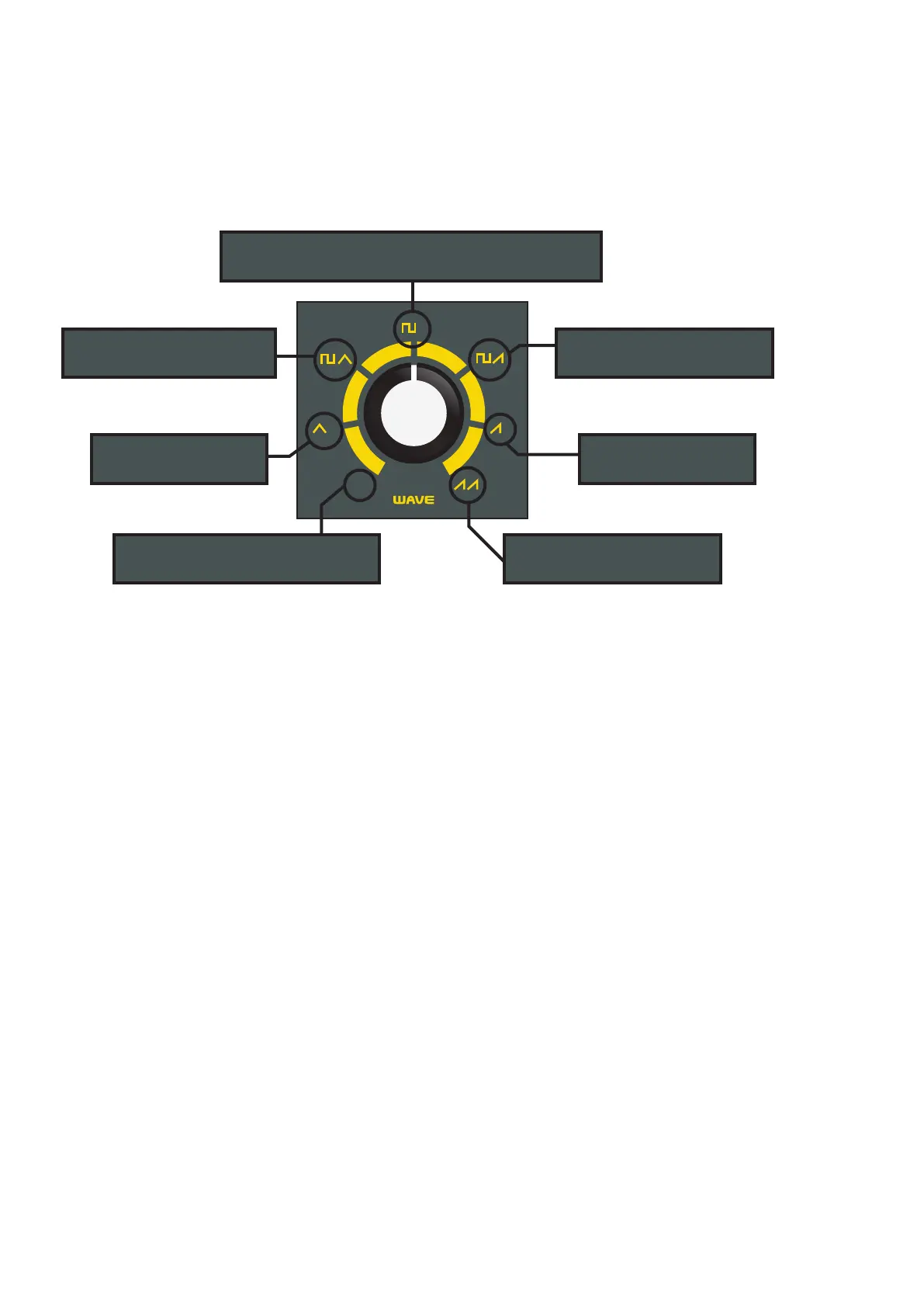
Wave: This controls the waveform, amplitude, and routing of the two oscillators. With just a single knob, you
can get the most interesting and useful combinations that these oscillators can offer. While rotating the knob,
the selected waves fade into the adjacent wave and oscillator settings, instead of just switching abruptly.
Tune 2: Controls the tuning of the second oscillator
Cut off: Controls the lter’s initial cut off frequency
Reson: Controls the amount of lter feedback (Q or resonance)
EG level: Sets how much the lter ADSR envelope modulates the lter’s Cutoff
Filter Time: Scales the initial lter ADSR envelope settings from 10 times as slow, up to 6 times as fast.
Amp Time: Scales the initial amp ADSR envelope settings from 10 times as slow, up to 6 times as fast.
Volume: Sets the master level. Important to note, that this is a global setting and the only control that cannot
be stored in a preset.
Filter EG and Amp EG button: Lets you enter the ADSR edit mode. Select the lter or the amp ADSR by press-
ing the “shift” button. Use the sliders to edit the envelope. By pressing it again, will exit the ADSR edit mode.
2
2
1
fm
VCO1 is in a saw wave and
VCO2 is also in a saw wave
VCO1 is off, and VCO2
is in a triangle wave
VCO1 is off, and VCO2
is in a saw wave
VCO1 is in a square wave and
VCO2 in a saw wave
VCO1 is in a square wave and
VCO2 in a triangle wave
VCO1 is in a square wave, and VCO2 is off. To the left
and right of this wave you have a variable pulse width
VCO1 is in a square wave and VCO2
triangle wave is modulating it
7


 To Next Page