EasyManua.ls Logo

DREAM MULTIMEDIA DREAMBOX DM 800 HD PVR - User Manual

DREAM MULTIMEDIA DREAMBOX DM 800 HD PVR
110 pages
Print Icon
To Next Page IconTo Next Page
Loading...
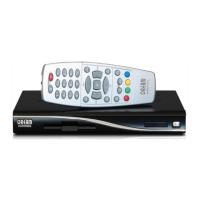
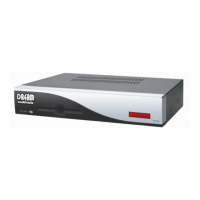
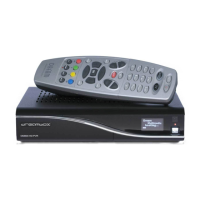
Dreambox DM 800 HD PVR
Bedienungsanleitung
Digitaler Satellitenempfänger zum Empfang von
freien und verschlüsselten DVB-Programmen mit
optionaler digitaler Aufzeichnungsmöglichkeit.
HDTV
Mit Netzwerk-Schnittstelle
Anschluss für interne SATA Festplatte
DVB-S2 Tuner steckbar
Smartcard Leser
Linux OS
User Manual
Digital satellite receiver for free and encrypted
Digital Video Broadcasting (DVB) with
optional digital recording capability.
HDTV
Ethernet-Port 10/100 MBit
internal SATA harddisk connector
DVB-S2 Tuner plugable
Smartcard Reader
Linux OS

Table of Contents

Questions and Answers

Summary

1. Before initial operation of the receiver

1.1 Safety instructions

Read safety instructions carefully before using the Dreambox.

1.2 Packaging contents

Check the completeness of the box's contents.

1.3 Views

Detailed explanation of the Dreambox's front and rear panels.

1.4 Remote control

Details on the functions and layout of the remote control.

2. Installation

2.1 Turning the device on

Steps to power on the Dreambox for the first time.

3. Start wizard

3.1 Video output selection

Configure the initial video output settings for the Dreambox.

3.2 Language selection

Choose the preferred language for the user interface.

3.3 Tuner setup

Configure the satellite tuner settings for signal reception.

3.4 Service scan

Perform a scan to find available TV and radio channels.

3.5 Parental control

Set up parental control features to restrict content.

10. Setup

10.1 Language selection

Change the display language of the Dreambox menus.

10.2 Customize

Adjust various settings like user modes and recording behavior.

10.3 Timezone

Set the correct time zone for accurate time display.

10.4 A;V Settings

Configure audio and video output parameters like resolution and aspect ratio.

10.5 OLED-Display

Adjust the brightness and settings of the front panel display.

10.6 Network

Configure network connectivity for internet access and updates.

10.7 Skin

Change the visual appearance (skin) of the Dreambox interface.

10.8 Factory reset

Restore the Dreambox to its original factory default settings.

11. Service searching

11.1 DVB-S Tuner configuration

Set up the satellite tuner for receiving DVB-S signals.

11.2 DVB-C Tuner configuration

Configure the cable tuner for receiving DVB-C signals.

11.3 DVB-T Tuner configuration

Configure the terrestrial tuner for receiving DVB-T signals.

11.4 Automatic scan

Automatically scan for available channels on the selected tuner.

11.5 Manual scan

Manually scan for channels by specifying frequencies and parameters.

12. Updating the software

12.1 Backing up your settings

Save current Dreambox settings before software updates.

12.2 Restoring your settings

Load previously saved settings onto the Dreambox.

12.3 Installing new software

Install new firmware or software images onto the Dreambox.

13. System information

13.1 Service

View detailed technical information about the current service.

13.2 About (Hard- and Software)

Display information about the Dreambox's hardware and software versions.

14. Troubleshooting

15. TV-Mode setup

15.1 Programming the remote control

Configure the remote control to operate a TV.

16. Technical data

17. Features

18. Contact & support information

19. Copyright notes

19.1 GNU GPL (General Public License)

Details of the General Public License governing software usage.

20. Menu overview

21. Service Slip

DREAM MULTIMEDIA DREAMBOX DM 800 HD PVR Specifications

General IconGeneral
Tuner TypeDVB-S2
Operating SystemLinux
RAM256 MB
Ethernet10/100 Mbps
USB Ports2
TypeSatellite Receiver
HDTV CompatibleYes
PVR FunctionYes
Smart Card Reader1
HDMI1
Video DecodingMPEG-2, MPEG-4, H.264
Power Consumption15 W
Video Resolution1080i, 720p, 576p, 576i
Audio DecodingMP3
HDDExternal via USB

Related product manuals