EasyManua.ls Logo

DREAM MULTIMEDIA Dreambox DM7025 - User Manual

DREAM MULTIMEDIA Dreambox DM7025
114 pages
Print Icon
To Next Page IconTo Next Page
Loading...
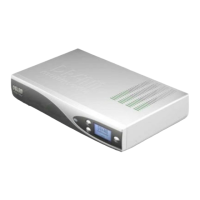
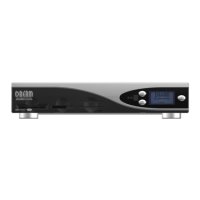
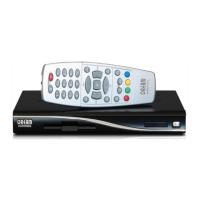
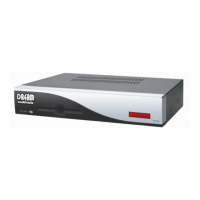
Dreambox DM 7025 / DM 7025+
Bedienungsanleitung
Digitaler Satellitenempfänger zum Empfang von freien und
verschlüsselten DVB-Programmen mit optionaler digitaler
Aufzeichnungsmöglichkeit.
Mit Kommunikations-Schnittstelle
und PCMCIA-Schnittstelle für CI-Module
Anschluss für interne Festplatte
Compact Flash Schacht
Grafisches LC-Display
Twin Tuner steckbar
Smartcard Leser
Linux OS
User Manual
Digital satellite receiver for free and encrypted Digital
Video Broadcasting (DVB) with
optional digital recording capability.
Communication-Port
PCMCIA-Slot for CI-Modules
Internal hard disk connector
Compact Flash Slot
Graphical LC-Display
Pluggable Twin Tuner support
2 Smartcard Readers
Linux OS

Table of Contents

Questions and Answers

Summary

1. Before initial operation of the receiver

1.1 Safety instructions

Please read all safety instructions completely and carefully before using the Dreambox.

1.2 Packaging contents

Check the completeness of the box's contents, including all items included.

1.3 Views

Provides an overview of the front and rear panels of the Dreambox device.

1.4 Remote control

Detailed description and function of each button on the Dreambox remote control.

2. Installation

2.1 Turning the device on

Step-by-step guide on how to connect and turn on the Dreambox for the first time.

3. Start wizard

3.1 Language selection

Select the desired language for the Dreambox interface during the initial setup wizard.

3.2 Tuner setup

Configure the satellite (DVB-S) tuner settings for optimal reception.

3.3 Service scan

Perform a scan to find available TV and radio services after tuner configuration.

3.4 Parental control

Set up parental control options to restrict access to certain channels or content.

4. Basic operation

4.1 Turning your Dreambox on and off

Instructions on how to turn the Dreambox on, put it into standby, or deep standby mode.

4.2 Service selection

How to select TV or radio services using the remote control's navigation buttons.

4.3 Changing channel using the service list

Navigate and select channels using the on-screen service list.

4.4 Controlling the volume

Adjust the audio volume using the volume up/down and mute buttons.

4.5 Changing the audio track

Select different audio tracks available for a program.

4.6 Sub services

Information on accessing sub services if the selected station provides them.

4.7 TV;Radio switching

Switch between TV and Radio modes using dedicated buttons.

4.8 Teletext

Access and navigate Teletext information for supported channels.

4.9 Subtitles

Select and enable subtitles for programs that offer them.

4.10 Infobar

How the Infobar displays information and how to toggle it on/off.

5. Electronic Program Guide - EPG

5.1 Single-EPG

View detailed programming information for the currently selected channel.

5.2 Multi-EPG

View programming information for multiple channels simultaneously.

5.2.1 Time;Date Input

Set a specific time and date to filter the Multi-EPG display.

6. Edit the channellist

6.1 Adding a bouquet

Create custom channel lists or folders (bouquets) for better organization.

6.2 Add a service to favorites

Add selected TV or radio services to your personal favorites list.

6.3 Adding multiple services to a bouquet

Select and add multiple services from the All-view to a bouquet.

6.4 Remove a service from favorites

Delete unwanted services from your favorites list.

6.5 Moving a service to favorites

Change the order or position of services within your favorites list.

6.6 Adding a marker to favorites

Add markers within favorite bouquets for easier navigation or identification.

6.7 Alternative services

Link services received on different tuners for seamless switching.

6.8 Parental control

Configure parental lock settings to restrict access to specific channels.

7. Hard disk operation

7.1 Mounting guidelines

Instructions on how to safely install a hard disk drive inside the Dreambox.

7.2 Management

Manage the hard disk, including setting standby duration.

7.2.1 Initialization

Initialize (format) the hard disk drive for use with the Dreambox.

7.3 Recording

Record TV and radio programs using various methods.

7.3.1 Instant recording

Start recording a program immediately.

7.3.2 Stop recording

Manually stop an ongoing recording.

7.3.3 Recording by timer

Schedule recordings using the timer function, either manually or via EPG.

7.3.4 Timeshift

Pause live TV and resume playback later without missing any content.

7.4 Watch a recording

Playback recorded programs from the hard disk.

7.5 Setting a marker (Bookmarks)

Add bookmarks to recordings for easy navigation to specific points.

7.6 Delete a recording

Remove unwanted recorded programs from the hard disk.

7.7 Movielist options

Customize how the list of recorded movies is displayed and sorted.

8. Teletext

Teletext - regular navigation

Basic navigation and control for accessing Teletext pages.

Teletext - Selection

Search for and select Teletext information from other services.

Screen format

Adjust screen format settings for Teletext display.

Brightness

Adjust the brightness of the Teletext display.

Transparency

Adjust the transparency level of the Teletext display.

National characterset

Configure the character set for proper display of national characters.

9. Picture-in-Picture mode (PiP)

Activate Picture in Picture

Enable the Picture-in-Picture feature to display a small picture on top of the main one.

Disable Picture in Picture

Turn off the Picture-in-Picture mode.

Move Picture in Picture

Reposition or resize the small PiP window.

Swap services

Swap the main TV picture with the small PiP picture.

10. Sleep timer

Shutdown Dreambox after

Set a timer to automatically shut down or put the Dreambox into standby.

11. Setup

11.1 Language

Select the user interface language for the Dreambox.

11.2 Customize

Adjust various settings like user mode, recording margins, and infobar timeout.

11.3 Setting the time zone

Set the correct time zone for accurate time display and scheduling.

11.4 A;V Settings

Configure video and audio output settings, including color format and aspect ratio.

11.5 RF output

Configure the UHF modulator output for connecting to a TV.

11.6 Display (LCD or OLED)

Adjust display settings such as brightness and contrast for the Dreambox screen.

11.7 Network

Configure network settings for connecting the Dreambox to a LAN or the internet.

11.8 Common Interface

Manage CI modules and smartcards for accessing encrypted services.

11.9 Skin

Change the visual appearance (skin) of the Dreambox's on-screen display.

12. Service searching

12.1 DVB-S Tuner configuration

Configure the settings for the DVB-S satellite tuner.

12.1.1 Single satellite - direct connection (DVB-S)

Set up the tuner for receiving a single satellite with a direct LNB connection.

12.1.2 Two satellites via Toneburst A;B (DVB-S)

Configure the tuner for two satellites using a Toneburst A/B switch.

12.1.3 Two satellites via DiSEqC A;B (DVB-S)

Configure the tuner for two satellites using a DiSEqC A/B switch.

12.1.4 Four satellites via DiSEqC A;B;C;D (DVB-S)

Configure the tuner for four satellites using a DiSEqC A/B/C/D switch.

12.1.5 Stab Positioner using USALS (DVB-S)

Set up a motorized dish positioner using the USALS protocol.

12.1.6 Stab Positioner without USALS (DVB-S)

Set up a motorized dish positioner manually without USALS.

12.1.7 Tuner 2 setup (DVB-S)

Configure the second DVB-S tuner, mirroring or extending Tuner 1 settings.

12.2 DVB-C Tuner configuration

Configure the settings for the DVB-C cable tuner.

12.2.1 Tuner 2 setup (DVB-C)

Configure the second DVB-C tuner with frequency steps or provider lists.

12.3 DVB-T Tuner configuration

Configure the settings for the DVB-T terrestrial tuner.

12.3.1 Tuner 2 setup (DVB-T)

Configure the second DVB-T tuner, including region and antenna power settings.

12.4 Automatic scan

Automatically scan for all available TV and radio services across tuners.

12.5 Manual scan

Manually scan for specific services by entering parameters like frequency.

13. Updating the software

13.1 Backing up your settings

Create a backup of your current Dreambox settings before installing new software.

13.2 Restoring your settings

Restore previously saved Dreambox settings from a backup.

13.3 Installing new software

Step-by-step guide to install new firmware or software using DreamUp.

14. Systeminformation

14.1 Service

View detailed technical information about the currently selected TV or radio service.

14.2 About (Hard- and Software)

Display relevant information about the Dreambox's hardware and installed software.

16. TV-Mode setup

16.1 Programming the remote control

Instructions on how to program the remote control to operate a TV.

16.2 TV- Device list

A list of device codes for programming the remote control for various TV brands.

17. Technical data

DVB;S-Tuner (pluggable)

Detailed technical specifications for the DVB-S tuner module.

DVB;C-Tuner (pluggable)

Detailed technical specifications for the DVB-C tuner module.

DVB;T-Tuner (pluggable)

Detailed technical specifications for the DVB-T tuner module.

Common-Interface:

Technical details regarding the Common Interface power consumption.

Video decoder:

Technical details about the video decoding capabilities.

Audio decoder:

Technical details about the audio decoding capabilities.

Output analog:

Technical specifications for analog audio output.

Output digital:

Technical specifications for digital audio output.

Video parameter:

Technical parameters related to video signal input and Teletext filtering.

TV-Scart:

Technical details for the TV Scart output.

VCR-Scart:

Technical details for the VCR Scart input/output.

Serial Interface RS 232:

Technical specifications for the RS232 serial interface.

Ethernet:

Technical specifications for the Ethernet interface.

USB:

Technical details for the USB connector.

UDMA66 IDE Interface:

Technical details for the IDE interface.

LNB power and polarization per tuner:

Technical specifications regarding LNB power and polarization.

Count of active satellite position:

Information on the number of active satellite positions supported.

OLED-Display: (DM 7025+)

Technical notes about the OLED display's lifespan and brightness.

Power consumption:

Power consumption figures for the Dreambox in various modes.

Input voltage:

Input voltage requirements for the Dreambox power supply.

Physical specification:

Physical dimensions and weight of the Dreambox.

18. Features

19. Contact & support information

Headquarter & Distribution:

Information about the manufacturer's headquarters and distribution details.

Dealer’s Hotline:

Contact information for dealers.

Technical Hotline:

Contact information for technical support.

Dealers & Pricing:

Email address for dealer inquiries and pricing.

Technical Support:

Email address for technical support.

Website:

Official website address for the manufacturer.

Support Forum:

Link to the official support forum.

Software Support (actual images):

Link to software support resources, including images.

20. Copyright notes

GNU GENERAL PUBLIC LICENSE

Detailed terms and conditions of the GNU General Public License.

DREAM MULTIMEDIA Dreambox DM7025 Specifications

General IconGeneral
TypeSatellite Receiver
Hard Drive InterfaceIDE
USB2 x USB 2.0
Common Interface Slots2
Smart Card Reader1
Hard DriveOptional
Operating SystemLinux
Ethernet10/100 Mbit
DisplayVFD
Video OutputComposite, S-Video
Audio OutputStereo
S/PDIFYes
Power Supply12V DC

Related product manuals