EasyManua.ls Logo

Dreame DreameBot L10 Prime - User Manual

Dreame DreameBot L10 Prime
10 pages
Print Icon
To Next Page IconTo Next Page
Loading...
RLL11GC-EU-A00
12/2022
Robot Vacuum and Mop with
Automatic Mop Cleaning
The illustrations in this manual are for reference only. Please refer to the actual product.
Prime
For more support, contact us via aftersales@dreame.tech
Website: https://global.dreametech.com
Manufactured by: Dreame Trading (Tianjin) Co., Ltd.
Made in China
Th
e word "dreame" is the abbreviation of Dreame Technology Co., Ltd. and its subsidiaries in China. It is the transliteration of the company's Chinese name " 追觅 ",
which means striving for excellence in every endeavor and reflects the company's vision of continuous pursuit, exploration and search in technology.
EN

Questions and Answers

Summary

Safety Information

Usage Restrictions

Key safety guidelines and limitations for operating the appliance, covering user age, environment, and handling.

Batteries and Charging

Guidelines for safe battery handling, charging, replacement, and disposal of lithium-ion batteries.

Laser Safety Information

Information regarding the laser sensor's compliance with safety standards and precautions for eye contact.

Product Overview

Package Contents

Lists all items included in the product package, including the robot and accessories.

Robot Components

Detailed diagram and labels identifying the various parts of the robot unit.

Base Station Components

Diagram and labels for the base station, including water tanks and charging contacts.

Before Use

Initial Setup Steps

Instructions for preparing the robot and base station before the first cleaning operation.

Connecting with Dreamehome App

Download and Add Device

Guide on downloading the app and connecting the robot to Wi-Fi for smart control.

Reset Wi-Fi Connection

Steps to reset the robot's Wi-Fi settings for re-establishing connection.

How to Use

Mapping and Navigation

Instructions for initial room mapping and how the robot navigates.

Basic Operations

How to turn the robot on/off, pause, sleep, and restart it.

Cleaning Modes

Explanation of Do Not Disturb (DND) mode and Spot Cleaning function.

Sweeping & Mopping

Details on starting the combined sweeping and mopping function and managing mop pads.

Specific Cleaning Tasks

Procedures for cleaning the used water tank and using the sweeping-only function.

Routine Maintenance

Maintenance Schedule and Parts

Recommended frequency for maintaining various robot parts and the base station.

Water Tank Cleaning

Instructions for cleaning the used water tank to prevent odors and maintain hygiene.

Brush and Wheel Care

Guidance on cleaning and maintaining the main brush, side brush, and universal wheel.

Filter and Sensor Cleaning

Procedures for cleaning the filter and wiping robot sensors and charging contacts.

Mop Pad and Battery Care

Instructions for replacing the mop pad and maintaining battery health.

Troubleshooting

Power and Charging Issues

Solutions for problems like the robot not turning on or not recharging.

Connectivity and Navigation Problems

Troubleshooting steps for Wi-Fi connection and base station return issues.

Operational Anomalies

Solutions for issues like slow charging, strange noises, or incorrect movement.

Water Tank and Cleaning Issues

Resolving abnormal water level in the washboard and other cleaning-related faults.

Specifications

Robot and Base Station Specs

Technical details including model numbers, power ratings, and operational frequencies.

WEEE Information

Information regarding the disposal and recycling of waste electrical and electronic equipment.

Summary

Safety Information

Usage Restrictions

Key safety guidelines and limitations for operating the appliance, covering user age, environment, and handling.

Batteries and Charging

Guidelines for safe battery handling, charging, replacement, and disposal of lithium-ion batteries.

Laser Safety Information

Information regarding the laser sensor's compliance with safety standards and precautions for eye contact.

Product Overview

Package Contents

Lists all items included in the product package, including the robot and accessories.

Robot Components

Detailed diagram and labels identifying the various parts of the robot unit.

Base Station Components

Diagram and labels for the base station, including water tanks and charging contacts.

Before Use

Initial Setup Steps

Instructions for preparing the robot and base station before the first cleaning operation.

Connecting with Dreamehome App

Download and Add Device

Guide on downloading the app and connecting the robot to Wi-Fi for smart control.

Reset Wi-Fi Connection

Steps to reset the robot's Wi-Fi settings for re-establishing connection.

How to Use

Mapping and Navigation

Instructions for initial room mapping and how the robot navigates.

Basic Operations

How to turn the robot on/off, pause, sleep, and restart it.

Cleaning Modes

Explanation of Do Not Disturb (DND) mode and Spot Cleaning function.

Sweeping & Mopping

Details on starting the combined sweeping and mopping function and managing mop pads.

Specific Cleaning Tasks

Procedures for cleaning the used water tank and using the sweeping-only function.

Routine Maintenance

Maintenance Schedule and Parts

Recommended frequency for maintaining various robot parts and the base station.

Water Tank Cleaning

Instructions for cleaning the used water tank to prevent odors and maintain hygiene.

Brush and Wheel Care

Guidance on cleaning and maintaining the main brush, side brush, and universal wheel.

Filter and Sensor Cleaning

Procedures for cleaning the filter and wiping robot sensors and charging contacts.

Mop Pad and Battery Care

Instructions for replacing the mop pad and maintaining battery health.

Troubleshooting

Power and Charging Issues

Solutions for problems like the robot not turning on or not recharging.

Connectivity and Navigation Problems

Troubleshooting steps for Wi-Fi connection and base station return issues.

Operational Anomalies

Solutions for issues like slow charging, strange noises, or incorrect movement.

Water Tank and Cleaning Issues

Resolving abnormal water level in the washboard and other cleaning-related faults.

Specifications

Robot and Base Station Specs

Technical details including model numbers, power ratings, and operational frequencies.

WEEE Information

Information regarding the disposal and recycling of waste electrical and electronic equipment.

Overview

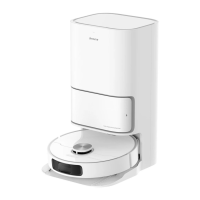
The DreameBot L10 Prime is a robot vacuum and mop with automatic mop cleaning capabilities, designed for floor cleaning in home environments. The name "dreame" signifies the company's vision of continuous pursuit, exploration, and search in technology.

Function Description

The DreameBot L10 Prime is a versatile cleaning appliance that combines sweeping and mopping functions. It can be controlled via the Dreamehome app, allowing users to manage cleaning tasks, create maps, and set various cleaning modes. The robot features automatic mop cleaning, where it returns to the base station to wash its mop pads based on a user-defined frequency. It can also perform spot cleaning, cleaning a 1.5 x 1.5 meter area around its starting point. The robot is equipped with a Laser Distance Sensor (LDS), Edge Sensor, and Cliff Sensors for navigation and obstacle avoidance.

Important Technical Specifications

Robot (Model RLL11GC):

  • Charging Time: Approximately 6 hours
  • Rated Voltage: 14.4 V
  • Rated Power: 60 W
  • Operation Frequency: 2400-2483.5 MHz
  • Maximum Output Power: <20 dBm

Base Station (Model RCWC1):

  • Rated Input: 100-240 V~50-60 Hz
  • Rated Output: 20 V, 1 A
  • Rated Power: 30 W

The laser sensor in this product meets the IEC 60825-1: 2014 Standard for Class 1 laser products. The device contains a high-performance lithium-ion battery pack.

Usage Features

Getting Started:

  1. Protective Strips and Accessories: Remove protective strips and install the side brush until it clicks into place. The mop assembly is also installed.
  2. Base Station Setup: Place the base station in an open area with good Wi-Fi signal, ensuring no objects block the signaling area. It's recommended to place it on tile or marble floors to prevent water stains on wood floors or carpets.
  3. Robot Placement: Turn on the robot by pressing and holding the Power/Clean button for 3 seconds, then place it on the base station with the mop assembly facing the washboard. A voice notification confirms connection and charging.
  4. Water Tank: Fill the clean water tank with clean water up to the MAX water line and install it back into the base station. Do not use hot water or any liquid other than the officially-approved cleaning solution.

App Connection (Dreamehome App):

  1. Download App: Scan the QR code on the robot or search "Dreamehome" in the app store.
  2. Add Device: Open the app, tap "+" to scan the QR code on the robot, and follow prompts for Wi-Fi connection (only 2.4GHz Wi-Fi is supported).
  3. Reset Wi-Fi: If connection fails, simultaneously press and hold the Spot Cleaning and Dock buttons until a voice prompt confirms "Waiting for the network configuration."

Operation Modes:

  • Fast Mapping: After initial setup, the robot can quickly create a map without cleaning.
  • Turn On/Off: Press and hold the Power/Clean button for 3 seconds. The robot automatically turns on when placed on the base station. To turn off, move the robot away from the base and press and hold the Power/Clean button for 3 seconds.
  • Pause/Sleep: Press any button to pause. If paused for over 10 minutes, it enters sleep mode.
  • Do Not Disturb (DND) Mode: Prevents the robot from resuming cleaning and turns off the power indicator. DND is disabled by default but can be enabled/modified via the app (default period: 22:00-8:00).
  • Spot Cleaning: Briefly press the Spot Cleaning button to clean a 1.5 x 1.5 meter area.
  • Robot Restarting: If unresponsive, press and hold the Power/Clean button for 10 seconds for a forced shutdown, then press and hold for 3 seconds to turn it back on.

Sweeping & Mopping:

  • Start Cleaning: Press the Power/Clean button or use the app. The robot will plan an optimal route. Mop pads are cleaned before mopping starts.
  • Clean Used Water Tank: After cleaning, clean the used water tank to prevent odor.
  • Sweeping Only: Select "Sweeping" in the app, and the robot will automatically lift the mop assembly. Alternatively, remove the mop assembly.
  • Midway Mop Pad Cleaning: The robot returns to the base station to wash mop pads based on app settings.
  • Post-Cleaning Mop Pad Cleaning: After a task, the base station automatically cleans the mop pads.

Maintenance Features

Regular maintenance is crucial for optimal performance.

Used Water Tank:

  1. Remove, open, and pour out dirty water.
  2. Rinse with clean water and use a tool to clean its inner wall. The float ball is a movable part; avoid excessive force.

Main Brush, Side Brush, and Universal Wheel:

  1. Main Brush: Press brush guard clips inwards, remove the guard, and lift the brush. Pull out brush covers and use a tool to remove tangled hair.
  2. Side Brush: Remove and clean.
  3. Universal Wheel: Use a small screwdriver to separate the axle and tire. Rinse under running water and dry completely before reinstallation.

Filter:

  1. Remove the filter and gently tap its basket. Do not use brushes or sharp objects.
  2. Rinse the dust bin and filter with clean water only (no detergent) and dry completely before reinstalling. Use only when completely dry.

Robot Sensors and Charging Contacts:

  • Wipe sensors and charging contacts with a soft, dry cloth. Wet cloths can damage sensitive elements.

Base Station Charging Contacts:

  • Clean the charging contacts and signaling area with a soft, dry cloth.

Mop Pad:

  • Remove the mop pad from the mop pad holder to replace it. Replacement frequency is every 1 to 3 months.

Battery:

  • To maintain optimal battery performance, ensure it's well-charged for daily use. If not used for an extended period, fully charge, turn off, and store in a cool, dry place. Recharge at least once every three months to prevent over-discharging.
  • Disposal: Before disposing of the robot, remove the lithium-ion battery pack. Unscrew the bottom, remove the cover, unplug the connector, and remove batteries. Return batteries to a professional recycling organization.

General Maintenance Schedule:

  • Used Water Tank: After each use
  • Dust Bin: As needed
  • Clean Water Tank: After each use
  • Main Brush: Once every 2 weeks (Replacement: every 6 to 12 months)
  • Dust Bin Filter: Once every 2 weeks (Replacement: every 3 to 6 months)
  • Side Brush: Once every 2 weeks (Replacement: every 1 to 3 months)
  • Mop Pad: As needed (Replacement: every 1 to 3 months)

For additional support and detailed e-manual, visit https://global.dreametech.com/pages/user-manuals-and-faqs or contact aftersales@dreame.tech.

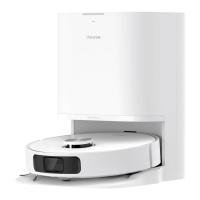
Dreame DreameBot L10 Prime Specifications

General IconGeneral
BrandDreame
ModelDreameBot L10 Prime
CategoryVacuum Cleaner
LanguageEnglish

Related product manuals