9
EN
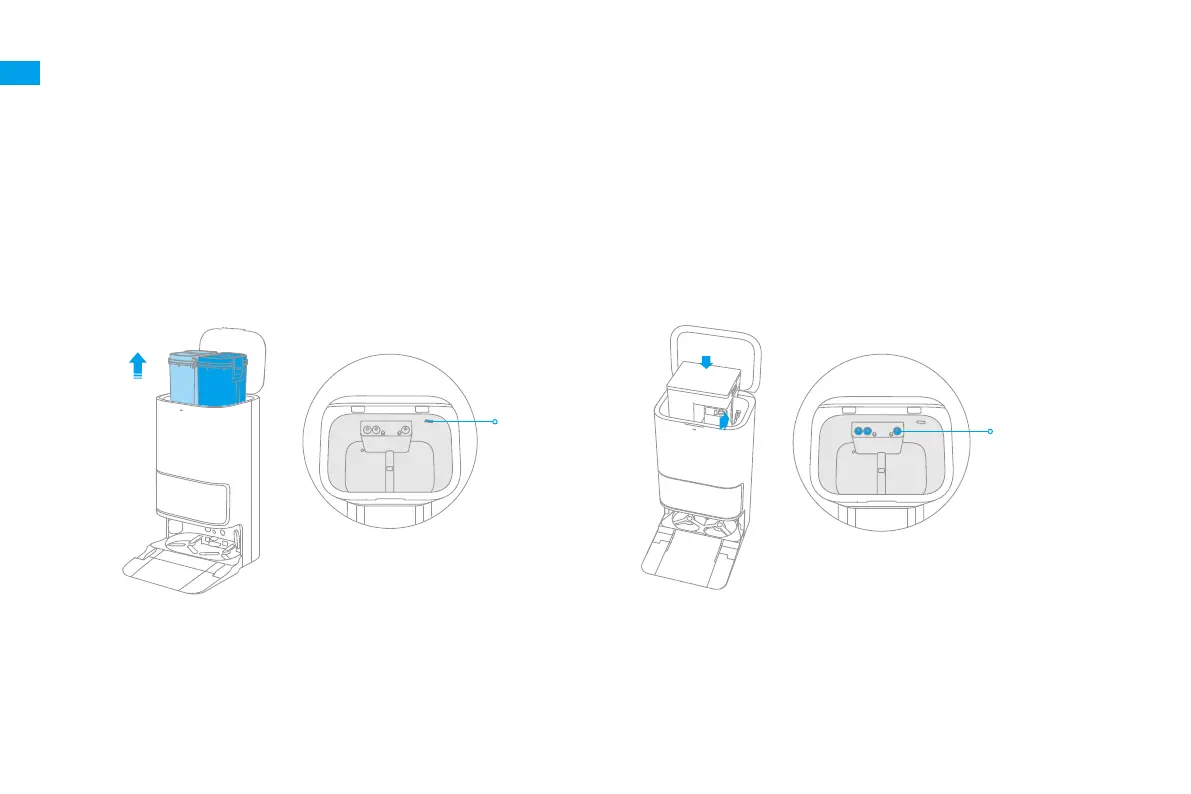
1. Open the upper cover, take out the clean water tank and used water
tank. Remove the label sticker inside the base station.
2. As shown in the Step ① , insert the power connect of the main unit into the
base station port.
In the Step ② , place the main unit download and align to the plumbing
connectors inside the base station, in order to insert the clean water
pipe
Ⓜ
and used water pipe
Ⓛ
.
Installation Instruction
❶
Install the Main Unit
Label Sticker
Plumbing Connectors
①
②
Align the main unit to
this place


 To Next Page