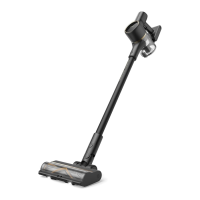
The Dreame L20 Ultra Complete is a versatile robot vacuum and mop designed for efficient home cleaning, offering advanced features such as auto-empty and mop self-cleaning functionalities. This device is engineered to provide a comprehensive cleaning experience, combining powerful vacuuming with effective mopping, and minimizing user intervention through its automated processes.
Function Description
The L20 Ultra Complete operates as a dual-function cleaning robot, capable of both vacuuming and mopping. Its primary function is to autonomously navigate and clean various floor types within a home environment. The robot is equipped with advanced sensors, including a laser distance sensor (LDS) and an AI visual sensor, to accurately map and navigate rooms, ensuring thorough coverage and avoiding obstacles.
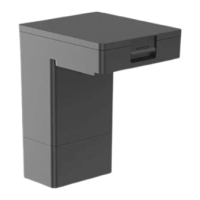
A key feature of the L20 Ultra Complete is its auto-empty capability. After completing a cleaning task, the robot automatically returns to its base station, which then empties the dust box into a larger dust bag within the base station. This significantly reduces the frequency with which users need to manually empty the robot's dustbin.
Another prominent function is the mop self-cleaning system. During and after mopping tasks, the robot returns to the base station, where its mop pads are automatically washed and dried. This ensures that the mop pads are clean for subsequent use and helps prevent the growth of bacteria and odors. The base station also refills the robot's water tank automatically, ensuring continuous mopping performance.
The robot offers various cleaning modes to suit different needs. Users can select "Vacuum then Mop," where the robot first vacuums, then removes the mop assembly at the base station, vacuums the entire floor, returns to install the mop assembly, and finally mops. Alternatively, "Vacuum Only" allows the robot to vacuum without mopping, automatically removing the mop assembly at the base station. For "Mop Only" tasks, the robot checks if the mop assembly is installed and, if not, installs it before starting to mop.
The device also includes a "Spot Cleaning" mode, which allows the robot to clean a specific 1.5 x 1.5 meter square area around its current position, returning to its starting point upon completion. This is useful for targeted cleaning of spills or concentrated dirt.
Usage Features
The L20 Ultra Complete is designed for ease of use, with several features enhancing its operational convenience.
Initial Setup and Connection:
To begin, users need to connect the base station to an electrical outlet and ensure it is placed in an open area with good Wi-Fi signal. The base station ramp extension plate should be installed to facilitate the robot's movement. Before the first use, protective stickers and strips must be removed from the robot. The side brush and mop assembly are then installed, and the robot is placed on the base station to connect and begin charging.
App Control:
The robot connects to the Dreamehome app, which allows users to manage and customize cleaning tasks. Through the app, users can initiate cleaning, set cleaning schedules, modify DND (Do Not Disturb) periods, and access various cleaning modes. The app also facilitates quick mapping, where the robot maps the home layout without cleaning, saving the map for future use.
Power and Operation:
The robot can be turned on or off by pressing and holding the power/clean button for 3 seconds. Once on, pressing the button again starts cleaning. The base station also has buttons for starting/pausing cleaning and sending the robot back to the base station. A "Child Lock" feature can be activated or deactivated by pressing and holding designated buttons on the base station for 3 seconds, preventing accidental operation.
Status Indicators:
Both the robot and the base station feature status indicators. The robot's status indicator shows solid white for cleaning or cleanup completed, blinking orange for errors, and solid orange for standby at low battery or paused. The base station's status indicator is solid white when connected to power and solid orange when there is an error.
Automatic Functions:
The robot is designed to operate with minimal manual intervention. It automatically returns to the base station to charge if the battery is low during a cleaning task and resumes cleaning once sufficiently charged (if enabled in the app). The auto-empty and mop self-cleaning functions are also automated, occurring after cleaning tasks or as scheduled.
Obstacle Avoidance and Navigation:
The L20 Ultra Complete is equipped with advanced sensors to detect and avoid obstacles, ensuring smooth operation. Users are advised to clear loose objects, cables, and fragile items from the floor before cleaning to prevent damage or entanglement. Physical barriers should be placed at the edge of stairs to prevent falls.
Environmental Considerations:
The robot is designed for floor cleaning in home environments and should not be used outdoors, on non-floor surfaces, or in commercial/industrial settings. It operates best within an ambient temperature range of 0 °C to 40 °C and should not be used on floors with liquids or sticky substances.
Maintenance Features
Regular maintenance is crucial for ensuring the longevity and optimal performance of the L20 Ultra Complete. The manual provides detailed instructions and recommended frequencies for cleaning and replacing various parts.
Base Station Maintenance:
- Washboard: The washboard in the base station should be cleaned regularly. The robot can be commanded to exit the base station, allowing access to remove and rinse the washboard with clean water. Water can be added to the bottom of the base station using a button press for cleaning, and then pumped out, followed by drying with a soft cloth.
- Dust Bag: The dust bag in the base station needs to be replaced when full. Users unlock the dust tank cover, remove the full bag, and install a new one. The handle on the dust bag seals it to prevent debris from falling out during removal.
- Used Water Tank: After each use, the used water tank should be removed from the base station, its cover opened, and the dirty water poured out. The tank should then be rinsed with clean water, and the inner wall cleaned with the provided cleaning tool. Care should be taken not to damage the float ball inside the tank.
- Clean Water Tank: The clean water tank should be filled with clean water up to the max water line before each use.
- Cleaning Solution Adding Inlet: If the inlet becomes dirty, it should be wiped with a soft and dry cloth.
- Charging Contacts and Signaling Area: These areas on the base station should be cleaned with a soft and dry cloth to ensure proper connection and communication with the robot.
- Auto-empty Vents: The auto-empty vents on the base station should be cleaned with a soft and dry cloth.
Robot Maintenance:
- Main Brush: The main brush should be checked every 2 weeks and replaced every 6 to 12 months. Users need to press the brush guard clips inwards to remove the guard, then lift out the brush. Hair tangled in the brush should be removed using the provided cleaning tool, and the brush covers at both ends should also be cleaned.
- Side Brush: The side brush should be cleaned every 2 weeks and replaced every 3 to 6 months. It can be removed and cleaned to ensure effective sweeping.
- Mop Pad Holder and Mop Pads: The mop pad holder should be cleaned every 2 weeks. Mop pads should be removed from the holder for cleaning and replaced every 1 to 3 months, depending on usage.
- Dust Box and Filter: The robot's dust box should be cleaned as needed, and its filter should be cleaned every 2 to 4 weeks and replaced every 3 to 6 months. The dust box is removed by opening the robot's cover and pressing a clip. After emptying, the dust box and filter should be rinsed with clean water only (no detergent) and completely dried for at least 24 hours before reinstallation. Brushes or sharp objects should not be used to clean the filter.
- Omnidirectional Wheel: The omnidirectional wheel should be cleaned once a month. A small screwdriver can be used to separate the axle and tire, which should then be rinsed under running water and dried completely before reassembly.
- Sensors (LDS, AI Visual, Line Laser, Edge, Carpet, Cliff) and Bumper: These sensors and the bumper should be wiped with a soft and dry cloth once a month to ensure accurate navigation and obstacle detection. A wet cloth should not be used on sensitive elements.
- Robot's Charging Contacts and Auto-empty Vent: These components on the robot should also be cleaned with a soft and dry cloth.
Battery Care:
The robot contains a high-performance lithium-ion battery. To maintain optimal battery performance, it should be kept well-charged for daily use. If the robot will not be used for an extended period, it should be fully charged, turned off, and stored in a cool, dry place, with recharging recommended at least once every 3 months to prevent over-discharging.
Troubleshooting:
The manual includes a comprehensive troubleshooting guide to address common issues such as the robot not turning on or charging, Wi-Fi connection problems, navigation issues, and abnormal noise. Solutions often involve checking power connections, cleaning contacts or filters, removing obstructions, or resetting the device.



 To Next Page

 General