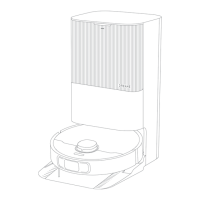
Need help?
Do you have a question about the Dreame Bot Z10Pro and is the answer not in the manual?
Covers limitations on product use, age, and environment for safe operation.
Details important precautions for handling and charging the robot's battery and charging base.
Lists and illustrates all included accessories for the robot vacuum.
Instructions on removing protective films before the robot's initial operation.
Step-by-step guide to attach the side brush correctly to the robot.
Procedure for connecting the auto-empty base and charging the robot.
Guidance on optimal placement of the auto-empty base for stable Wi-Fi connectivity.
Instructions on how to download and install the Mi Home/Xiaomi Home mobile application.
Steps to connect and add the Dreame Bot Z10 Pro to the Mi Home/Xiaomi Home app.
Procedure to reset the robot's Wi-Fi settings for re-establishing network connection.
Guide on powering the robot on/off and initiating the cleaning cycle.
Overview of available cleaning modes: Quiet, Standard, Strong, and Turbo.
Explanation of pausing, entering sleep mode, and initiating spot cleaning.
Details on utilizing advanced cleaning features via the mobile application.
Steps for attaching the mopping module, filling the water tank, and starting mopping.
Instructions on how to remove and empty the robot's dust bin.
Guide to cleaning the mopping module, mop pad, and water tank.
Steps for removing and cleaning hair or debris from the main brush.
Instructions for cleaning the robot's wheels and various sensors.
Guide to cleaning the robot's charging contacts and high-precision 3D sensor.
Steps for forcefully restarting the robot if it becomes unresponsive.
Information on battery maintenance and charging for optimal performance.
Explanation of LED light statuses and their corresponding meanings.
Answers to common problems and troubleshooting tips for the robot.
 General
| Brand | Dreame |
|---|---|
| Model | Bot Z10Pro |
| Category | Vacuum Cleaner |
| Language | English |

 To Next Page