14
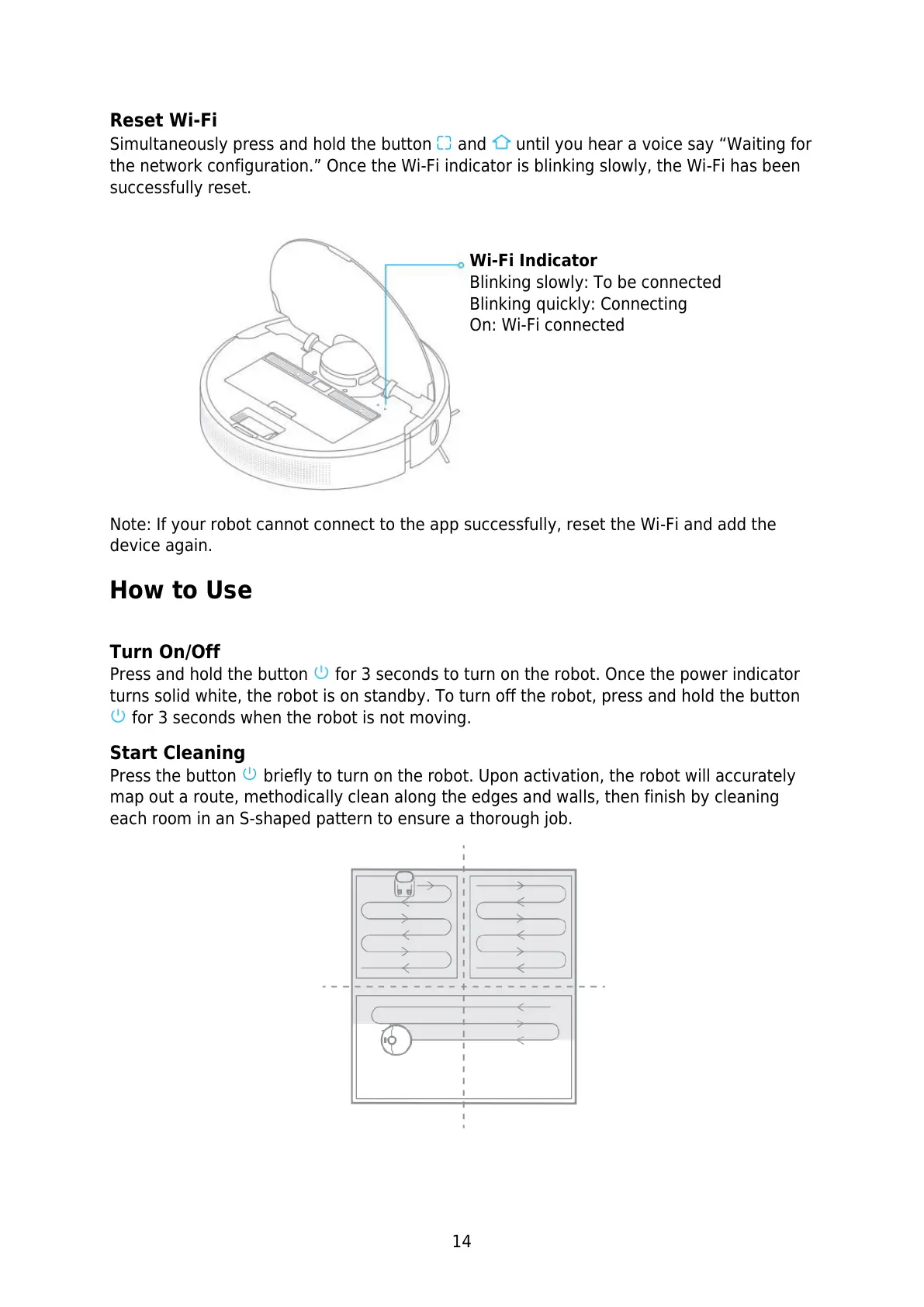
Reset Wi-Fi
Simultaneously press and hold the button and until you hear a voice say “Waiting for
the network configuration.” Once the Wi-Fi indicator is blinking slowly, the Wi-Fi has been
successfully reset.
Note: If your robot cannot connect to the app successfully, reset the Wi-Fi and add the
device again.
How to Use
Turn On/Off
Press and hold the button for 3 seconds to turn on the robot. Once the power indicator
turns solid white, the robot is on standby. To turn off the robot, press and hold the button
for 3 seconds when the robot is not moving.
Start Cleaning
Press the button briefly to turn on the robot. Upon activation, the robot will accurately
map out a route, methodically clean along the edges and walls, then finish by cleaning
each room in an S-shaped pattern to ensure a thorough job.
Wi-Fi Indicator
Blinking slowly: To be connected
Blinking quickly: Connecting
On: Wi-Fi connected


 To Next Page
 Loading...