9
How to Use
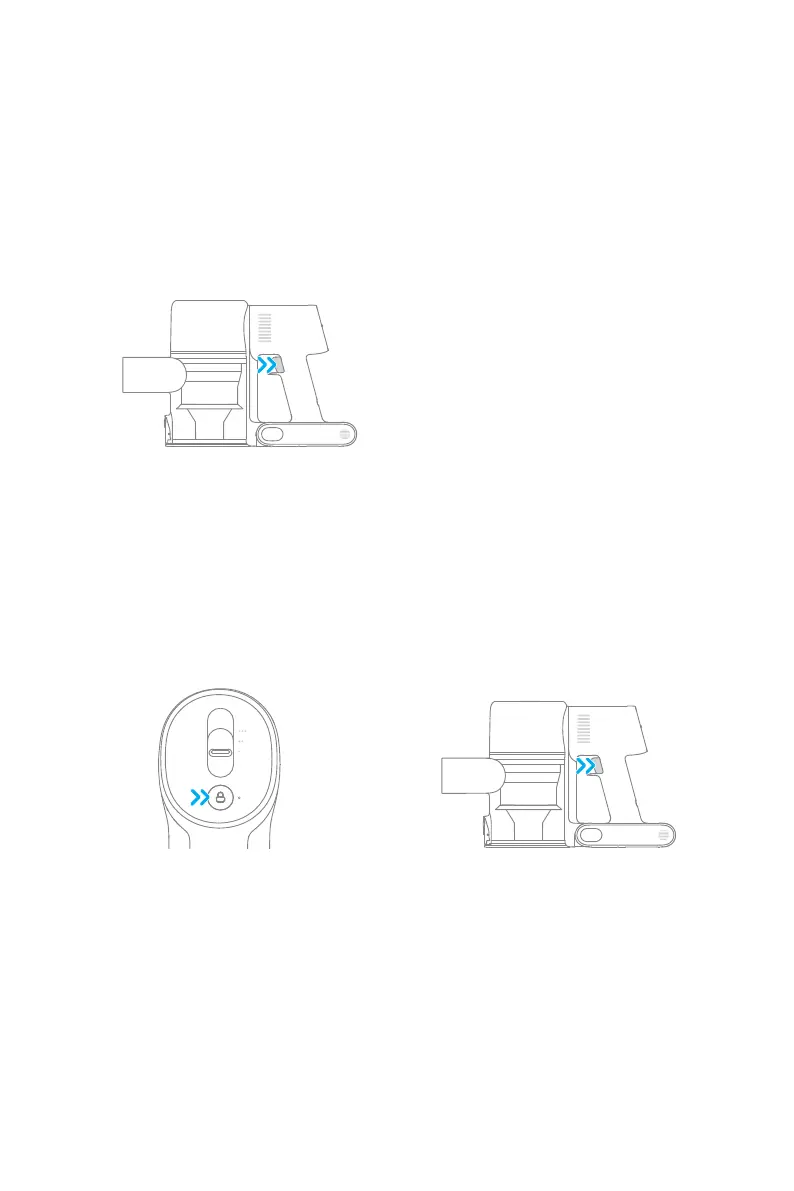
Method 2: Continuous Cleaning Mode (Electronic Lock)
Click the electronic lock to switch to Continuous Cleaning Mode when the vacuum is
running. Then release the on/o switch to make the vacuum in Continuous Cleaning
Mode.
Use the electronic lock to free your ngers and avoid nger fatigue caused by holding the
switch.
Note: In this mode, the lock indicator will illuminate steadily. Click the electronic lock again
to quit the Continuous Cleaning Mode.
Working Methods
Method 1: Discontinuous Cleaning Mode
Press and hold the on/o switch to power it on, and release it to stop immediately.
Select from two working methods for the vacuum, based on your needs.


 To Next Page