8
Installation
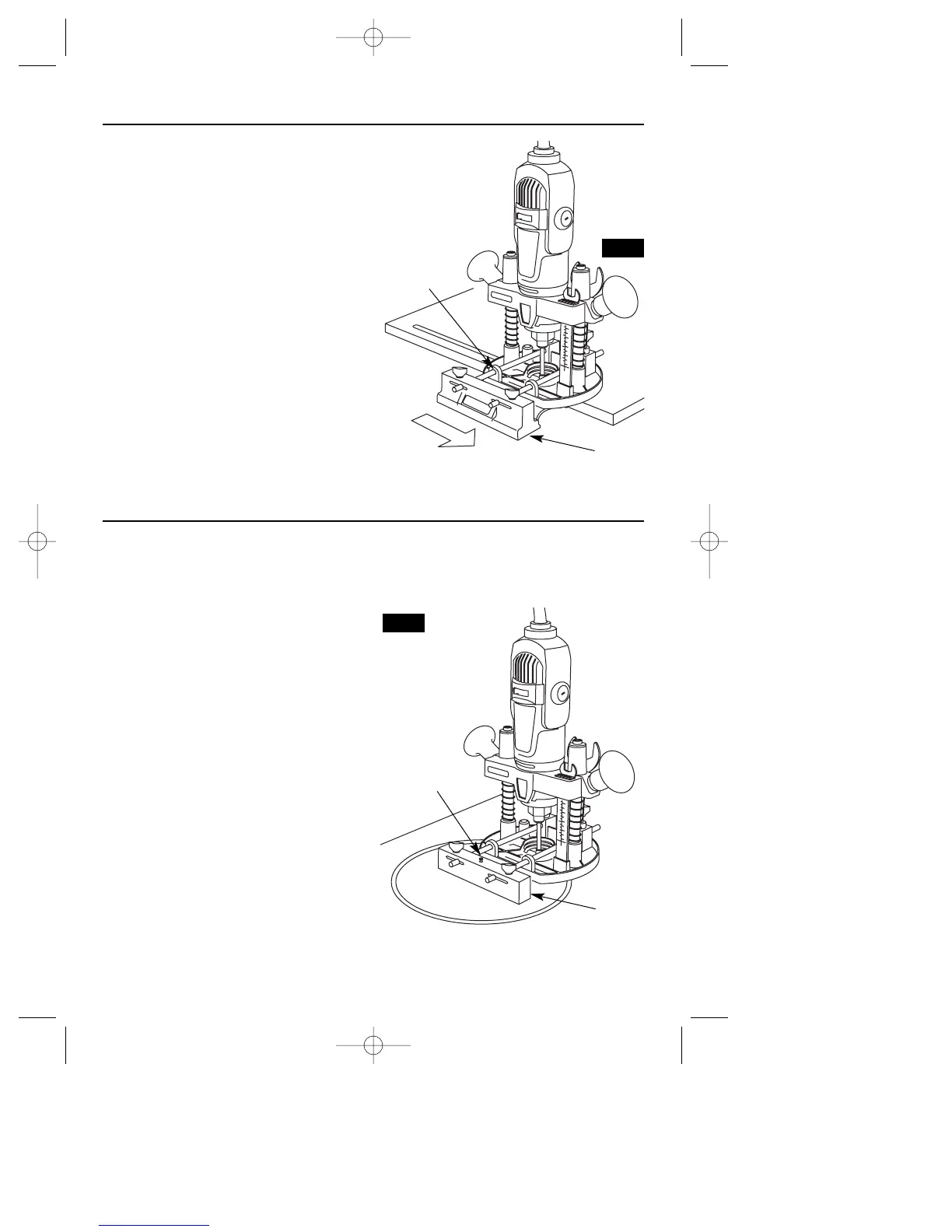
1. Install the edge guide to the plunge
router mounting blocks (Fig. 12).
2. Place parallel guide against work surface
with router bit in desired position.
3. Tighten thumbscrews.
Routing with Edge Guide
Slide the flattened side of the edge guide
along the work surface.
Edge Guide
Routing Arcs and Circles
1 Remove the edge guide and attach the
circle guide bracket to the guide rods
(Fig. 13).
2. Use the finishing nail provided as a com-
pass point. Set the circle guide for the
desired radius.
3. Place the nail through the hole in the
guide and place the nail at the center of
the desired radius to be cut.
Edge
Guide
Mounting
Blocks
Edge
Guide
Finishing
Nail
FIG. 12
FIG. 13


 To Next Page