-11-
(!$#$(,)
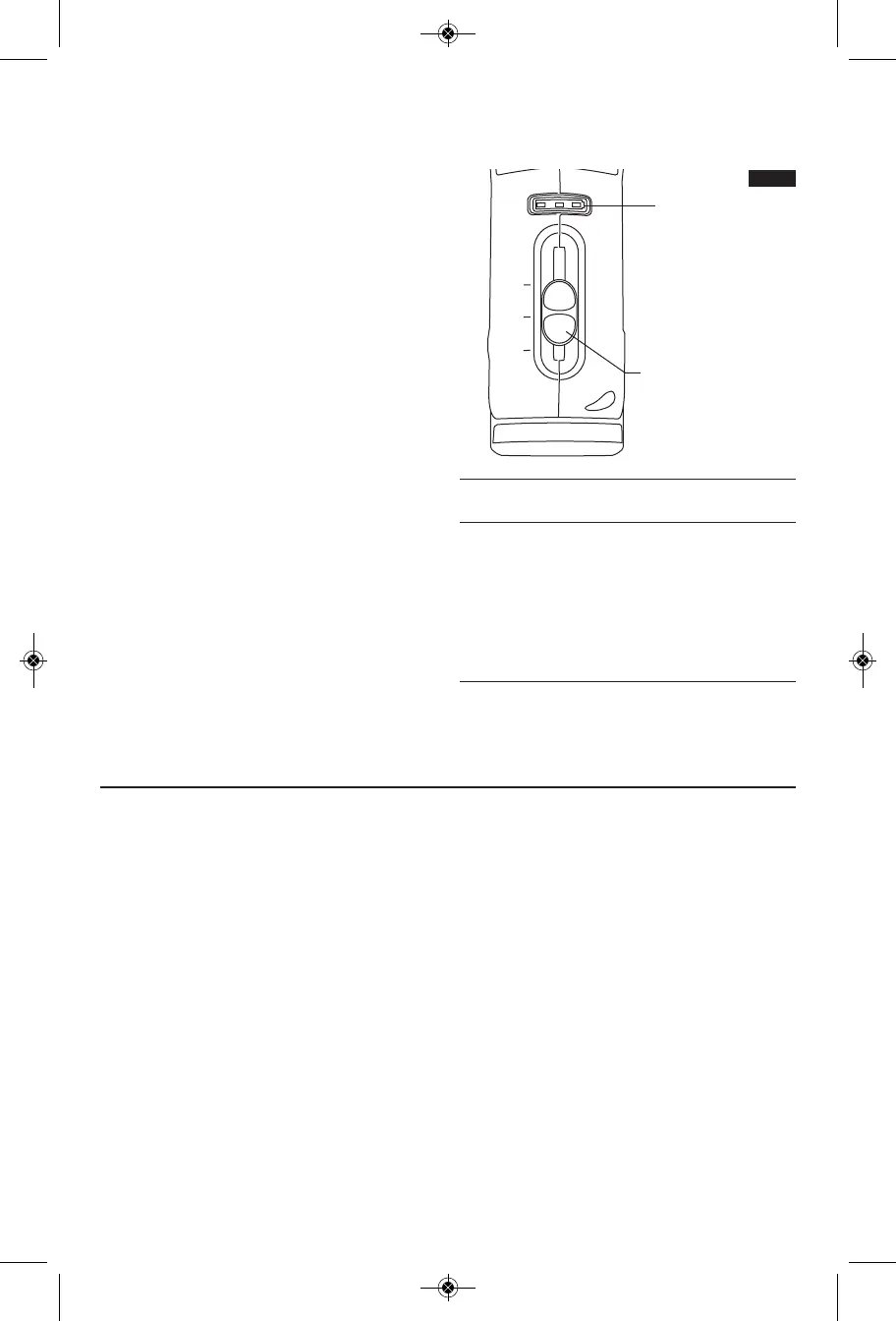
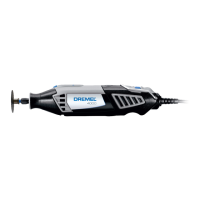
The tool is switched "ON" by the slide switch
located on the topside of the motor housing
(Fig. 6).
TO TURN THE TOOL "ON", slide the switch
button forward.
TO TURN THE TOOL "OFF", slide the switch
button backward.
!)'$#"$#)$'#
Your tool is equipped with an internal electronic
monitoring system that provides a “soft start”,
which will reduce the stresses that occur from a
high torque start.
+'!(%(!(,)
Your tool is equipped with a variable speed
slide switch. The speed may be adjusted
during operation by sliding the switch back or
forth between any one of the settings.
To achieve the best results when working with
different materials, set the variable speed
control to suit the job (See Speed Chart on
Page 15 for guidance) . To select the right
speed for the accessory in use, practice with
scrap material first.
)74B?443>5 C74 2>A3;4BB>B28;;0C8=6 C>>;
8B 2>=CA>;;43 1H B4CC8=6 C78B B;834 BF8C27
>=C747>DB8=6
(F8C27(4CC8=6 (?443'0=64
<8= $%"
10 18,000-21,000
_
13,000-16,000
6 10,000-13,000
_
7,000-10,000
2 5,000-7,000
_
3,000-5,000
VARIABLE SPEED
SLIDE SWITCH
FUEL GAUGE
*!*
This tool is equipped with a fuel gauge that
tells you how much charge your battery has.
A fully charged battery is indicated when all
three LED lights are illuminated. As the
battery discharges, the lights will turn off one
by one until only one light is on. When the
last light starts "flashing", the battery is
almost empty.
When the battery becomes close to empty, the
tool may shut down automatically more
frequent than normal. If this happens, it is time
to recharge the battery.
When the battery is dead, the tool will
automatically turn off. This will be a sudden
stop as opposed to a gradual winding down
of the tool. Simply recharge the battery and
reuse.
3 lights - 100% charge remaining
2 lights – 50% charge remaining
1 light - 25% charge remaining
1 "flashing" light - tool is about to shut off
3 “side to side” lights – battery charge is too
low to run tool. Recharge the battery.
3 “flashing” lights – battery is too hot for use.
Turn tool off and let battery cool down
before resuming use.
FIG. 6
DM 2610011834 07-10:DM 2610011834 07-10.qxp 7/20/10 1:20 PM Page 11


 To Next Page