Installing Your Water 1000 Pro Series
Installing Your Water 1000 Pro Series 2-48
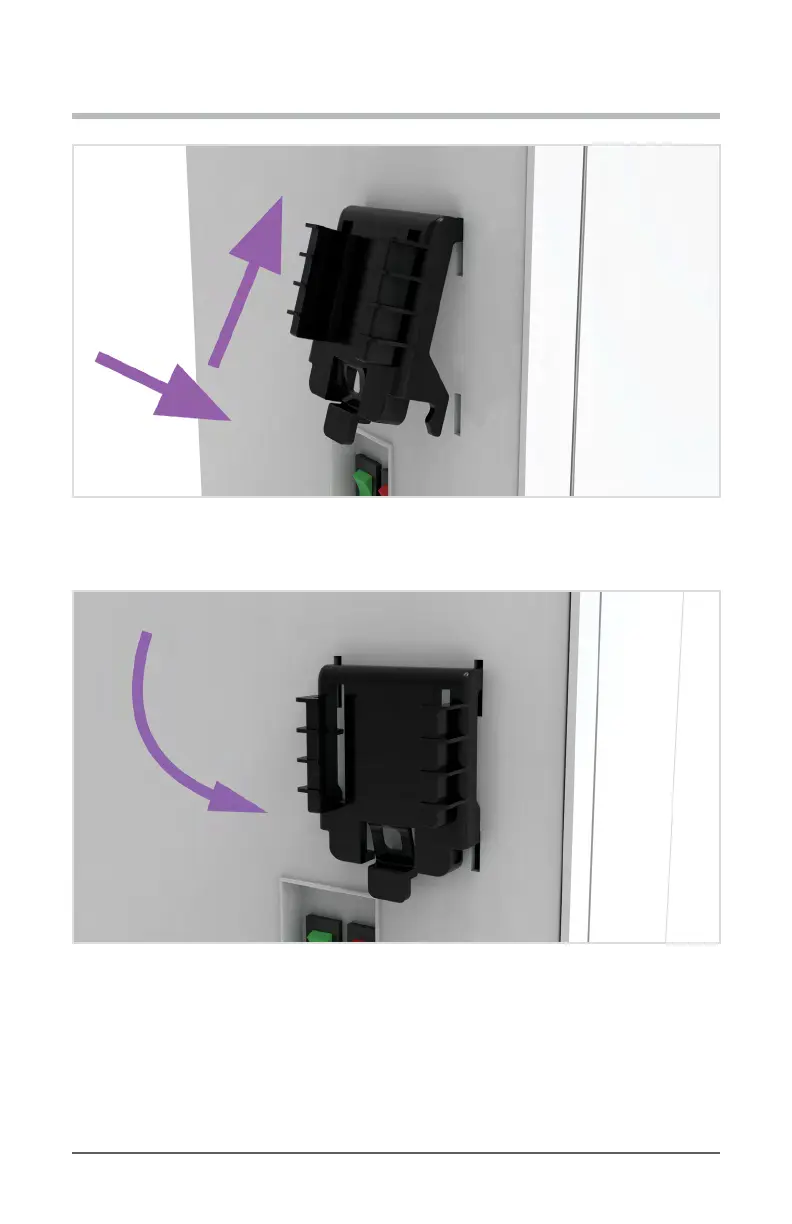
Diagram 2.8.7 - Insert Expansion Filter Mounting Bracket
8. Pivot the bracket back so that the lower ‘arms’ insert into the lower mounting slots.
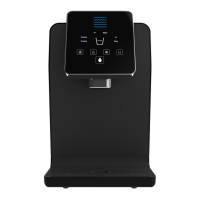
Diagram 2.8.8 - Pivot Expansion Filter Mounting Bracket Back/Down
9. Slide the bracket down till it sits rmly in place. You may need to lift the tab on the lower
end of the bracket outward to allow the bracket to slide all of the way down.


 To Next Page