Installing Your Water 1000 Pro Series
Installing Your Water 1000 Pro Series 2-53
Enabling Water Flow
This is the second to last stage of installation. In this stage, we will enable water ow at each
shuto valve, one at a time to ensure there are no leaks.
1. If it’s not already open, start by opening your Water Source Valve (the valve on your
existing water source we rst shut o).
2. If you’re using a Sink Water Source, open the valve on
F
3/8 in. Sink Adapter Valve (if you haven’t already opened it). Conrm there are no
leaks.
Diagram 2.8.2 - Open Sink Adapter Valve
3. Ensure nothing is leaking between the last applicable valve above, and the shuto valve
connected to your Source Line.
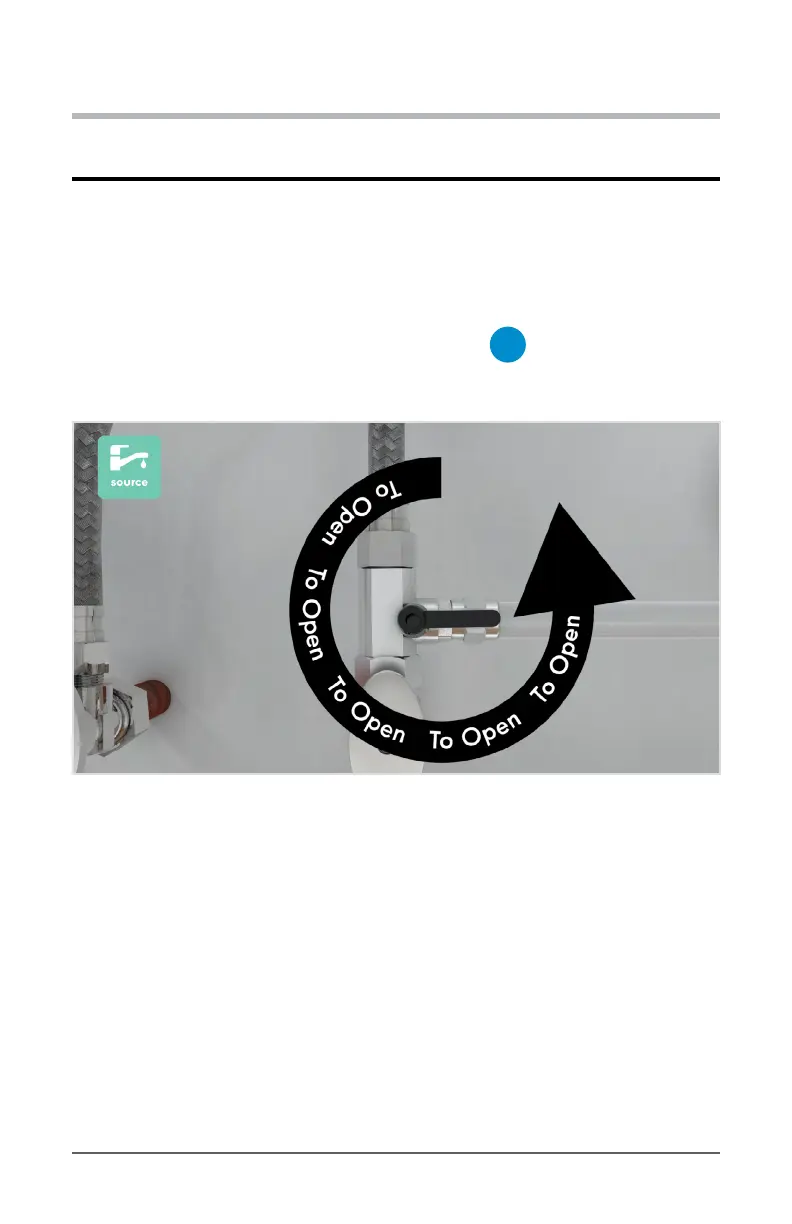
4. Now open the valve on the Quick Connect Shuto Valve connected to your Source Line
and Source Input Port on your 1000 Pro Series, as shown below.


 To Next Page