Titan LTE Owners Handbook (Issued 07/17)
Operation
GENERAL INFORMATION
1.
Make sure that the motor levers are in engaged mode by pressing down on the levers. (Parallel to the
wheels)
2.
Once seated on the powerchair, turn on the power (Press the power button). The battery gauge
will turn on.
3.
We suggest the new users and the disabled operate the chair in low speed until comfortable with
the chair and its use.
4.
Start to steer, moving the joystick to drive forward, backward, left or right. If you want to stop the
powerchair, release the joystick—it will automatically return to the centre position to stop the chair.
5.
When driving the chair on a slope, push the joystick forward to keep the chair continuously
climbing until you reach the top of the slope. While the chair is climbing a steep slope, position
your body forward to prevent the front wheels from lifting.
6.
When driving the chair down a slope, drive slowly and prepare for an emergency stop if you feel it
difficult to control the chair. If the speed increases, release the joystick to slow down or to stop,
then start again at a slower speed.
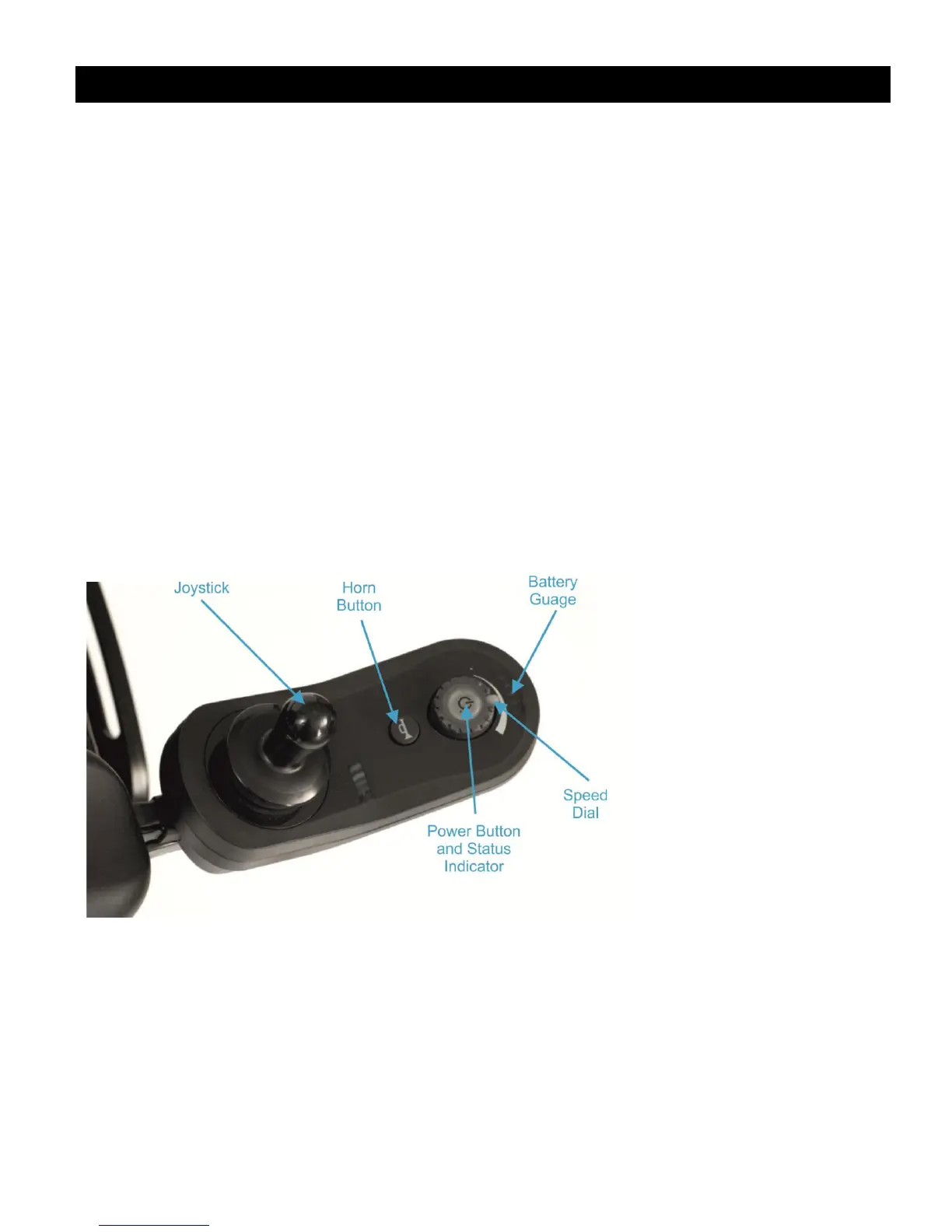
JOYSTICK
Power On / Off and Status Indicator
Press the power button to switch the powerchair on. If the system is functioning correctly, then the
power button will light up green and the battery gauge will display the power remaining in the battery.
If the system detects a fault when powering up, then the power button will indicate the fault with a
series of red flashes and prevent the system from driving. The battery gauge will flash continuously.
Press the power button again to switch the powerchair off.
See the Troubleshooting section for more information on fault statuses.



 To Next Page