Need help?
Do you have a question about the Drive Medical 12005KD and is the answer not in the manual?
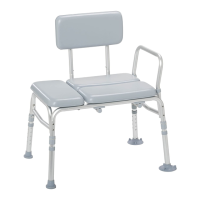
Ensure all components are present before beginning assembly of the 12005KD.
Take off protective caps from leg receivers to prepare for leg insertion.
Insert legs into receivers, ensuring locking pins engage correctly for stability.
Slide backrest brackets into seat brackets, aligning locking buttons inwards.
Align armrest with brackets and push locking buttons until it locks securely in place.
Align backrest with brackets, press locking buttons, and slide down to engage firmly.
Press locking button, slide leg to desired height, and turn to secure position.
 General
| Brand | Drive Medical |
|---|---|
| Model | 12005KD |
| Category | Medical Equipment |
| Language | English |

 To Next Page