EasyManua.ls Logo

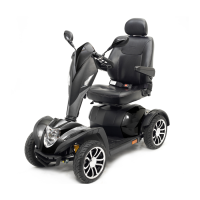
Drive Medical Cobra - User Manual

Drive Medical Cobra
15 pages
Print Icon
To Next Page IconTo Next Page
Loading...
Cobra Electric Scooter Page 1 of 16 Owner’s Handbook (Code: Cobra_IFU)
QUICK REFERENCE GUIDE
Problem: Scooter will not switch on
Symptoms:
Batteries not connected
Circuit breaker has tripped
Remedy:
Check batteries connected
Push circuit breaker to reset
Problem: Scooter will switch on but will not run
Symptoms:
Flat batteries
Charger plugged in
Motor in freewheel mode
Remedy:
Recharge battery
Unplug charger from scooter
Push down freewheel lever
Problem: Scooter appears slow
Symptoms:
Flat batteries
Speed setting slow
Remedy:
Recharge battery
Turn up speed dial
Problem: Seat moves whilst in use
Symptoms:
Seat not locked in position
Remedy:
Slowly rotate the seat until it
drops in place and is secure.
Problem: Tiller appears loose or will not swivel freely
Symptoms:
Tiller adjustment knob loose
Tiller Lock Applied
Remedy:
Tighten tiller adjustment
knob
Release Tiller Lock
Problem: Horn sounds involuntarily / automatically
Symptoms:
The scooter has diagnosed a
fault
Remedy:
Ensure the wigwag paddle is
released and switch the
scooter off and on.
Recharge batteries if error
persists.
If the scooter has diagnosed a fault the speed display
will flash and the horn will beep in sequence. If this
occurs, count the number of flashes and refer to the
table below.
1. Low Battery. Charge batteries as soon as possible.
2. Low Battery Voltage. As above
3. High Battery Voltage. Remove charger if plugged
into the scooter.
4. Current Time-Out. The scooter has drawn too much
power for too long. Switch off and restart after 5
minutes.
5. Brake Fault. Check the freewheel lever is in the
DRIVE position
6. Wigwag Paddle. Release paddle, switch off the
scooter and restart without pressing the paddle.
If any other errors are shown contact your dealer.
CONTENTS
1. PREFACE 3
2. SAFETY NOTICE 4
2.1 Before Driving
2.2 Whilst Driving
2.3 Labelling
2.4 Electromagnetic Interference
3. PARTS INTRODUCTION 9
4. OPERATION
4.1 Control Panel
4.2 How to Operate Your Scooter
5. DRIVING ON THE ROAD 15
6. BATTERY CHARGING AND CARE 16
7. INSPECTION AND MAINTENANCE 19
7.1 Checks
7.2 Service Record
7.3 Battery Pack and Tyres
7.4 Cleaning
7.5 Storage
7.6 Moving About
8. TROUBLESHOOTING 24
9. SPECIFICATION 25
10. WARRANTY 26
11. APPENDIX: SERVICE RECORD

Questions and Answers

  • R
    Robert SawyerJul 26, 2025
    What to do if my Drive Medical Cobra will switch on but will not run?
    • S
      Steven DurhamJul 26, 2025
      If your Drive Medical scooter switches on but won't run, the batteries may be flat, so recharge the battery. Ensure the charger is unplugged from the scooter. Also, check if the motor is in freewheel mode and push down the freewheel lever.
  • A
    Aaron LeeAug 1, 2025
    How to fix a Drive Medical Cobra Scooter that will not switch on?
    • M
      Megan GarciaAug 1, 2025
      If your Drive Medical scooter will not switch on, check that the batteries are connected. Also, check if the circuit breaker has tripped and push it to reset.
  • M
    Mario MarshallAug 8, 2025
    What to do if my Drive Medical Cobra Scooter horn sounds automatically?
    • D
      David ThompsonAug 8, 2025
      If your Drive Medical scooter horn sounds involuntarily, it indicates the scooter has diagnosed a fault. First, ensure the wigwag paddle is released, then switch the scooter off and on. If the issue continues, recharge the batteries. If the scooter has diagnosed a fault, the speed display will flash and the horn beep in sequence. Count the number of flashes and refer to the table below. The problem might be Low Battery (charge batteries), Low Battery Voltage (charge batteries), High Battery Voltage (remove charger if plugged in), Current Time-Out (switch off and restart after 5 minutes), Brake Fault (check the freewheel lever is in the DRIVE position), or Wigwag Paddle (release paddle and restart without pressing the paddle). If any other errors are shown contact your dealer.
  • B
    Brandon LesterAug 13, 2025
    Why is my Drive Medical Scooter so slow?
    • B
      Bryan BrownAug 13, 2025
      If your Drive Medical scooter appears slow, it could be due to flat batteries, so recharge the battery. Alternatively, the speed setting might be too low, so turn up the speed dial.
  • S
    stewartmarkAug 20, 2025
    How to fix a Drive Medical Cobra Scooter seat that moves while in use?
    • A
      Angela ChenAug 20, 2025
      If the seat moves while using your Drive Medical scooter, it's likely that the seat isn't locked in position. Slowly rotate the seat until it drops in place and is secure.

Summary

Safety

Before Driving

User must be familiar with operation before driving and adhere to speed limits.

Whilst Driving

Do not move body out of vehicle; be aware of clothing and wheels.

Operation

How to Operate Your Scooter

Instructions on starting, using the wigwag paddle, and braking mechanisms.

Driving on the Road

Starting and Driving

Ensure seat, tiller, armrests adjusted; check battery, wigwag, brakes before driving.

Battery Charging and Care

Inspection and Maintenance

Checks and Maintenance

Weekly, monthly checks including tiller, speed control, wigwag, motor, seat, tyres, upholstery.

Troubleshooting

Specification

Warranty

Drive Medical Cobra Specifications

General IconGeneral
Anti-Tip WheelsYes
Brake SystemElectromagnetic
Tire TypeSolid
Battery12V
Drive WheelsRear
Charger TypeOff Board
Drive SystemRear-wheel drive

Related product manuals