EasyManua.ls Logo

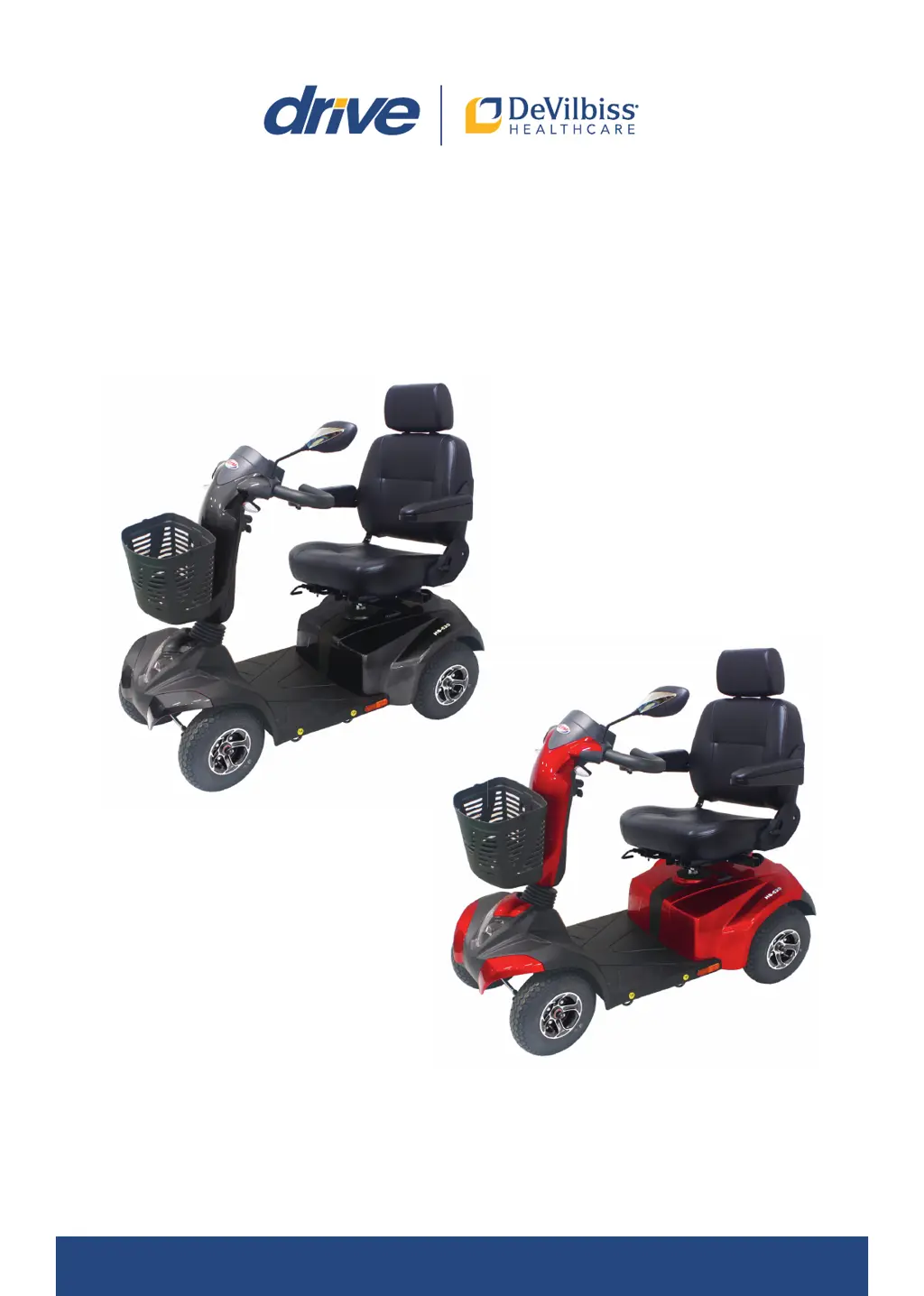
Drive Medical DeVilbiss ST4D 2G - User Manual

Drive Medical DeVilbiss ST4D 2G
72 pages
Go to English
Print Icon
To Next Page IconTo Next Page
Loading...
Gebrauchsanweisung - Instructions for use - Mode d’emploi - Gebruiksaanwijzing - Istruzioni per l’uso
ST4D 2G / ST4D 2G PLUS

Table of Contents

Questions and Answers

  • C
    Catherine JonesAug 17, 2025
    What to do if Drive Medical scooter battery voltage is too high?
    • M
      matthew52Aug 17, 2025
      If your Drive Medical scooter's battery voltage is too high, which can happen from excessive charging or going downhill, reduce your speed when going downhill to avoid overcharging the battery. Then, turn the scooter off and back on.
  • M
    Michael YoungAug 19, 2025
    How to fix a weak battery on Drive Medical DeVilbiss ST4D 2G Scooter?
    • Z
      Zachary HornAug 20, 2025
      Charge the batteries of your Drive Medical scooter as soon as possible. The charge status of the batteries is low.
  • P
    Patricia GutierrezAug 22, 2025
    What to do if Drive Medical DeVilbiss ST4D 2G battery voltage is too low?
    • G
      Grant FosterAug 22, 2025
      Charge the batteries of your Drive Medical scooter as soon as possible and check the battery, connections, and cables.
  • L
    luketuckerAug 26, 2025
    How to fix a Drive Medical scooter that won't turn on?
    • M
      Mark CharlesAug 26, 2025
      If your Drive Medical scooter cannot be switched on, first ensure the batteries are correctly connected. Also, check if the circuit breaker/overload switch has been triggered and, if so, press it to reset.
  • S
    Steven FieldsAug 28, 2025
    What to do if Drive Medical DeVilbiss ST4D 2G turns on but doesn't drive?
    • R
      Renee OsborneAug 28, 2025
      If your Drive Medical scooter can be switched on but won't move, there are several potential causes. First, check the batteries and charge or replace them if they are defective. Ensure the charging unit is disconnected from the scooter. Finally, verify that the motor is not in neutral; if it is, put the neutral lever into “Drive”.
  • P
    Phillip HallAug 31, 2025
    Why is my Drive Medical DeVilbiss ST4D 2G Scooter driving so slowly?
    • A
      Andrew WolfeAug 31, 2025
      If your Drive Medical scooter is driving slowly, the batteries may be weak, so try charging them. Alternatively, the speed may be set too low; select a higher speed setting.
  • M
    Mark WeaverSep 2, 2025
    Why does the horn on my Drive Medical DeVilbiss ST4D 2G keep going off?
    • R
      Robert WilsonSep 2, 2025
      If the horn on your Drive Medical scooter sounds unintentionally or automatically, the scooter may have detected an error. Make sure the control lever is not being operated, then switch the scooter off and on again. If the problem continues, charge the batteries.
  • T
    Tanya MeyerSep 5, 2025
    How to secure seat on Drive Medical DeVilbiss ST4D 2G Scooter?
    • S
      Stacey LunaSep 5, 2025
      If your Drive Medical scooter's seat moves during operation, it might not be properly secured. Slowly rotate the seat until it clicks into place.
  • M
    Mary HaynesSep 8, 2025
    What does 'time limit for maximum current limit exceeded' mean on Drive Medical DeVilbiss ST4D 2G?
    • C
      Catherine Casey DDSSep 8, 2025
      If your Drive Medical scooter displays a message indicating that the time limit for the maximum current limit has been exceeded, or that the control unit is too hot, switch the scooter off and wait a few minutes before turning it back on.
  • A
    amypearsonSep 12, 2025
    How to fix a loose steering column on a Drive Medical DeVilbiss ST4D 2G?
    • R
      Rebecca PowellSep 12, 2025
      If the steering column of your Drive Medical scooter seems loose or doesn't swivel freely, the fixing screws might be loose. Tighten them to resolve the issue.

Summary

Product Introduction and Information

Identification Plate Details

Details about the product's identification plate.

Declaration of Conformity

Statement of compliance with medical device regulations.

Product Service Life

Information regarding the expected lifespan of the product.

Disposal and Reuse Instructions

Instructions on product disposal and guidelines for reuse.

Warranty Terms and Conditions

Details about the product's warranty coverage and terms.

Product Parts Identification

ST4 D 2 G Component Diagram and List

Identifies and labels all components of the ST4D 2G scooter.

Usage Guidelines and Safety

Intended Use and Contraindications

Specifies the intended users and conditions, and lists unsuitable users.

Scope of Delivery Contents

Lists all items included with the electric scooter package.

General Safety Precautions

Provides essential safety guidelines for operating the scooter.

Battery Management and Product Details

Battery Safety and Handling

Instructions for safe handling, charging, and disposal of batteries.

Introduction to Manual and Purpose

Explains the manual's content and the scooter's intended use.

Electromagnetic Compatibility (EMC)

Details the product's compliance with EMC standards.

Instrument Panel and Operation

Instrument Panel Components

Identifies and explains the functions of the scooter's control panel.

Ignition Key and Power Control

Instructions on how to start and stop the electric scooter using the ignition.

Control Levers for Movement

Explains how to use the control levers for forward and backward movement.

Braking System Operation

Describes the braking mechanism and its automatic operation.

Speed Setting Adjustment

How to adjust the speed settings for different driving conditions.

Signaling and Lighting Functions

How to use the horn, indicators, and lights for signaling and visibility.

Scooter Features and Adjustments

Warning Light System

How to activate and understand the warning light function.

Seat Adjustment and Rotation

Instructions for rotating, shifting, and adjusting the seat.

Armrest and Steering Column Adjustment

How to adjust armrests and the steering column for comfort.

Neutral Lever and Driving Modes

Explains the neutral lever, driving modes, and manual maneuvering.

Battery Charge Indicator

How to read and interpret the battery charge status indicator.

Battery Maintenance and Charging

Battery Charging Procedures

Guidelines for charging the scooter's batteries.

Battery Replacement Process

Steps for replacing the scooter's batteries.

Battery Care and Cleaning

Recommendations for maintaining battery health and cleaning.

Driving Guidelines and Precautions

General Driving Recommendations

Advice on maintenance, battery care, and usage.

Overload Switch Functionality

Explains the overload switch and its purpose.

Tire Maintenance and Pressure

Information on tire condition, pressure, and replacement.

Street Driving Safety and Stopping

Safety guidelines for driving in traffic and procedures for stopping/parking.

Transport, Storage, and Cleaning

Scooter Transport Guidelines

Instructions for safely transporting the scooter.

Scooter Storage Recommendations

Advice on how to store the scooter when not in use.

Cleaning and Disinfection Methods

Steps for cleaning and disinfecting the electric scooter.

Troubleshooting Common Issues

Problem Resolution Guide

A guide to identify and resolve common scooter issues.

Error Code Diagnostics

Error Code Reference Guide

Explains error codes indicated by the LED display.

Inspection and Maintenance Schedule

Weekly Inspection Checklist

Tasks to perform for weekly checks of the scooter.

Monthly Inspection Tasks

Tasks for monthly maintenance checks.

Semiannual Inspection Tasks

Tasks for semi-annual maintenance checks.

Motor Brush Maintenance

Procedure for checking and replacing motor brushes.

Annual Professional Inspection

Recommendation for annual professional servicing.

Warranty and Technical Information

Warranty Service and Claims

Information on how to obtain warranty service and make claims.

Wear Parts and Warranty Coverage

Lists components considered wear parts and their warranty coverage.

ST4 D 2 G Technical Specifications

Detailed technical specifications for the ST4D 2G model.

ST4 D 2 G Plus Technical Specifications

Detailed technical specifications for the ST4D 2G Plus model.

Serial Number Location

How to locate and record the scooter's serial number.

Maintenance Records and Transport

Maintenance Report Log

A log for recording maintenance dates and tasks performed.

Public Transport Compatibility

Information on the scooter's suitability for public transport.

Drive Medical DeVilbiss ST4D 2G Specifications

General IconGeneral
Range15 miles
Ground Clearance3 inches
Tire TypeSolid, Flat-Free
Charger TypeOff-board
Overall Width25 inches
Seat Width18 inches
Seat Depth18 inches
Seat TypePadded
Weight Capacity350 lbs
Battery2 x 12V 35AH

Related product manuals