EasyManua.ls Logo

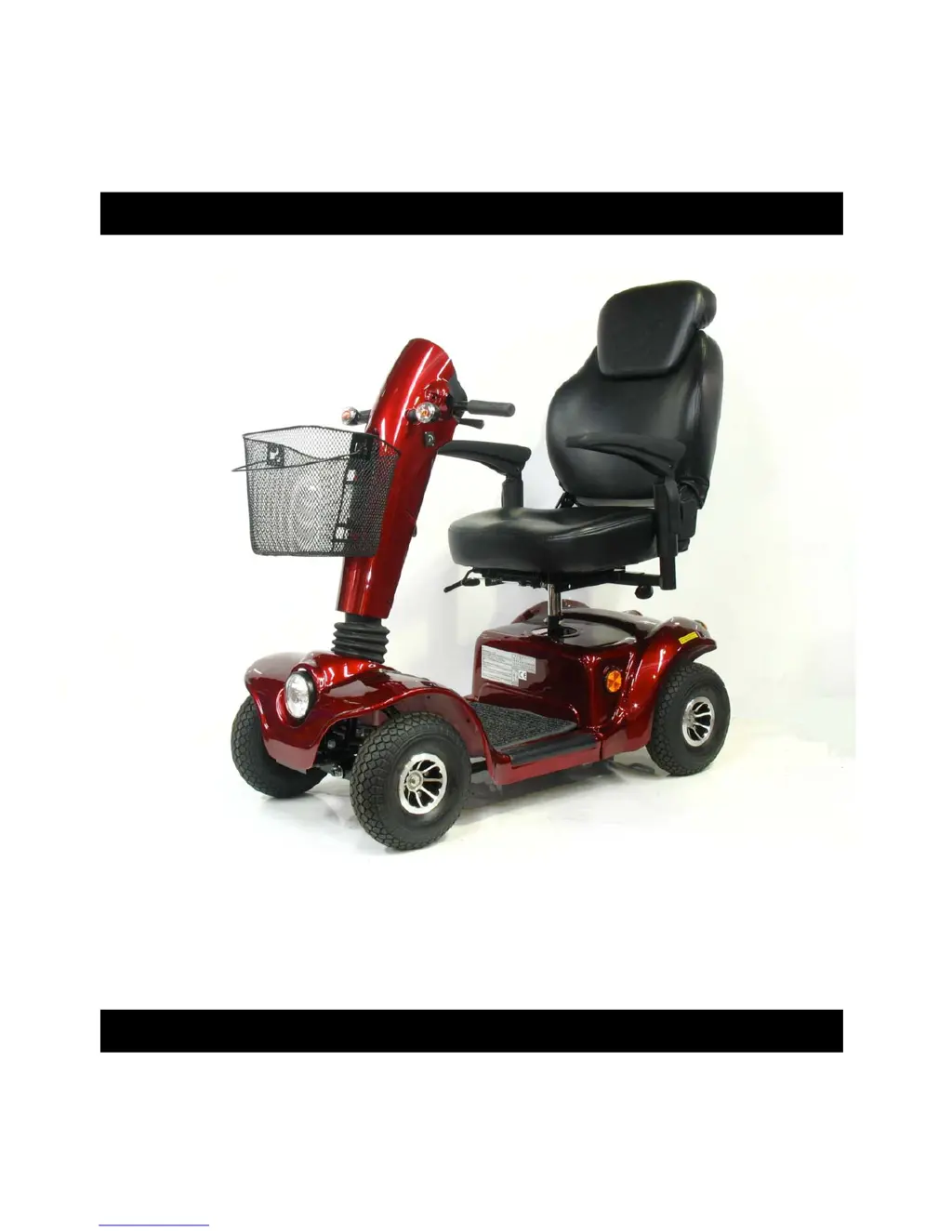
Drive Medical GLADIATOR GT807 - User Manual

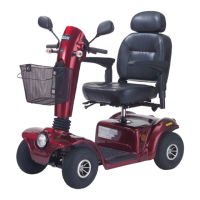
Drive Medical GLADIATOR GT807
24 pages
Print Icon
To Next Page IconTo Next Page
Loading...
GT807, GT808
GLADIATOR GT
OWNERS MANUAL

Questions and Answers

  • J
    jim57Jul 31, 2025
    What to do if my Drive Medical GLADIATOR GT807 Scooter switches on but won't move?
    • T
      Timothy LyonsJul 31, 2025
      If your Drive Medical Scooter turns on but doesn't move, first, make sure the batteries have enough power by recharging them if needed. Also, check that the freewheel lever is in the 'DRIVE' position.
  • T
    thomas62Aug 5, 2025
    How to fix a Drive Medical Scooter that will not switch on?
    • W
      williamwardAug 5, 2025
      If your Drive Medical Scooter won't switch on, first try recharging the battery. If that doesn't work, check the fuse and circuit breaker in the scooter.
  • J
    Justin ChenAug 10, 2025
    Why is my Drive Medical Scooter so slow?
    • M
      Melissa MartinAug 10, 2025
      If your Drive Medical Scooter seems slow, check the battery power level and recharge if necessary. Also, make sure the speed dial isn't set to a slow speed.
  • N
    Nicole MccormickAug 15, 2025
    What to do if my Drive Medical GLADIATOR GT807 horn sounds on its own?
    • P
      Patrick RobertsonAug 15, 2025
      If your Drive Medical Scooter horn sounds involuntarily, ensure that the wigwag paddle is released. If the problem persists, try switching the scooter off and on, or recharge the batteries.
  • A
    Adam TorresAug 20, 2025
    How to tighten a loose handlebar on a Drive Medical Scooter?
    • S
      Stephen LinAug 20, 2025
      If the handlebar of your Drive Medical Scooter appears loose, tighten the height adjustment handle to secure it.
  • E
    Edward LongAug 26, 2025
    What to do if the seat on my Drive Medical GLADIATOR GT807 Scooter turns during operation?
    • Z
      zshermanAug 26, 2025
      If the seat of your Drive Medical Scooter turns while you're using it, slowly rotate the seat until it drops into place and is secure.

Summary

Safety Notice

2.1 Before Driving

User must be familiar with operation and follow pedestrian rules.

2.2 While Driving

Perform daily inspections and avoid moving body outside vehicle.

Mobile Phones and Electrical Equipment

Warnings about mobile phones affecting scooter control.

Automatic Power Shut Down

Explains automatic power off feature after 30 minutes of inactivity.

Navigating Ramps, Inclines, and Drops

Guidelines for navigating inclines and avoiding steep ramps/potholes.

Maximum User Weight Limit

Warning about exceeding weight limit and its consequences.

2.3 Labeling

Radio Wave Interference Warning

Explains how radio waves can affect scooter control and provides precautions.

3. Parts Introduction

3.1 Parts Description

Lists and identifies scooter components with numbers.

4. Operation

4.1 Control Panel

Identifies and describes controls on the scooter's panel.

4.2 How to Operate Your Scooter

Step-by-step guide for operating the scooter.

Light Button and Battery Indicator

Explains light switch function and how to read the battery indicator.

Battery Care Suggestions

Provides tips for maximizing battery efficiency and service life.

Braking System and Safety Warning

Explains electromagnetic braking and warns about freewheel mode on gradients.

Seat Adjustments

Instructions for turning, repositioning, and adjusting armrest width of the seat.

Freewheel Mode Operation

How to engage and disengage freewheel mode.

Tiller Adjustment

How to adjust the tiller to a comfortable position.

Manual Brake and Circuit Breaker

Explains manual brake lever and the function of the main circuit breaker.

5. Battery Charging and Care

5.1 Charging the Battery

Step-by-step procedure for charging the battery, including LED indicators.

Charging Safety Warnings and Precautions

Important warnings and precautions to follow during battery charging.

Battery Information

General information about battery maintenance, warranty, and temperature.

Battery Efficiency and Service Life Suggestions

Tips to maximize battery efficiency and service life.

Cleaning the Battery

Instructions for cleaning contaminated batteries.

Charger Replacement and Related Warnings

Steps for charger replacement and associated warnings/suggestions.

6. Inspection and Maintenance

6.1 Inspection

Regular cleaning and checks for wear and tear.

6.2 Regular Checking Record

A record keeping table for maintenance checks.

6.3 Battery, Fuse and Tyre

Information on checking battery, fuse, and tires.

Tire Maintenance and Pressure

Guidance on inspecting tire tread depth, pressure, and related safety.

6.4 Storage

Conditions for storing the scooter.

6.5 Moving About

Precautions for moving or lifting the scooter.

7. Trouble Shooting and Specification

Trouble Shooting

Common symptoms and their remedies for scooter issues.

Specification

Technical specifications of the scooter models GT807, GT808.

8. Warranty

Warranty Conditions

Conditions and limitations of the product warranty.

9. VIN (Vehicle Identification Number)

Drive Medical GLADIATOR GT807 Specifications

General IconGeneral
BrandDrive Medical
ModelGLADIATOR GT807
CategoryScooter
LanguageEnglish

Related product manuals