EasyManua.ls Logo

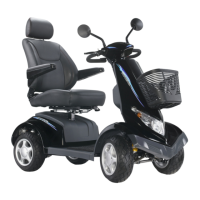
Drive Medical S8 Aviator - User Manual

Drive Medical S8 Aviator
17 pages
Print Icon
To Next Page IconTo Next Page
Loading...
The team at Drive Medical develops its products to give our customers the freedom to live
independently. This encompasses their daily home life and provides them with the opportunity
to enjoy an outing with family and friends. Our goal is to develop a range that will provide
individuals with a chance to enjoy every day life.
e ic
ig
a
tu N 1 0
Driv
Med al Des
n & M nufac
ring, Y 1
50
iv ic
, J
Dr
e Med al Ltd HX5 9
P
iv di
C
, 1
Dr e Me
cal GmbH & o. KG D-883 6 Isny
. 8 U
Is
Part No
S
A_IF
( s Jan 12)
t to ph a
i
Illus
rations, pho
gra s nd specif
cations
a
b
u
e to h
m
y e s
bj ct
c
ange.
SU
K
U
DE
S8 Aviator Scooter
Owner’s Handbook

Questions and Answers

  • J
    Jessica FrederickAug 12, 2025
    What to do if Drive Medical S8 Aviator Scooter battery voltage is too low?
    • M
      Michelle KingAug 12, 2025
      Recharge the batteries. If the scooter has been off for a few minutes, the battery charge might recover enough for a short drive.
  • J
    Julie ChapmanAug 16, 2025
    What to do if Drive Medical Scooter is out of neutral at power up?
    • K
      Kyle GreeneAug 16, 2025
      Ensure the throttle is in the neutral position when turning the power switch key on. If it is not, return the throttle to neutral, turn the power off, and then back on again. Also, the throttle may need recalibration, and the throttle wiring should be checked.
  • S
    Sandra BrownAug 20, 2025
    What to do if Drive Medical S8 Aviator battery voltage is too high?
    • A
      Alyssa MedinaAug 20, 2025
      If a charger is plugged in, unplug it or turn the Charge/Run switch to Run. You can also turn the scooter power off and then back on again.
  • D
    davidcarterAug 25, 2025
    What to do if Drive Medical Scooter has current limit time out?
    • E
      emcfarlandAug 25, 2025
      The motor may have been overworked, jammed, or stalled. Turn the scooter power off, wait a few minutes, and then turn it back on. Also, check the loom for shorts and inspect the motor.
  • G
    Gabrielle GrayAug 27, 2025
    What to do if Drive Medical S8 Aviator Scooter shows a 'Push Too Fast' fault?
    • B
      Benjamin GonzalezAug 27, 2025
      This fault occurs when the scooter is pushed faster than the programmed "Push Speed" or "Rollaway Speed" parameter after the Park Brake has been released. To resolve this, turn the scooter off and then back on again.
  • M
    Matthew MoraAug 31, 2025
    What causes a brake fault on a Drive Medical S8 Aviator?
    • B
      Bradley GarciaAug 31, 2025
      A brake fault can occur if the park brake coil or wiring is faulty. Ensure that the park brake release lever is in the engaged position. Also, check the park brake and wiring for open or short circuits.
  • S
    sanchezmarcusSep 3, 2025
    What causes a 'Speed Pot Error' on a Drive Medical Scooter?
    • V
      Vanessa GloverSep 4, 2025
      A 'Speed Pot Error' can be caused by a faulty throttle or its wiring. Check for open or short circuits. The throttle may also not be correctly set up.
  • U
    uhunterSep 7, 2025
    What does 'Motor Volts Error' mean on a Drive Medical S8 Aviator Scooter?
    • R
      Richard HolmesSep 7, 2025
      A 'Motor Volts Error' indicates that the motor or its wiring is faulty. Check for open or short circuits.

Summary

Safety Instructions

Modifications

Electromagnetic Interference

Specification

Adjustments for Seating Comfort

Details on adjusting seat height, armrests, and seat back angle for user comfort.

Tiller Adjustment for Comfort

Instructions on how to adjust the angle of the tiller for optimal user positioning.

Control Panel Operation

Display and Indicators

Overview of the digital display, its functions, and the meaning of various lights.

Control Buttons Overview

Identification and basic function of the primary control buttons.

Braking and Speed Control

Details on operating the braking system and the speed lever (throttle).

Speed Display and Settings

How to view speed, change units, and select high/low speed modes.

Power and Status Indicators

Information on battery level, clock, odometer, trip counter, and temperature display.

Lighting and Signaling

Instructions for operating headlights, side lights, indicators, and hazard lights.

Battery Charging

Operating Instructions and LED Status

Steps for charging, understanding LED indicators, and troubleshooting common issues.

Battery Maintenance

Scheduled Maintenance Checks

Covers daily, weekly, monthly, and semi-annual checks for battery and motor components.

Scooter Maintenance

General Cleaning and Inspection

Guidelines for keeping the scooter clean, checking tyres, upholstery, and mechanisms.

Annual Service

Recommendation for professional annual servicing of the scooter.

Troubleshooting and Fault Repair

Fault Diagnosis and Remedies

Lists common faults, their impact, and recommended actions or service agent contact.

Warranty

Warranty Conditions

Details terms, conditions, exclusions, and procedures for warranty claims.

Drive Medical S8 Aviator Specifications

General IconGeneral
Weight Capacity350 lbs.
Turning Radius53 inches
Ground Clearance3 inches
Overall Length48 inches
Overall Width24 inches
Overall Height37 inches
Seat Width18 inches
Seat Depth16 inches
Wheel TypePneumatic
Charger24V, 5A
Charger Type5A Off-Board

Related product manuals