9
INSTRUCTIONS FOR USE
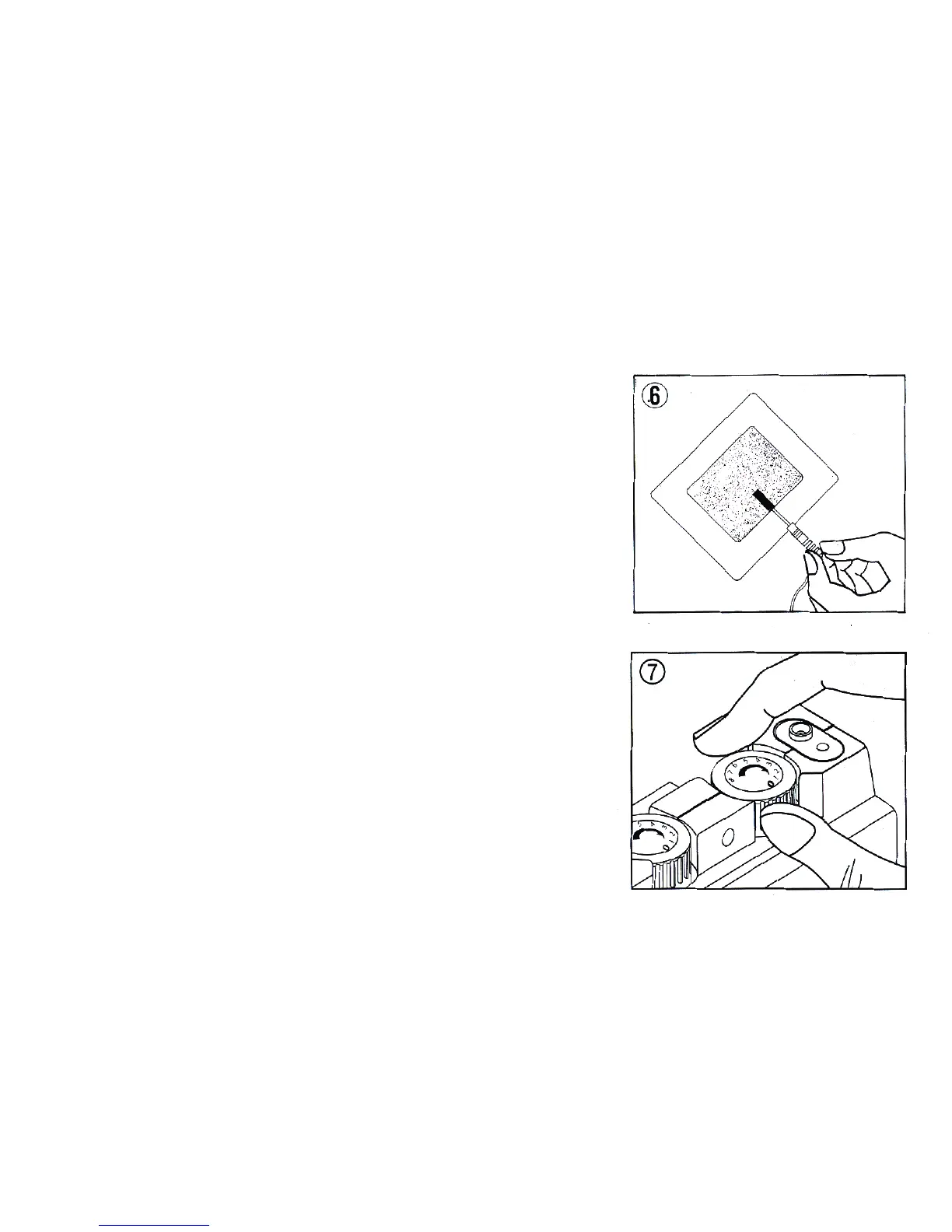
6. Insert pin into Electrode Socket. Insert pin connector into
electrode as shown. (When inserting or removing pin connector,
hold connector , not cord, to protect cord). For some electrode
connections, it may be preferable to insert the pin connector
prior to taping the electrode to the skin.
7. Adjusting the Controls. Ensure that amplitude controls for both
Channels 1 and 2 are turned to the “OFF” position



 To Next Page